Many candidates feel a sudden wave of panic when their exam slip refuses to load. You click, refresh, try again, and nothing changes.
The problem is simple but urgent. Without your slip, you cannot confirm your exam date, time, or center. That alone is enough to disrupt your preparation.
So the question keeps coming up: why can’t I print my JAMB slip 2026?
The good news is that most of these issues are common and easy to fix. In this guide, you will find clear explanations and practical solutions that work, even if you are facing the problem right now.
What Is a JAMB Examination Slip and Why Is It Important?
Before solving the issue, it helps to understand what the slip actually does.
Your JAMB examination slip contains:
- Your exam date
- Your exam time
- Your CBT center address
- Your registration details
It is not just a piece of paper. It is your entry pass into the exam hall.
During JAMB exam slip printing, candidates are expected to download and print this document before the exam date. Without it, you may not be allowed into the CBT center.
This is why the process of JAMB reprint slip 2026 is taken seriously across Nigeria.
Also Read: What is the Best JAMB Preparation Strategy 2026? (Proven Study Plan for High Scores)
Common Reasons Why You Can’t Print Your JAMB Slip
There are several reasons why your slip may not be showing or printing. Most of them are technical or timing-related.
1. JAMB Slip Printing Has Not Started Yet
One of the most common issues is trying too early.
JAMB usually releases exam slips a few days before the exam. If you attempt printing before the official release, the system will not show your details.
What to note:
- Slip printing is done in batches
- Not all candidates see their slips at the same time
2. Incorrect Registration Details
A small mistake can block access completely.
Common errors include:
- Wrong registration number
- Incorrect email address
- Typing mistakes during login
Always double-check your details before concluding there is a system problem.
3. Poor Internet Connection
In many parts of Nigeria, unstable internet can interrupt the process.
You may experience:
- Blank pages
- Incomplete loading
- Failed downloads
Even when the portal is working fine, a weak network can make it seem otherwise.
4. Browser or Device Issues
Sometimes, the problem is not from JAMB at all.
Older phones or unsupported browsers may fail to load the page properly.
Common causes:
- Outdated browser version
- Low device memory
- Incompatible mobile settings
5. Server Overload on JAMB Portal
This happens often, especially on the first day of release.
Millions of candidates try to access the portal at the same time. The result is slow loading or complete failure.
6. Payment or Registration Issues
If your registration was not fully completed, your slip may not appear.
Possible issues include:
- Payment not confirmed
- Incomplete biometric verification
- Errors during registration
In such cases, the system will not generate your exam slip.
Step-by-Step Guide to Print Your JAMB Slip Successfully
If everything is in order, printing your slip should take just a few minutes.
Method 1: Print via JAMB Portal
Follow these steps carefully:
- Visit the official JAMB portal via https://slipsprinting.jamb.gov.ng/
- Locate “Print Examination Slip”
- Enter your registration number or email
- Click on “Print”
- Download and print your slip
It is best to use a computer for this process.
Method 2: Print via Email
Some candidates receive their slips directly by email.
Steps:
- Open the email used during registration
- Look for messages from JAMB
- Download the attached slip
- Print immediately
Always check your spam folder if you cannot find it.
Quick Fixes If Your JAMB Slip Is Not Printing
If you are still facing issues, try these simple solutions:
- Refresh the page and try again
- Switch to another browser like Chrome or Firefox
- Use a laptop instead of a mobile phone
- Clear your browser cache
- Try again at a different time
These small adjustments often solve the problem within minutes.
Best Time to Print JAMB Slip Without Issues
Timing plays a major role.
The best time to print JAMB slip is when fewer users are online.
Recommended periods:
- Early morning (5 AM to 8 AM)
- Late night (10 PM onwards)
Avoid peak hours when traffic is high.
What to Do If You Still Can’t Print Your JAMB Slip
If the problem continues, do not wait until the last minute.
Visit a CBT Center
Accredited CBT centers are the most reliable option.
They:
- Have stable internet
- Understand the process
- Can print your slip quickly
Contact JAMB Support
If there is a deeper issue, contact JAMB directly.
Provide:
- Your registration number
- Your full name
- Your email address
Check Cyber Cafés
In Nigeria, many cyber cafés specialize in JAMB services.
They are often faster because they handle similar requests daily.
Common Mistakes Students Make During Slip Printing
Some errors make the situation worse.
Avoid the following:
- Waiting until the last day
- Entering incorrect login details repeatedly
- Ignoring official announcements
- Relying only on mobile phones
Planning ahead saves time and stress.
Real-Life Scenario: How a Student Fixed JAMB Slip Printing Issue
Chinedu, a student in Lagos, tried printing his slip around noon but kept getting errors.
At first, he assumed something was wrong with his registration.
Instead of panicking, he tried again early the next morning. The portal loaded faster. He also visited a nearby cyber café.
Within minutes, his slip printed successfully.
The issue was not serious. It was simply server traffic.
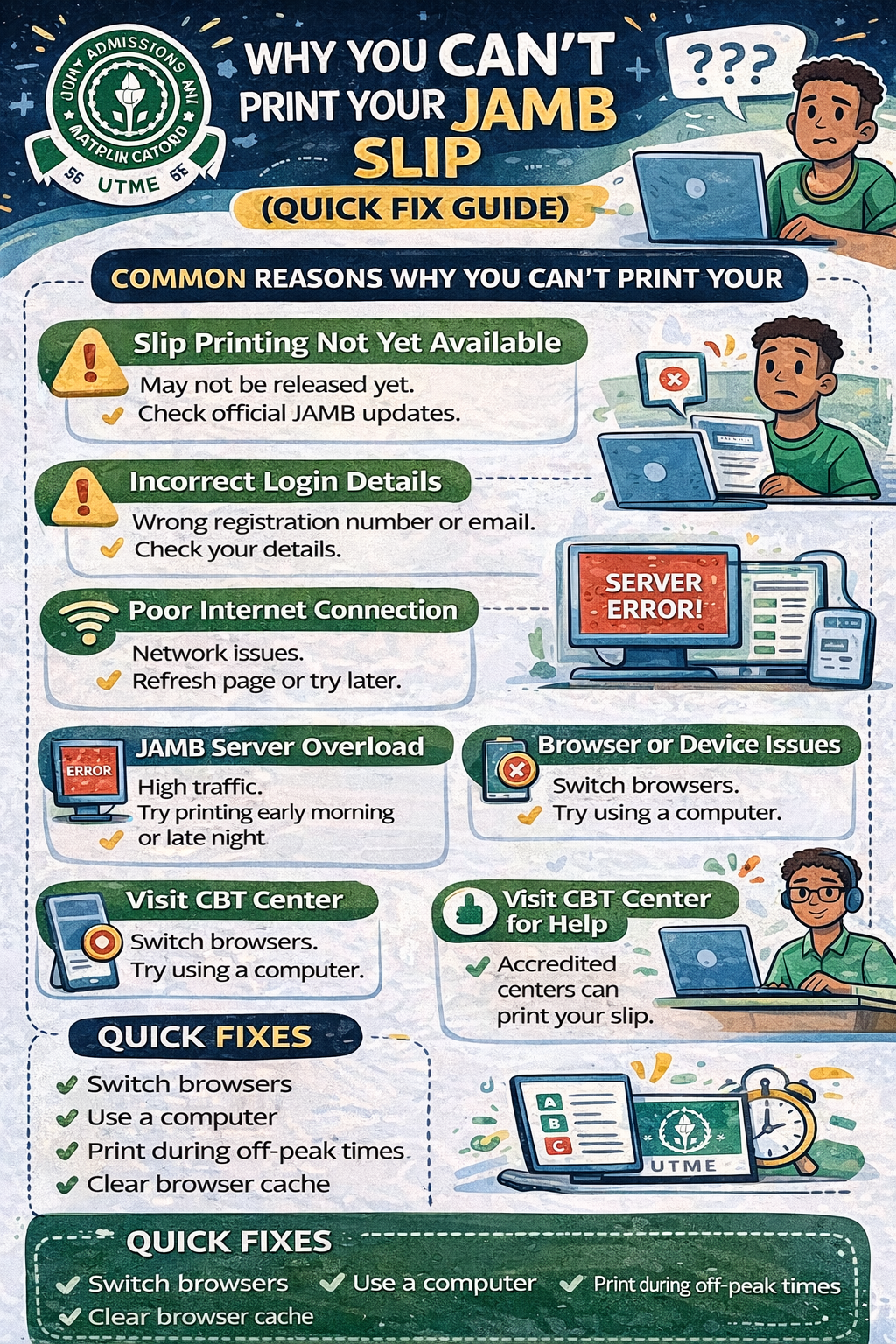
Why You Can’t Print Your JAMB Slip (Quick Fix Guide)
- Slip printing not yet available
- Incorrect login details
- Poor internet connection
- JAMB server overload
- Browser or device issues
- Visit CBT center for assistance
Frequently Asked Questions (FAQs)
Why can’t I print my JAMB slip?
It may be due to server issues, incorrect details, or trying before the slip is released.
When will JAMB slip printing start?
Usually a few days before the exam. Always follow official updates.
Can I print my JAMB slip with my phone?
Yes, but a computer gives a smoother experience.
What if my slip is not showing?
Wait for some time, then try again or switch devices.
Can a cyber café print my JAMB slip?
Yes. Many candidates use cyber cafés for faster results.
How to reprint JAMB slip 2026?
Visit the JAMB portal, enter your details, and download your slip again.
What details are on JAMB exam slip?
It includes your exam date, time, venue, and registration information.
Can I enter the exam hall without my slip?
No. The slip is required for entry into the CBT center.
How do I fix JAMB portal not loading?
Use a better internet connection, switch browsers, or try off-peak hours.
What should I do if my exam center is far?
Plan your trip early and consider arriving a day before your exam.
Conclusion: Don’t Panic, Fix It Quickly
Most issues with JAMB exam slip printing are temporary.
In many cases, the problem is not serious. It may be timing, internet connection, or simple technical errors.
If you act early and follow the steps in this guide, you will avoid last-minute pressure.
Stay calm, stay prepared, and handle it step by step.
Call to Action
- Check your JAMB portal today
- Print your slip as soon as it becomes available
- Share this guide with friends who are preparing
Now Over To You
Have you tried printing your JAMB slip yet?
What error are you currently facing?
Which course are you planning to study in university? Let us know in the comments.