It is no news that every year, over 2 million candidates sit for the Joint Admissions and Matriculation Board (JAMB) Unified Tertiary Matriculation Examination (UTME). Yet, only a fraction of them secure admission into their preferred institutions.
To manage this process more fairly, JAMB introduced the Central Admission Processing System (CAPS). Despite its importance, many students remain confused about how it works. Common complaints include:
-
Not knowing how to check JAMB CAPS 2026.
-
Trouble accepting or rejecting admission.
-
Misunderstanding CAPS status messages.
This guide will walk you through how to check JAMB CAPS, accept admission, and avoid common mistakes, with real-world examples from Nigerian students.
What is JAMB CAPS and Why It Matters?
The JAMB Central Admission Processing System (CAPS) is an online platform designed to make Nigeria’s admission process transparent and efficient.
Why CAPS was introduced
Before CAPS, many universities offered admission without proper regulation. Some students with lower scores got admission over those with higher JAMB marks. CAPS solved this by:
-
Ensuring fairness in the JAMB admission process.
-
Allowing students to monitor their admission status directly.
-
Reducing cases of admission fraud.
The scale of competition
According to JAMB statistics, over 2.3 million candidates registered for UTME 2025, yet less than 25% gained admission into universities, polytechnics, or colleges. For competitive courses like Medicine and Law, scoring high is not enough—you must also monitor your JAMB CAPS admission status.
Step-by-Step Guide: How to Check JAMB CAPS Admission Status 2026
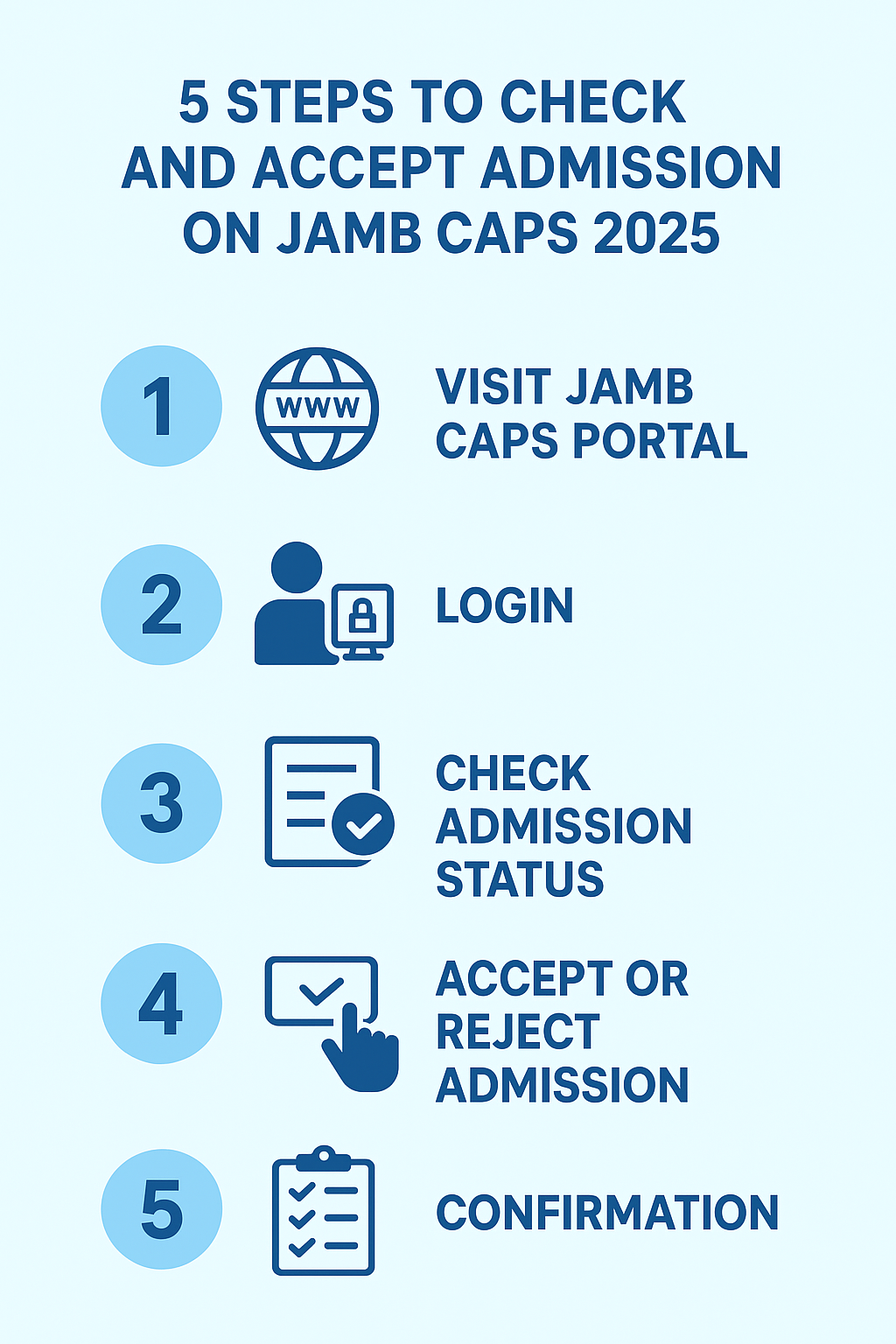
The processes involved in checking your JAMB CAPS admission status is pretty simple and straight. Just follow these steps carefully:
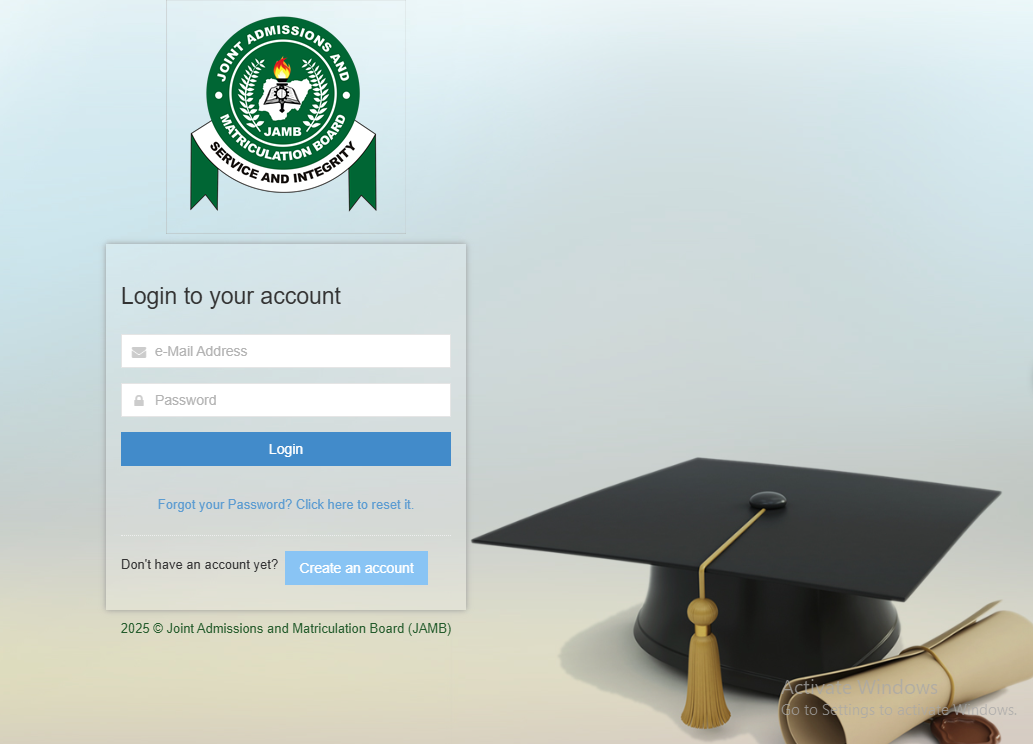
First off, you will need to turn on your device and get it connected to an internet source. Next, visit the official JAMB CAPS portal via https://efacility.jamb.gov.ng. Once you get that done, you will see a page like the below screenshot.
Now, you will need to enter your email address and password in the spaces provided. As shown above. Afterward, locate and click on the login button and you will be taken to your profile account.
Once you are done with the above steps, you will need to navigate to Admission Status. To do that, simply locate and click “Check Admission Status” on your dashboard.
Next, you will need to view Status: Interestingly, you will see one of the CAPS messages (Admitted, Not Admitted, Admission in Progress). To get this done, you will need to select your examination year, type in your JAMB registration number, and then locate and click the Access my CAPS button.
Accept or Reject Admission: Once admitted, click the relevant button. Interestingly, if you are admitted, you will see the accept or reject admission button. If on the other hand you are yet to be admitted, you will see a grey out button.
Once you accept your admission, just print your JAMB admission letter. This is important as you will use it as part of your screening exercise document in your admitted institution.
If on the other hand, you want to check your admission status on JAMB CAPS and you only have access to a mobile device, all you need to do is to visit https://efacility.jamb.gov.ng and change your device mode from mobile to desktop.
You can easily change your device mode from mobile to desktop site by simply taping on the three-dots icon at the top right corner of your mobile device. Next, scroll down the dropdown and you will see an option that says, desktop site. Tap on it and your device will change from mobile to desktop.
Now, enter your email address and password in the spaces provided and tap on the login button and you will be taken to your profile account.
Afterward, you will need to locate and tap on the admission status button to see if you have been admitted or not. Interestingly, if you have been given admission, you will see the ACCEPT or REJECT option. If no admission yet, you will see a grey out button.
Now, accept your admission and print your admission letter. Interestingly, you can also send ACCEPT or REJECT to 55019 or 66019 on the phone number you used in registering JAMB.
Tip: Always use a Chrome browser or switch to desktop mode on mobile for a smoother experience.
Also read: How to Score Above 300 in JAMB: 10 Proven Study Strategies for Nigerian Students
How to Accept or Reject Admission on JAMB CAPS
When an institution offers you admission, two options appear:
-
Accept Admission: This confirms your place. Once accepted, JAMB records it officially.
-
Reject Admission: This means you are not interested. The slot is released, and you may wait for another institution.
As earlier outlined, to accept or reject admission, simply login the JAMB efacility website and the tap admission status, tap accept or decline depending on what you want.
Why students must act quickly
Failure to accept admission within the given period may lead to cancellation. For example, in 2022, several students lost UNILORIN admission offers because they delayed acceptance on CAPS.
Example
A candidate applied for Medicine at UNILAG but was offered Biological Sciences. She accepted, secured her admission, and later applied for transfer into Medicine through her university. Had she rejected it, she might have ended up without admission that year.
JAMB CAPS 2026 Status Messages and What They Mean
Here are the most common status updates you’ll see on CAPS:
-
“Admission in Progress” – Your institution has recommended you, but JAMB has not finalized approval.
-
“Not Admitted” – You have not been offered admission yet. Keep checking.
-
“Admitted” – Congratulations! You have been offered admission and can now accept.
-
“Transfer Approval” – Your institution wants to transfer you to another course (e.g., from Medicine to Biology). You must either accept or reject this.
Real-life case: In 2023, many UNN aspirants for Medicine were transferred to Biological Sciences due to limited slots. Those who accepted secured admission, while others who waited ended up missing out.
Troubleshooting Common JAMB CAPS Issues
Students often face technical difficulties with CAPS. Here are solutions:
-
CAPS not opening? Try switching to Chrome or changing your browser to desktop mode.
-
Admission status blank? It may mean your institution has not uploaded its admission list yet. Be patient.
-
Email not linked to JAMB profile? Visit a JAMB CBT center to link your email. Without this, you cannot access CAPS.
-
Server delay? Check during non-peak hours (early morning or late evening).
10 Mistakes Students Make with JAMB CAPS
-
Not checking CAPS regularly.
-
Ignoring “Transfer Approval” messages.
-
Waiting too long before accepting admission.
-
Using incorrect login details.
-
Not linking JAMB email properly.
-
Relying only on SMS instead of CAPS.
-
Confusing JAMB admission with school admission lists.
-
Rejecting admission without backup options.
-
Ignoring change of course/institution requests.
-
Falling for scams from fake “JAMB agents.”
In 2021, several students lost their admission after paying scammers who claimed to “upgrade JAMB scores” instead of focusing on CAPS.
Frequently Asked Questions (FAQs) About JAMB CAPS 2026
Q1: How do I know if I have been offered admission on CAPS?
Check your CAPS portal regularly. If it shows “Admitted,” you have an offer.
Q2: What if my status says “Not Admitted”?
This means no institution has offered you admission yet. Keep monitoring.
Q3: Can JAMB admission be reversed after rejection?
No. Once rejected, it is final. Only new offers may come later.
Q4: How do I accept admission on my phone?
Login via Chrome browser, switch to desktop mode, and follow the steps.
Q5: What if I don’t accept admission on time?
You may lose the slot, and another candidate will take it.
Q6: Does JAMB CAPS 2026 allow multiple admissions?
No. You can only accept one admission at a time.
Best Resources for JAMB CAPS 2026 Updates
-
JAMB Official Portal: https://www.jamb.gov.ng.
-
University Portals: UNILAG, UI, UNN, UNILORIN.
-
Education Blogs: For step-by-step guides and FAQs.
Conclusion
JAMB CAPS 2026 remains the most reliable way to confirm your admission status. While the process can feel confusing, checking regularly and responding quickly ensures you don’t lose your chance.
Stay calm, avoid mistakes, and use official channels. Whether your status reads “Admission in Progress,” “Transfer Approval,” or “Admitted,” knowing how to act is key.
Take Action Now:
-
Check your JAMB CAPS 2026 regularly.
-
Accept or reject admission on time.
-
Subscribe for free updates, admission guides, and scholarship opportunities.