
You’ve written JAMB, checked your result, and now you keep refreshing your admission status without really understanding what it means.
One day it shows “Admission in Progress.”
Another day it says “Not Admitted.”
Sometimes, the CAPS page does not even open properly.
It can feel confusing, especially when others start celebrating admission while yours is still pending.
The real problem is not just waiting. It is a lack of clear understanding of how the system works.
If you are searching for JAMB CAPS and admission status explained 2026, this guide will walk you through everything in a simple and practical way. By the end, you will know how to check your admission status, what each message means, and what to do next.
What is JAMB CAPS? (Full Explanation)
The JAMB CAPS portal simply means Central Admission Processing System. It is the official platform used by the Joint Admissions and Matriculation Board (JAMB) to manage admissions in Nigeria.
Before CAPS was introduced, admission processes were not always transparent. Today, every admission must pass through CAPS.
Key Functions of JAMB CAPS
- Ensures fairness and transparency
- Allows candidates to accept or reject admission
- Helps schools upload and manage admission lists
- Enables students to monitor their admission progress
Key Insight
JAMB CAPS is the final authority for admission confirmation. If your admission is not on CAPS, it is not officially recognized.
How JAMB CAPS Works (Step-by-Step Process)
Understanding how CAPS works will reduce confusion.
Admission Flow:
- School conducts Post-UTME or screening
- School selects qualified candidates
- School sends admission list to JAMB
- JAMB uploads names on CAPS
- Candidate logs in to check status
- Candidate accepts or rejects admission
This process explains why admission takes time. It is not instant.
How to Login to JAMB CAPS Portal
If you want to access your admission status, you need to use the JAMB CAPS login.
Steps:
- Visit the official JAMB portal
- Enter your email and password
- Click on “Check Admission Status”
- Select your exam year
- Click “Access my CAPS”
Important Tip
If you are using a phone, switch your browser to desktop mode. Many features do not show properly on mobile view.
How to Check Admission Status on JAMB CAPS
Many students search for how to check admission status JAMB, and the process is simple.
Method 1: Regular Portal
- Log in to JAMB portal
- Click “Check Admission Status”
- Select your year
- Click “Check Status”
Method 2: CAPS Dashboard
- Access CAPS directly
- Click “Admission Status”
- View detailed updates
CAPS gives more detailed information than the regular checker.
Meaning of JAMB CAPS Admission Status
This is one of the most important sections.
Common Status and Their Meaning
1. Admission in Progress
Your admission is still being processed. You need to wait.
2. Not Admitted
No admission has been given yet. It does not mean final rejection.
3. Congratulations, You Have Been Offered Admission
You have been selected. You can accept or reject the offer.
4. Recommended
Your school has recommended you, but JAMB has not finalized it.
Key Insight
Many students panic when they see “Not Admitted.”
In reality, the status can still change later.
How to Accept or Reject Admission on JAMB CAPS
If you receive an offer, the next step is to act quickly.
How to Accept Admission on JAMB CAPS
- Log in to CAPS
- Click “Admission Status”
- Click “Accept Admission”
- Confirm your choice
What Happens After Acceptance
- Your admission becomes official
- You can print your admission letter
- You can proceed with school registration
Important Warning
Rejecting admission is risky. You may not get another offer.
What to Do After Accepting Admission on JAMB CAPS
After accepting admission, your journey is not over.
Next Steps:
- Print your JAMB admission letter
- Pay your school acceptance fee
- Prepare required documents
- Complete clearance at your institution
Some schools also require physical screening before final registration.
Why Your JAMB CAPS May Not Show Admission
Many students ask, why is my JAMB CAPS not showing admission?
Common Reasons:
- School has not released admission list
- O’Level results not uploaded
- Admission still in progress
- You did not meet the cut-off mark
- Technical delays on the portal
Practical Tip
Check your CAPS regularly, but do not panic. Updates can appear at any time.
Common Mistakes Students Make on JAMB CAPS
Some students lose admission due to simple mistakes.
Avoid These Errors:
- Not checking CAPS regularly
- Ignoring admission updates
- Not uploading O’Level results
- Waiting too long to accept admission
Insight
Admission is not only about scoring high. Awareness and quick action matter.
Real-Life Scenario (Case Study)
Example 1:
A student scored above 260 but did not check CAPS regularly.
By the time he logged in, the admission had expired.
Example 2:
Another student checked CAPS daily and accepted admission immediately.
She completed registration early and secured her space.
Lesson
Being proactive can make the difference.
Tips to Secure Admission Faster Using JAMB CAPS
If you want to stay ahead, follow these steps:
- Check CAPS daily
- Upload your O’Level results early
- Accept admission immediately
- Monitor your school updates
- Consider change of course if needed
These small actions can speed up your admission process.
Quick Checklist for JAMB CAPS Success
Use this as a simple guide:
- Log in regularly
- Monitor admission status
- Upload required documents
- Accept admission quickly
- Follow school instructions
FAQs About JAMB CAPS and Admission Status
How to check JAMB CAPS admission status 2026?
Log in to the JAMB portal, access CAPS, and click on “Admission Status.”
What does “Admission in Progress” mean on JAMB CAPS?
It means your admission is still being processed and not yet finalized.
How do I accept admission on JAMB CAPS?
Click “Accept Admission” on your CAPS dashboard after logging in.
Why is my JAMB CAPS not showing admission?
It may be due to delays, incomplete documents, or your school not releasing admission yet.
What to do after accepting admission on JAMB CAPS?
Print your admission letter, pay acceptance fees, and proceed with registration.
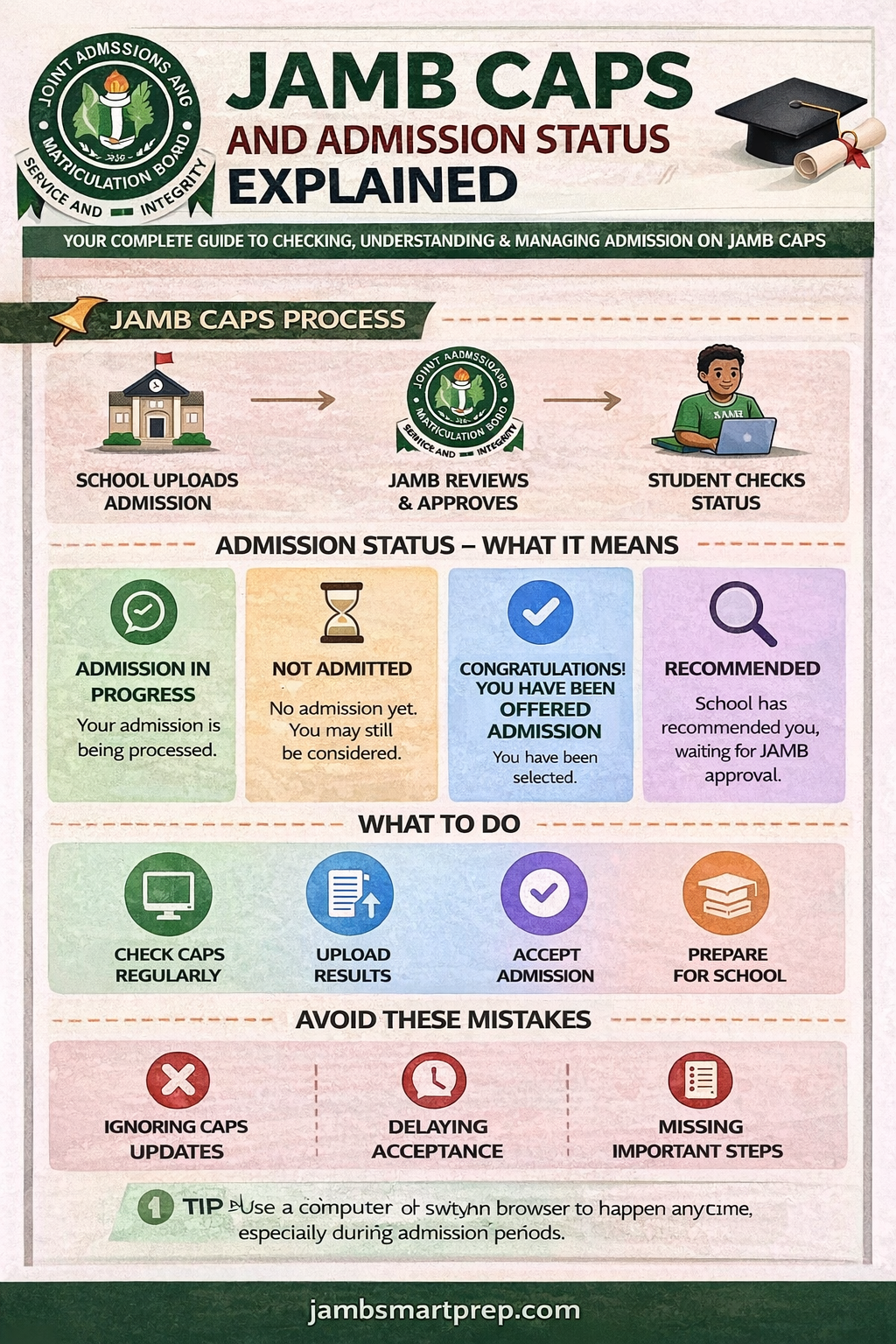
JAMB CAPS and Admission Status Guide
JAMB CAPS Process:
- School uploads admission
- JAMB reviews
- Student checks status
Admission Status:
- In Progress
- Not Admitted
- Admitted
What To Do:
- Check CAPS regularly
- Accept admission
- Prepare for school
Avoid:
- Ignoring CAPS ❌
- Delaying acceptance ❌
- Missing updates ❌
Conclusion
Understanding JAMB CAPS and admission status explained 2026 can save you from unnecessary stress and mistakes.
Admission does not happen instantly. It follows a clear process, and your role is to stay informed and act on time.
If you check your CAPS regularly, upload your documents, and respond quickly, your chances improve.
Final Advice
- Stay updated
- Be patient
- Take action when required
Start checking your JAMB CAPS today and stay ahead in your admission journey.
You can also explore more JAMB guides and preparation tips to improve your chances.
Have you checked your JAMB CAPS status yet? What does it show? Share your experience in the comments.
