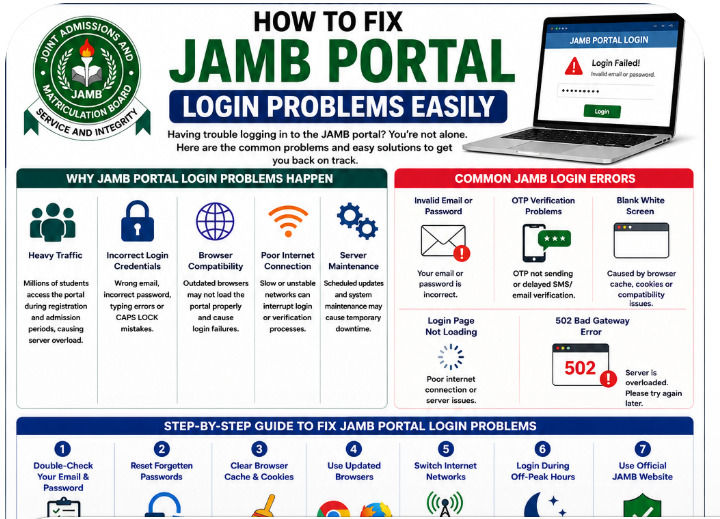
Many Nigerian students become frustrated when they cannot log into the JAMB portal during important periods like UTME registration, admission processing, CAPS checks, or result verification.
One minute the portal works normally, and the next moment students start seeing login failed messages, blank pages, verification problems, or endless loading screens. During peak JAMB periods, these issues become even more common because millions of candidates try to access the website at the same time.
For some students, the problem comes from wrong passwords or forgotten emails. Others experience JAMB OTP not sending, browser compatibility problems, or temporary JAMB server downtime.
The good news is that most JAMB portal login problems are temporary and fixable.
This guide explains how to fix JAMB portal login problems easily using practical troubleshooting methods that actually work for Nigerian students. Whether you are struggling with CAPS login, password recovery, portal loading errors, or verification issues, this article will help you solve the problem step by step without panic.
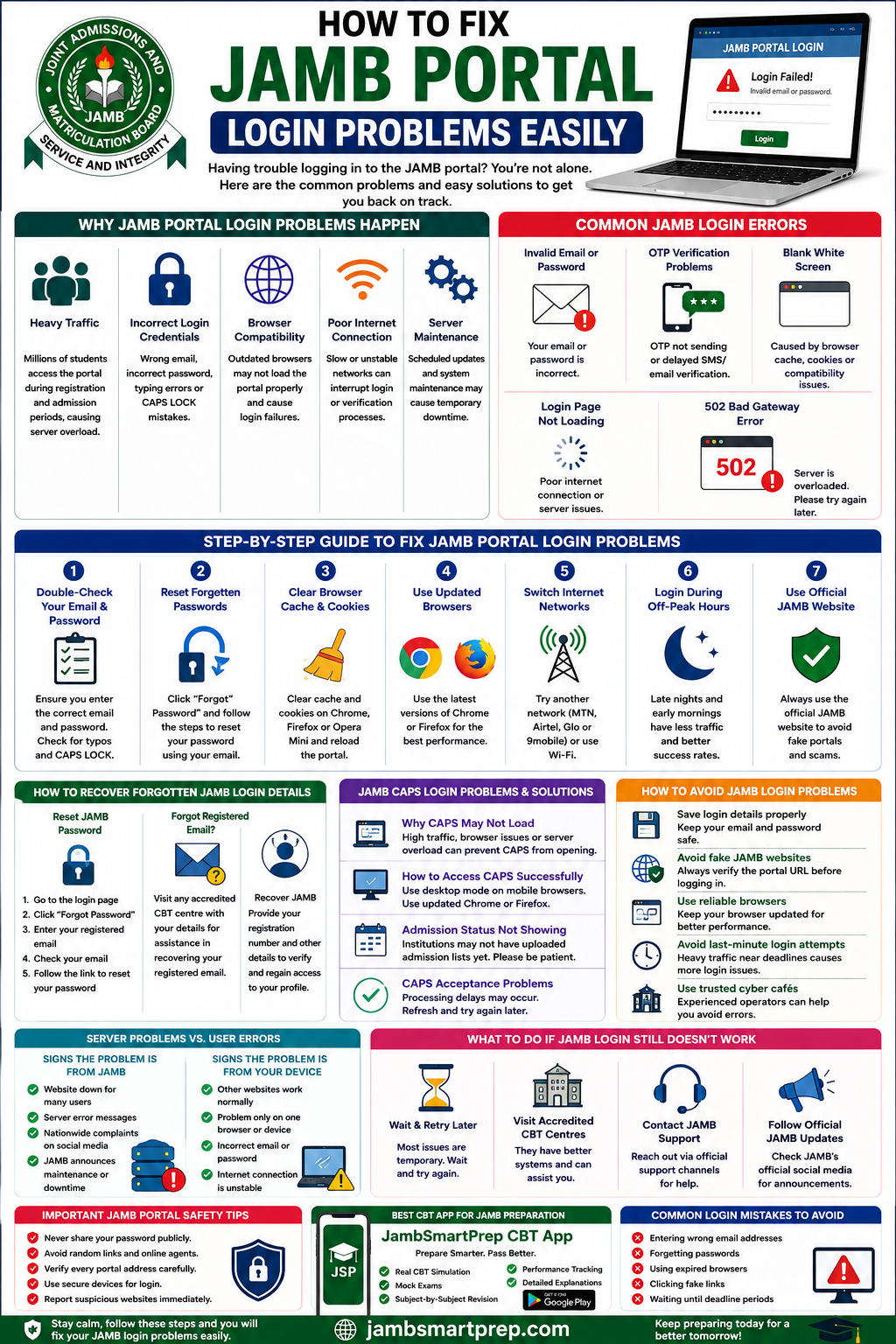
Why JAMB Portal Login Problems Happen
Understanding why JAMB login problems happen makes it easier to fix them quickly.
Below are the most common causes.
Heavy Traffic on the JAMB Website
Every year, millions of students access the JAMB portal during:
- UTME registration
- Result checking
- CAPS admission processing
- Change of institution
- Admission acceptance
When too many users try to log in simultaneously, the portal server becomes overloaded.
This may lead to:
- Slow loading pages
- Login failures
- Blank white screens
- Temporary downtime
Heavy traffic is one of the biggest reasons why JAMB login failed messages appear frequently during peak periods.
Incorrect Login Credentials
Many students accidentally enter incorrect login details.
Common mistakes include:
- Wrong email addresses
- Incorrect passwords
- Typing errors
- CAPS LOCK problems
- Missing symbols in passwords
Even one incorrect letter can prevent successful login.
Students should always double-check details carefully before retrying.
Browser Compatibility Problems
Outdated browsers often struggle to load modern websites properly.
This can cause:
- Login pages refusing to load
- Broken buttons
- White blank screens
- Incomplete pages
Students using very old versions of Opera Mini or outdated mobile browsers may experience more issues.
Updated browsers like Chrome and Firefox usually work better.
Poor Internet Connection
Internet quality affects portal performance significantly.
Many Nigerian students experience unstable networks during browsing sessions. Weak internet can interrupt login attempts or prevent verification systems from working properly.
If other websites are also slow, your internet connection may be responsible.
Temporary JAMB Server Maintenance
JAMB occasionally performs system maintenance and upgrades.
During these periods:
- Some services may become unavailable
- Login systems may slow down
- CAPS may refuse to load
These interruptions are usually temporary.
Common JAMB Login Errors Students Face
Different login problems usually have different causes.
Below are the most common errors students encounter.
“Invalid Email or Password” Error
This is one of the most common JAMB login errors.
It usually happens because:
- The password is incorrect
- The email was typed wrongly
- CAPS LOCK is active
- Students forgot their login details
Always verify credentials carefully before retrying.
OTP Verification Problems
Many students complain about JAMB verification problems during registration or password recovery.
Common complaints include:
- OTP not arriving
- Delayed SMS
- Verification emails not appearing
- Expired codes
Heavy server traffic often causes these delays.
Blank White Screen After Login
A blank page after login usually happens because of:
- Browser cache problems
- Compatibility issues
- Corrupted cookies
This issue is especially common on outdated browsers.
Login Page Not Loading
Sometimes the JAMB login page refuses to open completely.
This may happen because of:
- Poor internet connection
- Server downtime
- Browser errors
Refreshing the page or changing networks often helps.
“502 Bad Gateway” Error
This error usually means the server is overloaded.
It commonly appears during:
- Registration deadlines
- Admission release periods
- CAPS updates
The best solution is usually waiting and retrying later.
Step-by-Step Guide to Fix JAMB Portal Login Problems
If your JAMB login is not working, follow these practical troubleshooting steps carefully.
Double-Check Your Email and Password
Many students rush while typing login details.
Before retrying:
- Confirm spelling carefully
- Check uppercase and lowercase letters
- Ensure there are no extra spaces
- Verify symbols correctly
Typing mistakes are more common than many students realize.
Reset Forgotten Passwords
If you forgot your password:
- Open the login page
- Click “Forgot Password”
- Enter your registered email
- Follow the reset instructions
- Create a new password
Use a strong password you can remember easily.
Clear Browser Cache and Cookies
Old cache files may interfere with portal loading.
Clear browsing data from:
Chrome
- Settings → Privacy → Clear Browsing Data
Firefox
- Settings → Privacy → Clear Cookies and Cache
Opera Mini
- Settings → Clear Browsing Data
After clearing cache, restart the browser and retry.
Use Updated Browsers
Students should use modern browsers such as:
- Google Chrome
- Mozilla Firefox
- Microsoft Edge
These browsers support JAMB systems better than older mobile browsers.
Switch Internet Networks
Some networks perform better than others depending on location.
Students can try:
- MTN
- Airtel
- Glo
- 9mobile
- Wi-Fi connections
Switching networks often solves loading problems quickly.
Try Logging In During Off-Peak Hours
Heavy traffic usually reduces late at night or early morning.
Many cyber café operators recommend browsing during:
- Midnight
- Early mornings
- Weekdays with lower traffic
This improves portal speed significantly.
Confirm You Are Using the Official JAMB Website
Students should avoid random links from WhatsApp groups or social media pages.
Fake JAMB portals can:
- Steal passwords
- Display fake errors
- Redirect users to scams
Always verify portal links carefully.
How to Recover Forgotten JAMB Login Details
Many students lose access because they forget important details.
How to Reset JAMB Password
Password recovery usually requires:
- Registered email address
- Internet access
- Verification code
Students should follow official recovery procedures only.
What to Do If You Forgot Your Registered Email
If you no longer remember your registered email:
- Visit an accredited CBT centre
- Provide your registration details
- Request profile assistance
Experienced operators may help verify your information properly.
Recovering JAMB Profile Access
Students struggling with profile access should:
- Confirm registration number
- Verify email correctly
- Avoid using multiple accounts
Using multiple accounts may complicate recovery further.
JAMB CAPS Login Problems and Solutions
Why JAMB CAPS May Refuse to Load
CAPS problems usually happen because of:
- Heavy admission traffic
- Browser issues
- Weak internet connection
- Temporary maintenance
How to Access CAPS Successfully
Students using mobile phones should:
- Enable desktop mode
- Use updated Chrome browser
- Refresh pages carefully
Desktop mode often improves CAPS loading significantly.
Admission Status Not Showing
Sometimes admission status remains blank because institutions have not uploaded admission lists yet.
This is common during early admission periods.
CAPS Acceptance Problems
Students sometimes experience delays after accepting admission.
Refreshing the page later usually solves the issue.
How Nigerian Students Can Avoid JAMB Login Problems
Save Login Details Properly
Always save:
- Registered email
- Password
- Registration number
Store them securely.
Avoid Fake JAMB Websites
Phishing websites are becoming more common.
Never enter passwords on suspicious websites.
Use Reliable Browsers
Updated browsers improve:
- Security
- Speed
- Compatibility
Avoid Last-Minute Login Attempts
Portal traffic becomes worse near deadlines.
Early access reduces stress significantly.
Use Trusted Cyber Cafés
Experienced operators understand portal troubleshooting better than inexperienced cafés.
Difference Between JAMB Server Problems and User Errors
Signs the Problem Is From JAMB
Indicators include:
- National complaints online
- Server maintenance notices
- Multiple students reporting downtime
- Social media updates from JAMB
Signs the Problem Is From Your Device
Indicators include:
- Other websites loading normally
- Browser-specific problems
- Wrong credentials
- Weak internet connection
Understanding the difference helps students troubleshoot correctly.
What to Do If JAMB Login Still Refuses to Work
Wait and Retry Later
Many issues disappear automatically after some time.
Avoid repeated panic login attempts.
Visit Accredited CBT Centres
Official CBT centres often have stronger internet and experienced operators.
Contact JAMB Support
Students facing serious issues should use official support channels.
Avoid random online agents.
Follow Official JAMB Announcements
JAMB occasionally posts maintenance updates and service interruptions publicly.
Stay informed before panicking.
Important JAMB Portal Safety Tips
Never Share Your Password Publicly
Protect your login details carefully.
Avoid Fake Login Links
Never trust suspicious links from strangers.
Verify Every Portal Address Carefully
Always confirm official URLs before logging in.
Avoid Random Online Agents
Many fake agents scam students during registration periods.
Use Secure Devices for Login
Avoid suspicious public devices whenever possible.
Best CBT Apps for JAMB Preparation and Updates
Why CBT Practice Matters
Computer-based testing requires familiarity and confidence.
Students who practice CBT regularly usually perform better during UTME.
Benefits include:
- Faster answering speed
- Better time management
- Reduced anxiety
- Improved navigation skills
Recommended CBT Platform
JambSmartPrep CBT App
JambSmartPrep CBT App is one of the most useful CBT preparation platforms for Nigerian students.
Features include:
- JAMB CBT practice questions
- Mock exams
- Performance tracking
- Subject-by-subject revision
- Real JAMB CBT simulation
Students can continue preparing effectively even while solving portal login problems.
Common Mistakes Students Make During JAMB Login
Entering Wrong Email Address
Typing mistakes frequently cause login failure.
Forgetting Passwords
Students often fail to store passwords safely.
Using Expired Browsers
Old browsers create compatibility problems.
Clicking Fake Links
Random social media links may expose students to scams
Waiting Until Deadline Periods
Late login attempts increase exposure to heavy traffic issues.
Frequently Asked Questions About JAMB Login Problems
Why Is My JAMB Login Not Working?
Possible causes include incorrect credentials, poor internet, heavy traffic, or server maintenance.
How Can I Reset My JAMB Password?
Use the “Forgot Password” option on the official portal.
Why Is My OTP Not Sending?
Heavy traffic and network delays often affect OTP delivery.
Can I Access JAMB Portal on My Phone?
Yes. Smartphones can access the portal successfully with stable internet.
Why Is JAMB CAPS Not Loading?
CAPS may slow down during heavy admission processing periods.
What Is the Official JAMB Website?
Students should always verify official JAMB links carefully before logging in.
Can Browser Cache Affect JAMB Login?
Yes. Corrupted cache files may prevent successful loading.
How Long Does JAMB Server Downtime Last?
Downtime may last from minutes to several hours depending on the issue.
Can VPN Affect JAMB Login?
Yes. Some VPN services interfere with verification systems.
Why Is My Admission Status Not Showing?
Institutions may still be processing or uploading admission lists.
How to Fix JAMB Portal Login Problems Easily
Include:
- Common login errors
- Password reset steps
- Browser fixes
- OTP troubleshooting tips
- Safe login practices
- CAPS login solutions
- Best CBT preparation platform:
- JambSmartPrep CBT App
Also read:
- How to Check JAMB Result Online
- JAMB CAPS Admission Guide
- JAMB Registration Requirements
- Best CBT Apps for JAMB Preparation
- Common JAMB Registration Mistakes
- How to Reprint JAMB Slip
Conclusion
JAMB portal login problems can be stressful, especially during registration and admission periods. However, most issues are temporary and can be solved with simple troubleshooting steps.
Students should remain patient during heavy traffic periods, use only official JAMB websites, and avoid suspicious login links.
It is also important to protect passwords carefully and avoid relying on fake online agents.
While waiting for login problems to be resolved, candidates should continue preparing seriously for UTME using reliable CBT platforms like the JambSmartPrep CBT App.
If you found this guide helpful, consider sharing it with other students facing JAMB login issues. You can also explore related JAMB admission and CBT preparation guides to improve your exam readiness and confidence further.
