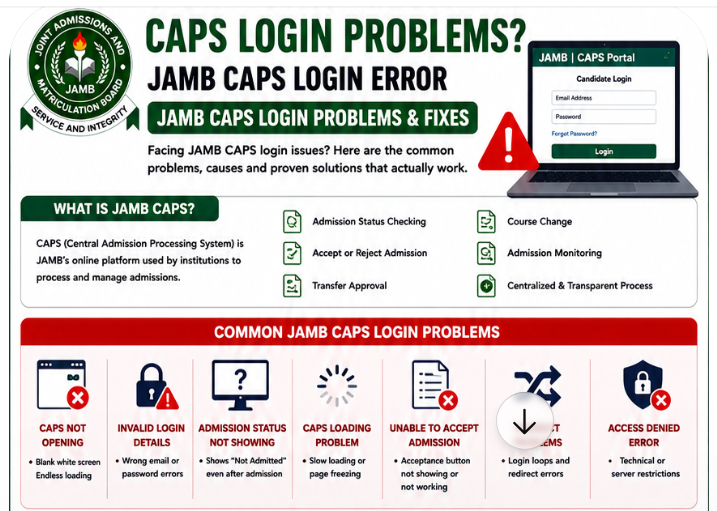
Every admission season in Nigeria, thousands of students become anxious when JAMB CAPS refuses to open properly. Some candidates encounter endless loading screens, while others see confusing messages like “invalid login,” “access denied,” or “not admitted” even after hearing rumors that their schools have started giving admission.
For many students, this situation creates fear and uncertainty.
Some begin to worry that they may lose their admission opportunities simply because they cannot access the CAPS portal correctly. Others panic and start searching random websites or paying fake online agents who promise to “fix” the issue.
The truth is that most JAMB CAPS login problems are temporary and fixable.
In many cases, the issue comes from heavy traffic on JAMB servers, browser problems, incorrect login details, or simple technical errors that students can solve themselves within minutes.
This detailed pillar guide explains everything Nigerian students need to know about CAPS login problems, JAMB CAPS login errors, why JAMB CAPS may refuse to open, and the most effective troubleshooting methods that actually work.
Whether your CAPS portal keeps loading forever, refuses to display admission status, or fails to allow admission acceptance, this guide will help you understand the problem clearly and solve it properly.
What Is JAMB CAPS and Why Is It Important?
Meaning of JAMB CAPS
JAMB CAPS stands for Central Admission Processing System.
It is an online admission management platform introduced by JAMB to improve transparency and efficiency during the admission process.
Instead of schools handling admissions completely independently, CAPS allows JAMB to coordinate and monitor admission activities across Nigerian universities, polytechnics, colleges of education, and other tertiary institutions.
The platform helps students track admission progress directly. Also read:
Why Students Use CAPS
JAMB CAPS plays a major role in the Nigerian admission process.
Students use the platform for:
- Admission status checking
- Admission acceptance
- Admission rejection
- Transfer approval
- Course change monitoring
- CAPS admission tracking
Without CAPS access, students may struggle to monitor important admission updates. Also read: JAMB CAPS and Admission Status Explained 2026
Why CAPS Problems Cause Panic
Many students become nervous when CAPS refuses to work because admission timelines are extremely sensitive.
Some candidates fear that:
- They may miss admission offers
- Their institution has removed their name
- Their CAPS account has problems
- They cannot accept admission before deadlines
Because admission opportunities are highly competitive in Nigeria, CAPS login problems naturally create anxiety among students and parents.
Common JAMB CAPS Login Problems Students Face
Many Nigerian students experience similar JAMB CAPS login issues yearly.
Below are the most common ones.
JAMB CAPS Not Opening
One of the biggest complaints students make is:
“JAMB CAPS is not opening.”
This problem usually appears as:
- Blank white pages
- Endless loading screens
- Pages freezing after login
- CAPS refusing to display properly
Heavy server traffic is often responsible. Also read: JAMB Portal Not Opening? Common Issues and Solutions
Invalid Login Details Error
Some students receive “invalid login” messages even when they believe their credentials are correct.
Possible causes include:
- Wrong email address
- Incorrect password
- Typing mistakes
- Forgotten login details
Many students accidentally use the wrong email linked to their JAMB profile.
Admission Status Not Showing
Another common JAMB admission status problem occurs when CAPS keeps showing:
“Not Admitted”
even after institutions begin releasing admission lists.
This usually causes confusion and panic.
In many cases, the school may still be uploading admission records gradually.
JAMB CAPS Loading Problem
CAPS loading problems are extremely common during heavy admission periods.
Students may notice:
- Slow loading
- Repeated refreshes
- Frozen pages
- Incomplete dashboard display
Old browsers often worsen these issues. Also read: Complete Guide to JAMB Portal Problems and Fixes
Unable to Accept Admission
Some students successfully see admission offers but cannot accept them.
Possible problems include:
- Acceptance button missing
- Acceptance page refusing to load
- CAPS returning to homepage
- Error messages after clicking accept
This is one of the most stressful CAPS acceptance issues students experience.
JAMB CAPS Portal Redirect Problems
Some users encounter login loops where the system repeatedly redirects them back to the homepage.
This may happen because of:
- Corrupted browser cache
- Session errors
- Mobile browser limitations
JAMB CAPS Access Denied Error
Some students see “access denied” messages while trying to access the portal.
This may happen because of:
- Temporary restrictions
- Browser conflicts
- Heavy server congestion
Why JAMB CAPS Login Problems Happen
Understanding the causes of CAPS portal issues helps students troubleshoot more effectively.
Heavy Traffic on JAMB Servers
Admission season creates extremely high traffic on JAMB systems.
Millions of students may attempt to:
- Check admission status
- Accept admission
- Monitor CAPS updates
When server traffic becomes excessive, CAPS performance slows down significantly.
This is one major reason why JAMB CAPS is not opening for many users simultaneously.
Poor Internet Connection
Weak internet connections also affect CAPS loading.
Slow networks may cause:
- Endless loading screens
- Failed login attempts
- Partial page loading
Students using unstable networks often struggle more during peak periods.
Wrong Login Credentials
Many login failures happen because students:
- Forget passwords
- Use incorrect emails
- Mistype login details
Even one incorrect letter can prevent successful login.
Browser Compatibility Problems
Outdated browsers often fail to load modern websites properly.
Students using old browsers may experience:
- Blank pages
- Broken buttons
- Loading errors
- Redirect loops
JAMB Server Maintenance
JAMB occasionally performs server upgrades and maintenance.
During maintenance periods:
- CAPS may become unavailable temporarily
- Login systems may slow down
- Admission pages may fail to load
These issues are usually temporary.
Step-by-Step Guide to Fix JAMB CAPS Login Problems
Most JAMB CAPS login problems can be solved with practical troubleshooting steps.
Use Updated Browsers
Students should use modern browsers such as:
- Google Chrome
- Mozilla Firefox
- Microsoft Edge
Updated browsers support CAPS systems better than outdated mobile browsers. Also read: JAMB Support Contact – JAMB Help Centre | JAMB Complaint Solution
Enable Desktop Mode on Mobile
Many students try accessing CAPS using normal mobile mode, which often creates display problems.
Desktop mode works better because CAPS was originally optimized for desktop viewing.
How to Enable Desktop Mode
- Open Chrome browser
- Tap the three dots
- Select “Desktop site”
This simple step solves many CAPS portal issues.
Clear Browser Cache and Cookies
Corrupted cache files can interfere with CAPS performance.
Students should clear:
- Browser cache
- Cookies
- Browsing history
After clearing data, restart the browser and try again.
Double-Check Login Credentials
Before retrying login:
- Confirm email spelling carefully
- Check password accuracy
- Verify CAPS LOCK is off
Typing mistakes are extremely common.
Switch Internet Networks
Some networks perform better depending on location and server traffic.
Students can try:
- MTN
- Airtel
- Glo
- 9mobile
- Wi-Fi networks
Switching networks often improves loading speed.
Try Logging in During Off-Peak Hours
Late-night browsing usually reduces server congestion.
Many experienced CBT operators recommend checking CAPS during:
- Midnight
- Early morning
- Weekdays with lower traffic
This often improves access speed significantly.
Refresh CAPS Properly
Repeatedly clicking refresh aggressively may worsen server problems.
Students should refresh carefully and patiently.
How to Access JAMB CAPS Correctly
Below is a simple JAMB CAPS access guide students can follow.
Step-by-Step CAPS Login Process
- Open the official JAMB portal via https://efacility.jamb.gov.ng/
- Login using registered email and password
- Locate CAPS section
- Enable desktop mode if using phone
- Navigate to admission status section
Always verify official portal links carefully.
How to Enable Desktop Site on Phones
Android
- Open Chrome
- Tap menu icon
- Select “Desktop site”
iPhone
- Open Safari or Chrome
- Request desktop website from browser menu
Desktop view often loads CAPS more properly.
Best Browsers for CAPS
Recommended browsers include:
- Chrome
- Firefox
- Edge
Older browsers may create compatibility problems.
What to Do After Login
Students should:
- Monitor admission updates regularly
- Check transfer approval status
- Verify institution uploads
- Accept admission promptly when available
JAMB CAPS Admission Status Problems and Solutions
Admission-related CAPS issues are extremely common during admission season.
Why Admission Status Shows “Not Admitted”
Many students panic immediately after seeing “Not Admitted.”
Possible reasons include:
- Institution has not uploaded admission list
- Processing is still ongoing
- Synchronization delays between school and JAMB
This situation is very common early in admission periods.
Institution Has Given Admission But CAPS Has Not Updated
Sometimes schools release admission lists before CAPS updates fully.
This synchronization delay may last days or weeks.
Students should continue checking patiently.
Admission Recommendation Still Pending
Pending admission recommendations often mean:
- School processing is ongoing
- Internal verification is incomplete
- Upload stages are still active
Pending status does not automatically mean rejection.
CAPS Showing Blank Admission Status
Blank pages usually happen because of:
- Loading issues
- Browser conflicts
- Heavy server congestion
Refreshing later often solves the issue.
Problems Students Face While Accepting Admission on CAPS
Accept Admission Button Not Showing
This may happen because:
- CAPS has not updated fully
- Browser compatibility issues exist
- Institution upload is incomplete
Acceptance Page Not Loading
Server congestion frequently affects admission acceptance pages.
Late-night access may improve performance.
Error After Clicking Accept
Some students see errors after clicking acceptance buttons.
Possible causes include:
- Temporary server issues
- Network interruptions
- Session expiration
Retrying later often works.
CAPS Returning to Homepage
Redirect loops usually happen because of:
- Cache conflicts
- Mobile browser limitations
- Session issues
Clearing cache may help.
Difference Between JAMB CAPS Problems and Institution Delays
Students often confuse institution delays with CAPS system problems.
When the Problem Is From JAMB
Signs include:
- National complaints online
- Multiple users reporting downtime
- Official maintenance announcements
When the Institution Has Not Uploaded Admission Yet
Some schools release admissions gradually.
Students should verify:
- Official school announcements
- Admission list updates
- Screening timelines
How to Verify the Difference
Students can:
- Check social media complaints
- Compare experiences with classmates
- Follow official school updates
This helps determine whether the issue is system-wide.
Common Mistakes Students Make While Using CAPS
Using Wrong Email Address
Students sometimes forget which email was used during registration.
This creates repeated login failures.
Using Outdated Browsers
Old browsers create many CAPS loading issues.
Repeated Login Attempts During Server Downtime
Aggressive repeated attempts may worsen frustration.
Patience matters.
Ignoring Desktop Mode
Many students forget desktop mode completely.
This remains one of the biggest CAPS login mistakes.
Panicking Too Early During Admission Processing
Admission processing takes time.
Students should avoid unnecessary panic early in the process.
Important Safety Tips for Using JAMB CAPS
Avoid Fake JAMB Websites
Fake CAPS websites are increasingly common.
Students should verify every portal carefully.
Never Share Your Password Publicly
Protect login details at all times.
Avoid Random Online Agents
Many fake agents target desperate students during admission season.
Verify Official CAPS Links Carefully
Always confirm official domains before logging in.
Use Trusted Devices and Networks
Public devices may expose students to security risks.
What to Do If JAMB CAPS Still Refuses to Work
Visit Accredited CBT Centres
Experienced CBT operators often understand CAPS troubleshooting better. Also read: JAMB CBT Centers Near Me 2026 (Find Approved Centers Fast)
Contact JAMB Support
Official support channels remain safer than unofficial agents.
Retry During Off-Peak Hours
Late-night browsing often improves CAPS performance.
Follow Official JAMB Announcements
Maintenance notices and updates are sometimes shared publicly.
Keep Screenshots of Errors
Screenshots help during complaint reporting and troubleshooting.
Best CBT Apps for JAMB Preparation
Why CBT Practice Helps Students
CBT familiarity improves:
- Confidence
- Speed
- Accuracy
- Time management
Students who practice regularly often perform better during UTME.
Recommended CBT Platform
JambSmartPrep CBT App
JambSmartPrep CBT App is one of the most useful CBT practice platforms for Nigerian students.
Features include:
- CBT practice questions
- Mock exams
- Subject-by-subject revision
- Performance tracking
- Real JAMB CBT simulation
Regular practice helps students become more comfortable with CBT systems before exam day.
Frequently Asked Questions About JAMB CAPS Login Problems
Why Is My JAMB CAPS Not Opening?
Possible causes include server congestion, poor internet, outdated browsers, or maintenance downtime.
Why Does CAPS Keep Loading Forever?
Heavy traffic and weak internet connections often cause endless loading problems.
Can I Access CAPS on My Phone?
Yes. However, enabling desktop mode improves compatibility significantly.
Why Is My Admission Not Showing?
Your institution may still be processing or uploading admission records.
How Do I Accept Admission Successfully?
Use updated browsers, enable desktop mode, and follow official CAPS procedures carefully.
What Is the Official JAMB CAPS Website?
Students should always verify official portal links carefully before logging in.
Can Browser Cache Affect CAPS Login?
Yes. Corrupted cache files often interfere with CAPS performance.
How Long Does CAPS Downtime Last?
Downtime may last from minutes to several hours depending on maintenance or traffic.
Can CBT Centres Help With CAPS Problems?
Yes. Accredited CBT centres can assist with many technical issues.
Why Does CAPS Work Better at Night?
Server traffic usually reduces during late-night hours.
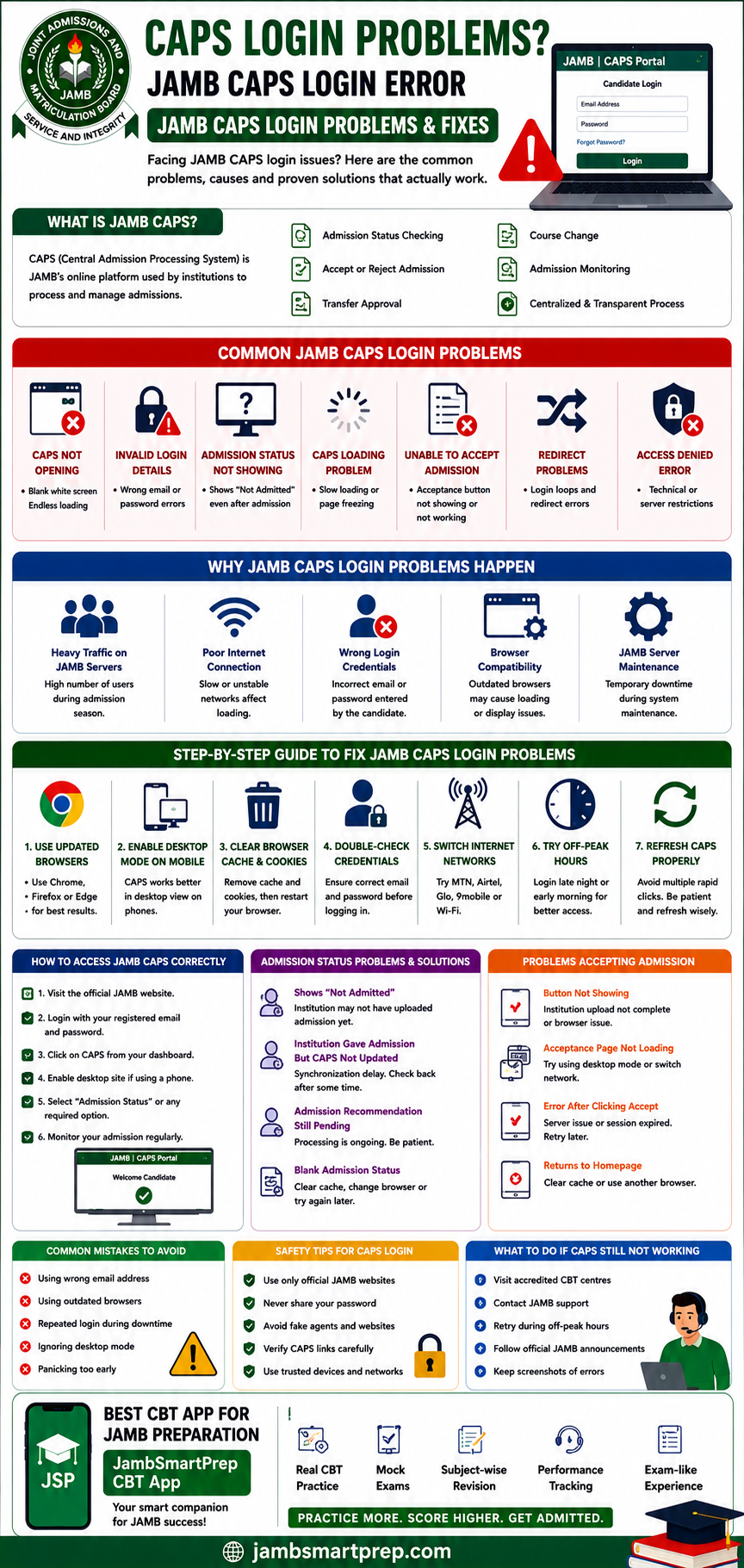
JAMB CAPS Login Problems and Fixes Guide
Include:
- Common CAPS errors
- Login troubleshooting steps
- Admission status fixes
- Browser setup tips
- CAPS safety practices
- Best CBT preparation platform:
- JambSmartPrep CBT App
Important Links
- How to Fix JAMB Portal Login Problems
- JAMB CAPS Admission Guide
- Common JAMB Registration Mistakes
- How to Check JAMB Result Online
- JAMB Support Contact Guide
- Best CBT Apps for JAMB Preparation
Conclusion
JAMB CAPS login problems can feel stressful, especially during admission periods when thousands of Nigerian students are trying to access the portal simultaneously.
The good news is that most CAPS portal issues are temporary and fixable. Problems such as endless loading, invalid login errors, admission status delays, or acceptance failures are usually connected to server traffic, browser issues, or network problems rather than permanent admission loss.
Students should remain patient, use updated browsers, enable desktop mode, and avoid fake agents or suspicious websites.
It is also important to monitor admission updates regularly and continue preparing seriously for UTME and post-UTME examinations.
If you found this guide helpful, consider sharing it with other Nigerian students facing CAPS login problems. You can also explore related JAMB admission guides and CBT preparation resources to improve your admission process understanding further.
For stronger CBT confidence and realistic exam preparation, students can regularly practice using the JambSmartPrep CBT App before examination day.
