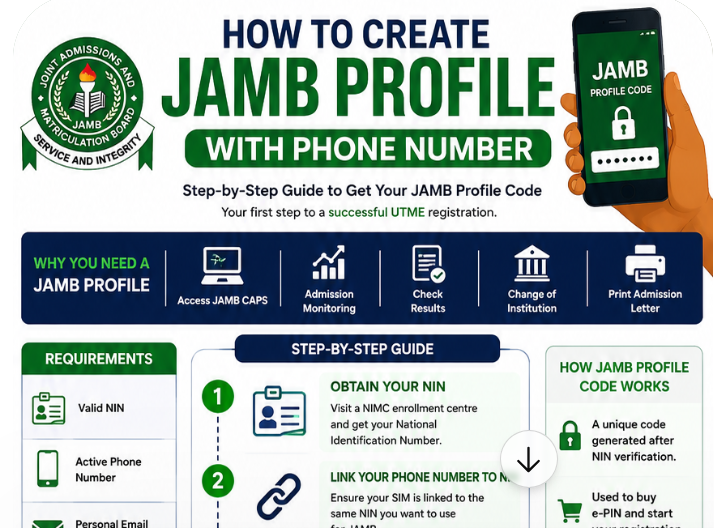
To create a JAMB profile with your phone number, send NIN followed by a space and your 11-digit NIN (for example, NIN 12345678901) to 55019 or 66019 from your own phone line. The number you send from becomes permanently linked to your JAMB profile: JAMB sends your profile code, e-PIN and other messages to it, and you’ll use it to check your result. So the most important decision is choosing the right number: one registered in your name, not used for any other JAMB profile, and one you’ll keep for the whole admission process.
This guide explains how to choose and prepare your phone number, the exact steps, what each SMS service does, what to do if you lose or change your number, and how to keep your profile secure.
- Use your own SIM, registered in your name and linked to your NIN.
- One number per profile: a number already used for another JAMB profile won’t work.
- Send: NIN 12345678901 (your NIN) to 55019 or 66019.
- Receive: a 10-character profile code by SMS.
- Keep the number active until you’ve completed admission.
- Lost it? Retrieve the same number from your network, or use JAMB’s official change service (a one-time change opened at designated centres from 21 September 2026).
In this guide:
- Why your phone number matters so much
- Choosing the right number
- Preparing your SIM
- Step-by-step: creating your profile
- JAMB SMS services linked to your number
- Your email address
- Lost, stolen or changed number
- Common problems
- FAQs
Why your phone number matters so much
Your JAMB profile has two anchors: your NIN, which supplies your personal details, and your phone number, which JAMB uses to reach you. Over the admission process, that number is used for:
| Stage | How your number is used |
|---|---|
| Profile creation | Receives your profile code |
| Payment | Receives your e-PIN |
| Registration | Recorded on your profile; used for notices |
| Before the exam | Notices about exam slips and schedules |
| Results | Check your result by texting UTMERESULT to 55019 or 66019 |
| After results | Some services and verification steps may use it |
If you lose access to the number, you can lose access to these services at the worst possible time.
When to set up your number
| When | Action |
|---|---|
| Now (before registration) | Get or confirm your own SIM; link it to your NIN; set up your email |
| When JAMB opens profile creation | Send your NIN SMS early, before the rush |
| During registration (UTME: 26 January–28 February in 2026) | Buy your e-PIN; register at a CBT centre |
| Through results and admission | Keep the number active and secure |
As of 12 November 2026, JAMB hasn’t announced the 2027 registration dates. Its 9 November advisory urged candidates to verify NIN details and keep phone and email access ready. A 15–25 March 2027 UTME window has been proposed, so registration could open earlier than in 2026.
Choosing the right number
| Do | Don’t |
|---|---|
| Use a SIM registered in your own name | Use a parent’s, sibling’s or friend’s line |
| Use a number you’ve had for a while | Use a brand-new SIM you might lose |
| Use a network with good coverage where you live and study | Use a line with poor signal at home or school |
| Check the number hasn’t been used for JAMB before | Reuse a number from a sibling’s JAMB registration |
| Plan to keep the number for at least a year | Switch numbers mid-way through admission |
Preparing your SIM
- Confirm the SIM is registered in your name and linked to your NIN, as Nigerian SIM rules require.
- Top up airtime; JAMB’s SMS services are charged.
- Check signal where you’ll send the SMS.
- Know your NIN: have your NIN slip or the 11 digits ready.
- Check your NIN details (name, date of birth, gender, state of origin) with NIMC, because JAMB pulls them from your NIN record and they can’t be changed at the CBT centre.
- If you’re changing phones, consider your network’s “Keep My Number” service so you keep the same number.
NIN and SIM linkage explained
Nigerian SIM cards must be registered and linked to the owner’s NIN. When you create a JAMB profile, your NIN identifies you, and your SIM becomes your contact channel. Using a SIM registered in your own name, linked to your own NIN, keeps your identity consistent across systems and makes recovery easier if you lose the SIM, because you can prove the number is yours. If your SIM is registered to someone else, retrieving it later may require that person’s involvement.
Why JAMB is strict about numbers
Linking one number to one profile helps JAMB prevent multiple registrations, impersonation and fraud. It also gives JAMB a reliable way to send you important messages. In 2026, JAMB went further by requiring CBT centres to stream registration activity to its headquarters to curb extortion, impersonation and data breaches. These measures protect honest candidates, but they mean you must get your number right from the start.
Step-by-step: creating your profile
- Open the messaging app on the phone with your SIM.
- Type NIN 12345678901, replacing the digits with your own NIN.
- Send it to 55019 or 66019.
- Wait for the reply with your 10-character profile code.
- Check that the name in the reply is yours.
- Screenshot the message and write the code down.
- Use the code to buy your e-PIN through an approved channel.
For full details on the code and its errors, see how to generate a JAMB profile code. For registration, see how to register for JAMB.
After you create your profile
- Buy your e-PIN with your profile code through approved channels. In 2026: UTME with mock ₦8,700; UTME without mock ₦7,200; Direct Entry ₦5,700.
- Receive your e-PIN by SMS on the same number.
- Choose an accredited CBT centre. See our CBT centre list.
- Register and complete biometrics with your profile code, e-PIN, subjects, institutions and courses.
- Keep your phone handy; you may receive confirmation messages.
If you’ve registered for JAMB before
Your NIN is already linked to a profile and a phone number. Don’t create a new profile with a new number. In 2026, previous candidates could text RESEND to 55019 or 66019 to reactivate their code, using the number linked to their profile. If you’ve lost that number, retrieve it from your network or use JAMB’s official change process, and raise a ticket if you’re unsure.
Direct Entry candidates
DE candidates create profiles the same way and with the same phone rules. The only difference is buying the Direct Entry e-PIN and registering in the DE window (2 March–25 April in 2026). See Direct Entry admission in Nigeria.
Checking your setup before you send
Before you send your NIN SMS, run through this quick test:
- Send a normal SMS to a friend from the SIM to confirm it can send messages.
- Check your airtime balance.
- Confirm your NIN digit by digit against your NIN slip.
- Make sure you’re using the right SIM on a dual-SIM phone.
- Find a spot with good signal.
Five minutes of checking can save days of fixing problems.
Example of a correct message
| Field | What to enter |
|---|---|
| Recipient | 55019 (or 66019) |
| Message | NIN 12345678901 (with your own 11-digit NIN) |
| Sent from | Your own SIM, registered in your name |
JAMB SMS services linked to your number
| Service | SMS (2026 cycle) | Send to |
|---|---|---|
| Create profile / get profile code | NIN followed by your 11-digit NIN | 55019 or 66019 |
| Reactivate an old code (previous candidates) | RESEND | 55019 or 66019 |
| Retrieve UTME e-PIN | UTMEPIN | 55019 or 66019 |
| Retrieve Direct Entry e-PIN | DEPIN | 55019 or 66019 |
| Check UTME result | UTMERESULT | 55019 or 66019 |
These formats were used in the 2026 cycle. JAMB can change them, so always check its current announcements on jamb.gov.ng.
Your email address
Alongside your phone number, you’ll need a personal email address for your JAMB e-facility account at efacility.jamb.gov.ng, exam slip printing and CAPS. Treat it like your phone number:
- Create it yourself and use your own name.
- Write down the password and recovery details.
- Don’t use a cybercafé’s or school’s shared email.
- Check it regularly, including the spam folder.
Setting up your email, step by step
- Choose a reliable provider (for example, Gmail, Outlook or Yahoo).
- Use a simple, professional address based on your name, such as firstname.surname followed by a number if needed.
- Add your phone number as a recovery option so you can reset the password.
- Write the password down and keep it in your JAMB folder at home.
- Turn on two-step verification if you’re comfortable with it, and keep your phone with you.
- Send yourself a test email to make sure it works.
Protecting your number
Because your number unlocks JAMB services, protect it like a bank account:
- Lock your SIM with a PIN so a lost phone can’t easily be used.
- Lock your phone screen.
- Never share OTPs or codes sent to your number.
- Beware of SIM-swap scams: if your phone suddenly loses service without explanation, contact your network immediately.
- Don’t post your number alongside your NIN or JAMB details on social media.
- Keep the line active by recharging regularly, so it isn’t deactivated or recycled.
Your number and email after the exam
Your contact details matter long after the UTME:
- Results: checked by SMS from your registered number.
- Original result slip: printing may require access to your registered email and phone.
- Change of course or institution: done at accredited centres using your registration details.
- CAPS: accessed through your e-facility account, which depends on your email and password.
- Admission letter: printed after accepting an offer on CAPS.
See how to check your JAMB result and how to check admission on CAPS.
Lost, stolen or changed number
| Situation | What to do |
|---|---|
| SIM lost or stolen | Block it and retrieve the same number from your network provider with your ID |
| Changing phones | Move your SIM or use “Keep My Number”; don’t get a new number |
| Number recycled or permanently lost | Use JAMB’s official phone change service. In 2026, a one-time change of phone number and email opened at designated centres from 21 September |
| Not sure what to do | Raise a ticket at support.jamb.gov.ng |
“One-time” means you should choose your new number carefully and keep it. See how to contact JAMB support.
Families with more than one candidate
Many families have two or more children writing JAMB in the same or nearby years. Because each number can be linked to only one profile:
- Give each candidate their own SIM, registered in their name.
- Label each child’s NIN slip, SIM and JAMB folder clearly.
- Don’t reuse an older sibling’s JAMB number for a younger one.
- Twins should be especially careful not to swap NINs when sending the SMS.
Candidates outside Nigeria
JAMB’s SMS services use Nigerian short codes. Candidates abroad have registered through approved foreign centres in past cycles. If you’re outside Nigeria, read JAMB’s current announcement for foreign candidates and arrange a Nigerian line you can access if the procedure requires it.
How long to keep the number
| Stage | Typical timing (2026 cycle) |
|---|---|
| Profile creation and registration | January–February (UTME); March–April (DE) |
| Exam and results | April (results from 17 April) |
| Original result slip printing | From 18 May |
| Post-UTME and admission | June–December, depending on institution type |
| Admission deadlines | 31 October (public universities) to 31 December (polytechnics and colleges of education) |
Keep the same number at least until you’ve accepted admission and completed registration at your institution, and ideally longer.
If you don’t have your own phone
Some candidates don’t own a phone. You still need a SIM registered in your name:
- Register a SIM in your own name with your NIN, even if you put it in a family phone.
- Keep that SIM as your JAMB number, and make sure it’s in a working phone when you need JAMB services.
- Label the SIM clearly so it doesn’t get mixed up with family members’ SIMs.
- Recharge it regularly so it stays active.
Phones and the exam hall
Your phone is essential for registration and results, but it’s banned in the exam hall. Phones, smartwatches and similar devices aren’t allowed during the UTME, and possessing one can lead to serious consequences. Leave your phone at home or with someone outside the centre on exam day. See JAMB exam rules.
Questions to ask your network provider
- Is this SIM registered in my name and linked to my NIN?
- How can I retrieve this number if my SIM is lost or damaged?
- Does the network offer a service to keep my number when changing phones?
- How long can the line stay inactive before it’s deactivated?
- How can I protect the line against SIM swap fraud?
SMS delays and network outages
During JAMB registration and result release, SMS traffic is heavy. If replies are slow, wait before resending, try the other short code, and send at quieter times such as early morning. If your network has a general outage, wait until service returns rather than switching to a different number. Keep screenshots of messages you’ve sent in case you need to raise a ticket.
What your profile holds
Your JAMB profile links your NIN-based personal details (name, date of birth, gender, state of origin), your phone number, and later your email, registration details, results and admission records. Because so much depends on it, keep your details accurate, protect your codes, and use only official channels to change anything.
Common problems
| Problem | Cause | Fix |
|---|---|---|
| “Phone number already used” | The number is linked to another profile | Use a different number registered in your name |
| No reply | Format error, no airtime, network delay | Check the format and airtime; wait; try the other short code |
| Wrong name in reply | NIN typo or NIMC record error | Check the NIN; correct NIMC records if needed |
| Messages not arriving later | SIM inactive or out of coverage | Keep the SIM active and topped up |
Getting help
| Problem | Who to contact |
|---|---|
| NIN details wrong or NIN missing | NIMC |
| SIM lost, stolen or not registered in your name | Your network provider |
| Profile code, e-PIN or JAMB SMS problems | JAMB support portal (support.jamb.gov.ng) |
| Changing the number on your JAMB profile | JAMB’s official change service at designated centres |
| Registration at a CBT centre | An accredited CBT centre |
For schools and tutorial centres
When helping students register, make sure each student uses their own SIM, registered in their name. Don’t let students borrow staff phones or share lines. Encourage students to set SIM PINs, keep airtime, and store their profile code and e-PIN messages safely. Collecting students’ codes or PINs in bulk creates risks and should be avoided.
A one-page phone and email plan
| Item | Your details | Done |
|---|---|---|
| JAMB phone number (own SIM) | ☐ | |
| SIM registered in my name and linked to NIN | ☐ | |
| SIM PIN set | ☐ | |
| Personal email address | ☐ | |
| Email password stored safely at home | ☐ | |
| Email recovery phone set to JAMB number | ☐ | |
| Profile code (screenshot and paper) | ☐ | |
| e-PIN (screenshot and paper) | ☐ |
Mistakes that cost candidates
- Using a borrowed phone line, then losing access when the owner changes numbers.
- Letting the SIM go inactive, so it’s deactivated or recycled.
- Getting a new number when changing phones, instead of keeping the old one.
- Forgetting the email password and losing access to e-facility and CAPS.
- Sharing codes with strangers who promise help.
- Creating a second profile with a new number after losing the old one.
Phone-related scams
- Fake “JAMB” SMS or WhatsApp messages asking you to click links or send codes.
- Calls from “JAMB officials” offering to fix problems for money.
- Requests for OTPs “to verify your profile”.
- SIM-swap attempts, where fraudsters try to take over your number.
JAMB’s official short codes are 55019 and 66019, and official announcements come through jamb.gov.ng and its verified accounts. When in doubt, raise a ticket on JAMB’s support portal rather than responding to unknown messages.
Example situations
Ife used her mum’s phone. Ife created her profile from her mother’s line. Months later, her mother changed numbers, and Ife couldn’t check her result by SMS. She had to retrieve the old number from the network. Lesson: use your own line from the start.
Daniel’s SIM was stolen. Daniel’s phone was stolen in May. He immediately blocked the SIM and retrieved the same number from his network with his ID, so he could still receive JAMB messages and check CAPS notifications.
Halima’s brother used the number. Halima’s number had been used for her brother’s JAMB registration two years earlier. Her SMS failed with an “already used” message. She registered a new SIM in her own name and used that.
Emeka changed phones. Emeka bought a new phone and was offered a new SIM. He kept his old SIM instead, so his JAMB number didn’t change.
From new SIM to admission: one candidate’s story
Bisi turned 16 in SS3 and needed a phone line for JAMB. In October, she registered a SIM in her own name at her network’s office, linked it to her NIN, and set a SIM PIN. She created a Gmail account with her name, added her new number for recovery and wrote the password in her JAMB folder.
When JAMB opened profile creation, she texted NIN and her 11-digit NIN to 55019 and received her profile code within minutes. She bought her e-PIN, registered at an accredited centre and saved every SMS. In April, she checked her result by texting UTMERESULT from the same line. In June, she printed her original result slip, and in September she logged in to CAPS with her email to accept her admission. Because she never changed her number or lost her email, every step was smooth.
Myths
| Myth | Fact |
|---|---|
| “Any number will do.” | Use your own number and keep it; it’s tied to your JAMB services. |
| “I can link two profiles to one number.” | Each number can be linked to only one profile. |
| “I can change my number any time.” | Changes go through JAMB’s official process; in 2026 it was a one-time change. |
| “I need a smartphone.” | Any phone that handles SMS works. |
Checklist
- ☐ My own SIM, registered in my name and linked to my NIN
- ☐ Number never used for another JAMB profile
- ☐ Airtime and good signal
- ☐ NIN details checked with NIMC
- ☐ SIM PIN and phone lock set
- ☐ Personal email created with recovery details
- ☐ Profile code received and saved
- ☐ Plan to keep the number through admission
Summary
Creating a JAMB profile takes one SMS, but the number you use stays with you through registration, results and admission. Use your own SIM, registered in your name and never used for another JAMB profile; check your NIN details; send NIN plus your 11-digit NIN to 55019 or 66019; save your profile code; and keep the number and your email secure and active until you’ve completed admission.
For parents
Parents often want to manage registration for their children, which is understandable. The best support is helping your child get a SIM in their own name, checking their NIN details together, and keeping a copy of their codes at home. Avoid using your own line for your child’s JAMB profile, because it ties your number to their records for months and causes problems if you change numbers. If you have more than one child writing JAMB, give each their own SIM and folder.
Related registration mistakes
Phone and email problems are among the most common JAMB registration issues, but not the only ones. Wrong subject combinations, NIN data errors, unaccredited centres and fake “form” sellers also cause trouble. See common JAMB registration mistakes and wrong subject combination mistakes before you register.
What if things change during the year?
Life happens: phones get stolen, families move, networks change. If your circumstances change after you’ve created your profile, the order of steps is always the same. First, try to keep or retrieve the same number through your network provider. Second, if that fails, use JAMB’s official change process rather than creating anything new. Third, record what you did and when, and keep receipts. Fourth, confirm the change has worked by checking that JAMB’s SMS services reach your phone. Following that order avoids duplicate profiles and lost access, and keeps your records clean for admission.
A little care at the start saves a lot of trouble later.
Frequently asked questions
Can I create a JAMB profile without a phone?
No. You need a phone line to send the NIN SMS and receive your profile code and e-PIN.
Can I use my parent’s phone number?
It’s strongly discouraged. Use your own line, because the number stays linked to your JAMB records throughout admission.
Can two candidates use the same number?
No. Each phone number can be linked to only one JAMB profile.
What if I change my number after registration?
Try to keep the same number. If it’s lost, retrieve it from your network or use JAMB’s official change service.
Can I use an eSIM or a new SIM?
Yes, if it’s registered in your name, linked to your NIN and you’ll keep it. Avoid temporary numbers.
What if my SIM is registered in my parent’s name?
It’s better to register a SIM in your own name. If that’s not possible yet, be aware that retrieving the number later may require your parent’s involvement.
Will JAMB call me?
JAMB mainly uses SMS and its official channels. Be cautious about calls from people claiming to be JAMB staff, especially if they ask for codes or money.
Can I check my result from another number?
The SMS result check is tied to your registered number, so use that line.
What if my network is down?
Wait and try again later, or use the other short code. Keep your SIM active and charged.
How do I know if my number has been used for JAMB before?
If you try to create a profile and get an “already used” type message, the number is linked to another profile. Use a different number in your name.
Can I add a second number to my profile?
Your profile is linked to one number. Changes go through JAMB’s official process.
Does my JAMB number need to be on a particular network?
No specific network is required, but choose one with good coverage where you live and study.
Can I create a profile with a number from another country?
JAMB’s SMS services use Nigerian short codes. Candidates abroad should follow JAMB’s current instructions for foreign candidates.
Is there a charge for creating a profile?
Only the standard SMS charge. The profile code itself is free.
What should I do if I receive a JAMB SMS I didn’t request?
Don’t click any links or reply with codes. Check JAMB’s official announcements, and raise a ticket if you think someone is misusing your details.
Should I write my JAMB number in my JAMB folder?
Yes. Write it down with your profile code, e-PIN and email details, and keep the folder at home.
What if I forget which number I used for JAMB?
Check old JAMB SMS messages, your registration slip, or your e-facility profile. If you still can’t find it, raise a ticket with JAMB.
Is it safe to give my number to a CBT centre?
Your number is recorded as part of registration at an accredited centre. Don’t share your codes, PINs or passwords with staff, and pay only official charges.
Can I use the same email for JAMB, WAEC and NECO?
Yes, one personal email you control is fine for all of them. Just make sure you never lose access to it.
What if my SIM gets damaged?
Get a replacement SIM with the same number from your network provider.
Do I need a smartphone?
No. Any phone that sends and receives SMS works.
Your phone number is your link to JAMB for the whole admission journey. Choose it carefully, protect it and keep it.
Related guides: Generate a JAMB profile code · How to register for JAMB · Common JAMB registration mistakes · Check your JAMB result
