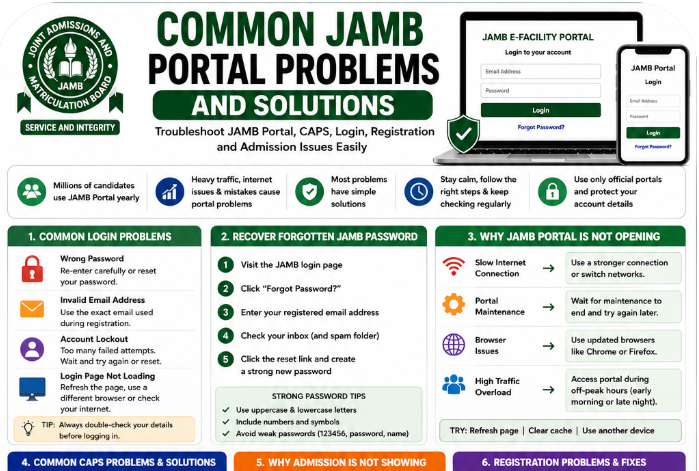
Every year, millions of Nigerian students use the Joint Admissions and Matriculation Board portal for UTME registration, admission checking, CAPS access, and result printing. While the portal is extremely useful, it can also become frustrating during peak admission periods.
Many candidates panic when:
- the JAMB portal refuses to open,
- CAPS fails to load,
- passwords stop working,
- admission status disappears,
- or profile codes refuse to arrive.
For first-time candidates especially, these issues can feel overwhelming.
The good news is that most JAMB portal problems have simple solutions once you understand what causes them.
This guide explains the most common JAMB portal problems and solutions in a practical, beginner-friendly way. Whether you are facing JAMB portal login problems, JAMB CAPS issues, or slow portal loading, this article will help you troubleshoot the problem properly.
By the end of this article, you will understand:
- how to fix JAMB portal login problems,
- why JAMB portal is not opening,
- how to solve JAMB CAPS loading issues,
- how to recover forgotten JAMB passwords,
- and how to avoid common JAMB portal mistakes.
Why JAMB Portal Problems Are Common
Many students assume JAMB portal errors happen because they made mistakes personally. In reality, portal problems are very common during UTME registration and admission seasons.
Every year, millions of candidates attempt to access the portal almost at the same time. This creates enormous pressure on the system.
Heavy Traffic During Registration
One major reason for JAMB portal issues is high traffic.
During UTME registration periods, thousands of students log in simultaneously to:
- create profiles,
- print slips,
- upload documents,
- and access CAPS.
This can slow the portal significantly.
Admission Season Pressure
CAPS activities become very heavy during admission periods.
Students constantly refresh the portal to check whether their admission status has changed.
That traffic alone can affect portal speed.
Internet Connection Problems
Weak internet connection remains one of the biggest causes of JAMB portal slow loading in Nigeria.
Many students use unstable mobile networks, especially during bad weather or network congestion.
Browser Incompatibility
Some old browsers do not work properly with the JAMB e-facility portal.
Unsupported browsers may cause:
- blank pages,
- login failures,
- or CAPS loading errors.
Wrong Login Details
Simple typing mistakes also cause many JAMB login errors.
Candidates sometimes:
- use wrong email addresses,
- forget passwords,
- or enter incorrect registration details.
Common JAMB Portal Login Problems
JAMB portal login problems are among the most searched admission-related issues online.
Below are some of the most common login problems students face.
Wrong Password
Many candidates forget their passwords after registration.
Others mistakenly type incorrect passwords repeatedly.
Solution
- Re-enter your password carefully
- Check capital letters
- Reset your password if necessary
Avoid rushing while typing.
Invalid Email Address
Students sometimes use different emails during login instead of the one linked to registration.
Solution
Always use the exact email submitted during JAMB registration.
Account Lockout
Repeated failed login attempts can temporarily restrict account access.
Solution
Wait briefly before trying again or reset your password.
Login Page Not Loading
Sometimes the login page may refuse to open completely.
Solution
- Refresh the browser
- Use stronger internet
- Switch browsers
- Try again during off-peak hours
How to Recover Forgotten JAMB Password
Forgotten passwords are extremely common among UTME candidates.
Fortunately, recovery is simple.
Step-by-Step Password Recovery Guide
Step 1: Visit the Official Login Page
Go to the official JAMB e-facility portal.
Step 2: Click “Forgot Password”
Locate the password recovery option.
Step 3: Enter Registered Email
Use the same email linked to your profile.
Step 4: Check Your Inbox
JAMB will send password reset instructions.
Step 5: Reset Your Password
Create a strong but memorable password afterward.
Check Spam Folder
Many students forget to check spam folders.
Sometimes reset emails appear there instead of the main inbox.
Strong Password Tips
Good passwords usually combine:
- uppercase letters,
- lowercase letters,
- numbers,
- and symbols.
Avoid weak passwords like:
- 123456
- password
- your first name only
Why JAMB Portal Is Not Opening
One of the most frustrating issues candidates face is when the JAMB portal refuses to open.
Several factors may cause this problem.
Slow Internet Connection
Weak internet can prevent proper portal loading.
Solution
- Switch networks
- Use stronger Wi-Fi
- Move to an area with better signal
Portal Maintenance
JAMB occasionally updates the portal system.
During maintenance periods, the portal may become temporarily unavailable.
Solution
Wait patiently and try again later.
Browser Issues
Outdated browsers often create loading problems.
Solution
Update your browser or switch to:
- Google Chrome,
- Mozilla Firefox,
- or Microsoft Edge.
High Traffic Overload
Portal traffic becomes extremely high during registration and admission periods.
Solution
Try accessing the portal:
- early morning,
- late evening,
- or during off-peak hours.
Common JAMB CAPS Problems and Solutions
CAPS issues are another major concern for Nigerian students.
CAPS stands for:
Central Admission Processing System
It handles admission processing and monitoring.
CAPS Not Loading
Many students experience blank CAPS pages or endless loading screens.
Solution
- Refresh the page
- Use Google Chrome
- Enable desktop mode on mobile
- Clear browser cache
Admission Not Showing
Sometimes students panic because admission status disappears or fails to update.
Solution
Stay patient and continue checking regularly.
Admissions are often uploaded in batches.
Blank CAPS Page
This problem usually happens because of browser incompatibility.
Solution
- Switch browsers
- Use desktop mode
- Update browser version
“Admission in Progress” Delay
Many students remain stuck on “Admission in Progress” for weeks.
Solution
This often means your admission is still being processed.
Keep monitoring CAPS and school admission lists.
Why Admission Is Not Showing on JAMB CAPS
This is one of the most common JAMB admission portal problems.
Several reasons may cause it.
School Has Not Uploaded Admission Yet
Institutions release admissions gradually.
Solution
Monitor your school’s official admission updates regularly.
Admission Still Processing
CAPS updates may take time.
Solution
Stay patient and continue checking.
O’Level Upload Problems
Missing O’Level uploads can delay admission processing.
Solution
Confirm your WAEC or NECO result upload at an accredited CBT centre.
Technical Delays
System delays occasionally affect CAPS updates.
Solution
Try again after some time.
Problems During JAMB Registration and Solutions
Registration problems are very common among first-time candidates.
Profile Code Issues
Many students fail to receive profile codes after SMS requests.
Solution
- Use correct SMS format
- Ensure network availability
- Use active phone number
Biometric Failures
Fingerprint verification problems sometimes occur during registration.
Solution
Visit accredited CBT centres with proper biometric equipment.
Also read: How to Pass JAMB UTME Without Malpractice
Wrong Subject Combinations
Choosing incorrect subjects can affect admission eligibility.
Solution
Confirm subject combinations carefully before submission.
Payment Verification Problems
Some students complete payments without receiving confirmation.
Solution
Wait briefly before retrying payment to avoid double charges.
How to Solve JAMB Profile Code Problems
Profile code problems frustrate many candidates yearly.
Correct SMS Format Matters
Students should follow the official SMS format exactly.
Incorrect formatting often prevents successful code generation.
Use Active Phone Numbers
The phone number used for profile generation should remain accessible throughout admission periods.
Network Troubleshooting
Poor network coverage may delay SMS delivery.
Solution
- Restart phone
- Retry later
- Move to stronger network area
Common O’Level Upload Problems on JAMB Portal
O’Level uploads remain very important during admission processing.
Upload Failure
Sometimes uploaded results fail to reflect immediately.
Solution
Return to the CBT centre for confirmation.
Wrong Result Details
Incorrect grades or names can create admission problems.
Solution
Cross-check uploaded details carefully.
Incomplete Uploads
Some candidates upload partial results accidentally.
Solution
Confirm complete upload before leaving the CBT centre.
Problems Printing JAMB Admission Letter
Printing issues also affect many students.
Payment Failure
Payment interruptions sometimes occur.
Solution
Avoid repeated payment attempts immediately.
Wait for confirmation first.
Printing Errors
Browser issues may affect printing.
Solution
Use updated browsers and stable internet.
Missing Admission Status
Admission letters may not appear if admission has not been accepted on CAPS.
Solution
Accept admission first before attempting to print.
Browser and Device Problems on JAMB Portal
Not every device works smoothly with the JAMB portal.
Old Browsers
Outdated browsers often cause:
- loading errors,
- blank pages,
- and failed submissions.
Solution
Update browsers regularly.
Unsupported Mobile Browsers
Some mobile browsers do not support CAPS activities properly.
Solution
Use Google Chrome in desktop mode.
Also read: WAECDIRECT ONLINE – WAEC RESULT CHECKER | www.waecdirect.org
Weak Smartphones
Low-performance devices may struggle during heavy portal activities.
Solution
Use laptops or stronger phones when possible.
Poor Internet Connection
Weak internet remains a major issue nationwide.
Solution
Use reliable networks before attempting sensitive portal activities.
Best Browsers for JAMB Portal Access
Certain browsers work better with the JAMB portal.
Recommended Browsers
Google Chrome
Usually works best for CAPS activities.
Mozilla Firefox
Reliable for printing and registration.
Microsoft Edge
Also performs well on desktop devices.
Why Chrome Works Better for CAPS
Chrome handles dynamic portal loading more smoothly than many other browsers.
It also supports desktop mode effectively on Android devices.
Security Tips to Avoid JAMB Portal Problems
Online safety is extremely important during admission seasons.
Avoid Fake Websites
Always confirm official portal addresses carefully.
Fake websites can steal login details.
Protect Your Passwords
Never share passwords publicly.
Avoid Public Cybercafes
Cybercafes sometimes save login details accidentally.
Solution
Always logout completely after use.
Beware of Scammers
No agent can illegally manipulate CAPS admission successfully.
Students should avoid suspicious promises online.
Safe Login Habits
Good portal safety habits include:
- using secure internet,
- changing passwords regularly,
- and verifying websites properly.
Common Mistakes Students Make on JAMB Portal
Many portal problems happen because of avoidable mistakes.
Using Wrong Email Addresses
Always use the correct registration email.
Sharing Passwords
This increases security risks greatly.
Ignoring CAPS Updates
Students should monitor CAPS regularly during admission periods.
Uploading Wrong Documents
Always verify uploaded files carefully.
Delaying Admission Acceptance
Some candidates delay CAPS acceptance unnecessarily.
This may create complications later.
Best CBT App for JAMB Preparation
Preparing for UTME becomes easier with proper CBT practice.
One helpful platform many Nigerian students use is:
JambSmartPrep CBT App
Benefits of JambSmartPrep CBT App
- CBT simulation practice
- Mock examinations
- Performance tracking
- Speed improvement
- Weak subject identification
Regular practice improves confidence and CBT familiarity.
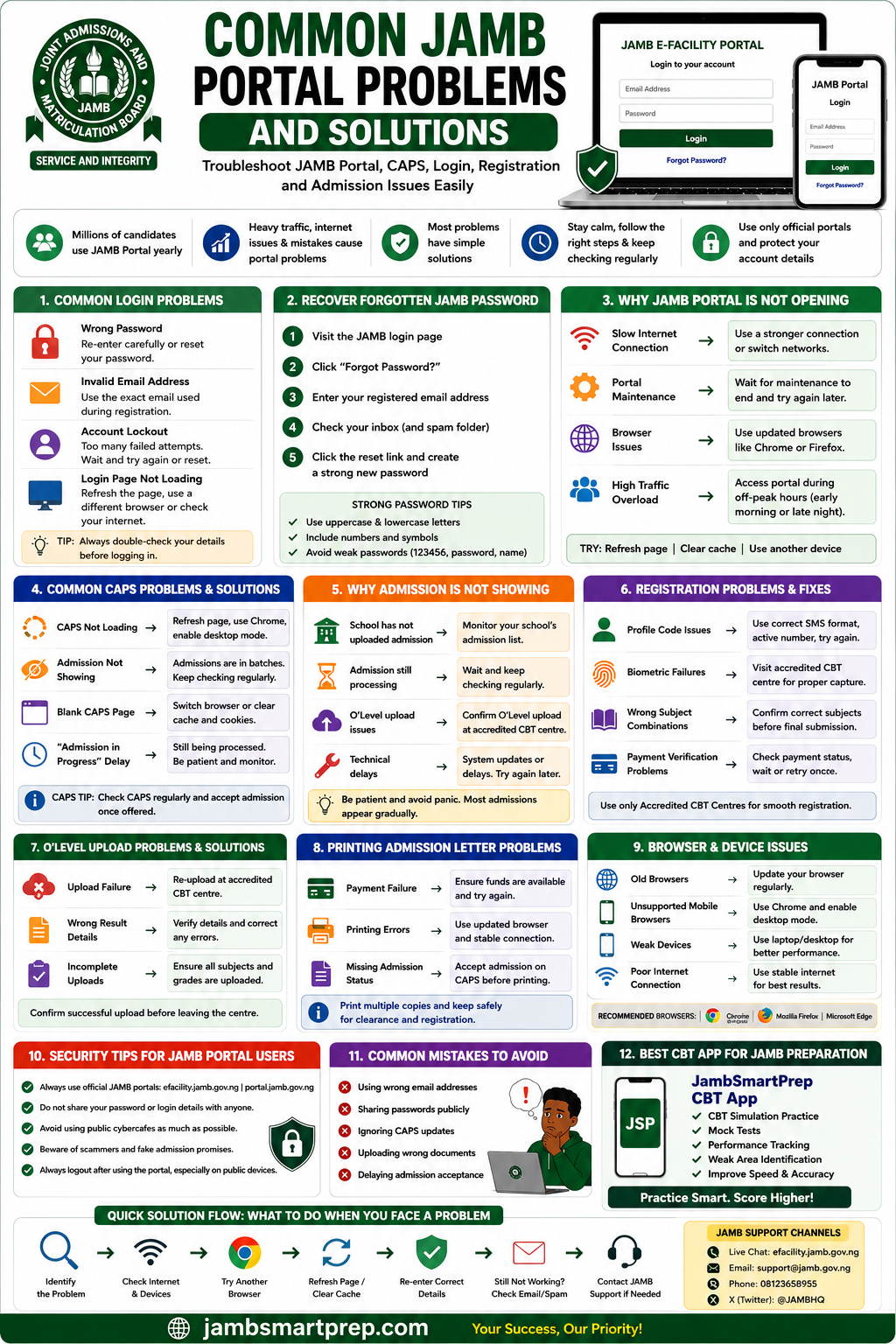
📘 Custom Infographic Section: Common JAMB Portal Problems and Solutions
Fast Solutions to Common JAMB Portal Issues
Login Problems
✅ Re-enter correct password
✅ Use correct email address
✅ Reset forgotten passwords
CAPS Troubleshooting
✅ Use desktop mode
✅ Refresh browser
✅ Check CAPS regularly
Password Recovery
✅ Click “Forgot Password”
✅ Check spam folder
✅ Use strong passwords
Browser Recommendations
✅ Google Chrome
✅ Mozilla Firefox
✅ Microsoft Edge
O’Level Upload Fixes
✅ Use accredited CBT centres
✅ Confirm uploaded results
✅ Verify details carefully
Frequently Asked Questions About JAMB Portal Problems
Why is JAMB portal not opening?
Possible reasons include:
- poor internet,
- browser issues,
- portal maintenance,
- or heavy traffic.
How do I recover forgotten JAMB password?
Use the “Forgot Password” option on the login page.
Why is CAPS not loading?
This may happen because of browser problems or heavy traffic.
Why is my admission not showing?
Admissions are often released gradually in batches.
What browser works best for JAMB portal?
Google Chrome usually performs best.
How do I solve profile code problems?
Use the correct SMS format and active phone number.
Why is my O’Level upload not reflecting?
Visit the CBT centre again for upload confirmation.
Can I use my phone for CAPS?
Yes. Smartphones work, especially with desktop mode enabled.
How do I fix slow JAMB portal loading?
Use stronger internet and access the portal during off-peak hours.
Is JAMB portal available at night?
Yes. The portal works anytime internet connection is available.
What is the official JAMB portal link?
The official portal includes:
- efacility.jamb.gov.ng
- portal.jamb.gov.ng
Can cybercafes save JAMB passwords?
Yes. Always logout completely after use.
How often should I check CAPS?
Students should monitor CAPS regularly during admission periods.
Why is admission taking long on CAPS?
Admissions are processed in stages by institutions.
Can I print my result online?
Yes. JAMB result slips can be printed through the portal.
Is CAPS compulsory for admission?
Yes. CAPS is important during admission processing.
What should I do during portal maintenance?
Wait patiently and retry later.
Can fake websites steal my JAMB details?
Yes. Always verify official portal links.
How do I confirm successful O’Level upload?
Visit an accredited CBT centre for confirmation.
Can I access JAMB portal with weak internet?
Weak internet may affect portal performance significantly.
Conclusion
Understanding common JAMB portal problems and solutions can save Nigerian students from unnecessary stress during registration and admission periods.
From CAPS loading errors to forgotten passwords and admission delays, most portal issues have practical solutions once candidates understand the cause.
Students should remain calm whenever portal problems occur, avoid fake websites, and protect login details carefully.
Most importantly, always use official JAMB portals and accredited CBT centres for important activities.
Have you experienced JAMB portal issues before? Share this guide with another UTME candidate and bookmark this article for future troubleshooting help.
