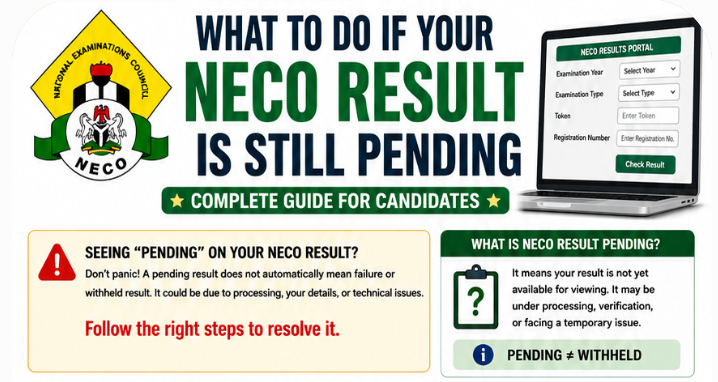
If your NECO result is pending, not showing or “not found”, it usually comes down to one of five causes: results for your exam haven’t been released yet, you’ve entered your details or selected the exam type or year wrongly, the result portal is overloaded or your token isn’t working, your result is withheld or under review because of a suspected irregularity at you or your centre, or there’s a problem with your registration records. Check the release date first, then re-enter your details carefully on results.neco.gov.ng, try again at a quieter time, and if your result is still missing, contact your school (internal candidates) or NECO through support.neco.gov.ng with your examination number and a screenshot.
This guide explains every reason a NECO result can be pending or missing, how to tell which one applies to you, step-by-step fixes, what “withheld” means and what happens next, how long you might wait, how a pending result affects JAMB admission, and how to avoid people who promise to “release” results for money.
- Confirm results are out. NECO released the 2026 internal SSCE results on 24 September 2026; external results follow their own schedule.
- Check your entries: examination number, exam type (internal or external), year.
- Check your token and try again at an off-peak time if the portal is slow.
- If it shows withheld or incomplete, it’s under review; follow NECO’s guidance and your school’s advice.
- Contact your school (internal) or NECO support (support.neco.gov.ng) with your details and screenshots.
- Don’t pay anyone who claims they can “release” or “upgrade” your result.
In this guide:
- The five main causes
- Cause 1: results not yet released
- Cause 2: wrong details entered
- Cause 3: portal and token problems
- Cause 4: withheld or under review
- Cause 5: registration and record problems
- How to diagnose your situation
- Contacting your school and NECO
- How long you might wait
- Pending results and JAMB admission
- “Result release” scams
- Frequently asked questions
Why this happens to so many candidates
Every NECO results season, a wave of candidates search “why is my NECO result not showing” in the days after release. That’s not surprising. NECO’s internal SSCE alone had 1,371,992 candidates in 2026, so even a small share with entry errors, token issues or reviews means thousands of worried candidates. Most of them resolve the problem within days by correcting an entry, waiting out portal traffic or getting information from their school. A smaller number face longer waits because their results are under review.
The good news is that the steps are the same for almost everyone: confirm the release, re-check your details, try again at a quieter time, and talk to your school or NECO through official channels. Very few situations call for anything more, and none call for paying an unofficial agent. Work through the causes below in order, starting with the simplest, and you’ll usually find the answer quickly.
The five main causes
| Cause | Typical sign | What to do |
|---|---|---|
| Results not yet released | Nobody from your exam can see results | Wait for NECO’s official release announcement |
| Wrong details entered | “Not found” or invalid entry message | Re-check exam number, type and year |
| Portal or token problems | Page won’t load, times out or token rejected | Try later; check your token; see token troubleshooting |
| Withheld or under review | Result shows as withheld, or some subjects missing | Follow NECO’s guidance; contact school or NECO |
| Registration or record problems | Your result is missing while classmates’ results show | Contact your school or centre, then NECO |
Cause 1: results not yet released
It sounds obvious, but many “pending” searches happen before results are officially out. NECO announces each release publicly, usually through a press briefing by its Registrar and on its official website.
- 2026 internal SSCE (school candidates): NECO released results on 24 September 2026, about two months after the last paper. It reported that 1,371,992 candidates sat and that 58.67% obtained five credits and above including English Language and Mathematics.
- 2025 external SSCE (private candidates): NECO released results in early February 2026, 52 days after the last paper. The exam ran from 26 November to 13 December 2025; 95,160 candidates sat, and 71.63% obtained five credits and above including English and Mathematics.
For 2027, a harmonised timetable proposed by the Federal Government places NECO’s SSCE from 1 April to 14 May 2027, with results from major exam bodies targeted by August 2027; the dates were described as provisional. Until NECO announces a release, no one can see their results, and rumours about early releases are often false. Check neco.gov.ng for official news.
Cause 2: wrong details entered
The single most common cause of “result not found” is an entry error. On the result portal at results.neco.gov.ng, check:
- Examination number: entered exactly as on your documents, with no spaces and the correct letters.
- Exam type: SSCE Internal (school candidates, usually mid-year) or SSCE External (private candidates, usually late in the year). Choosing the wrong one is very common.
- Year: the year you sat the exam, not the year you’re checking.
- Token: the correct result checker token, typed carefully.
If you’ve lost your examination number, see how to recover a lost NECO examination number. For a full walk-through of checking, see how to check your NECO result.
Cause 3: portal and token problems
In the days after a release, hundreds of thousands of candidates try to check results at once, and the portal can be slow or unavailable. Separately, tokens can fail for several reasons.
If the portal won’t load
- Try again at off-peak times, such as early morning or late at night.
- Switch browser, clear the cache, or use a different device or network.
- Type the address yourself: results.neco.gov.ng.
See NECO result portal not working.
If your token is rejected
Check that you’ve typed it correctly and that it’s valid for the result you’re checking. NECO says a result can’t be rechecked with another candidate’s token, and verification beyond your own checks goes through NECO’s e-Verify service. See NECO token not working.
Cause 4: withheld or under review
NECO withholds results when it suspects examination malpractice or other irregularities, while it investigates. This can affect a single candidate, a subject, or a whole centre. NECO recorded 1,406 malpractice cases in its 2026 internal SSCE, down from 3,878 in 2025. In its 2025 external SSCE, it booked 9,016 candidates for various offences, blacklisted five supervisors and recommended four centres for de-recognition.
A withheld result isn’t automatically cancelled. After investigation, results may be released, or cancelled for candidates found culpable. What to do:
- Don’t panic, and don’t pay anyone who promises to “release” it.
- Talk to your school, which may have received information from NECO about the centre or subject.
- Follow NECO’s official announcements and any invitation to appear before a panel or provide information.
- Keep checking periodically through official channels.
For more detail, see NECO result withheld: why it happens and what to do. If your result is ultimately cancelled, see NECO result cancellation.
Cause 5: registration and record problems
Sometimes a result is missing because of a problem with the candidate’s registration or records rather than the exam itself. Examples include errors in personal details, incomplete registration, or issues between a school and NECO about registration. If your classmates’ results show and yours doesn’t, after you’ve checked your entries carefully, this is the likely area.
- Internal candidates: ask your school’s examinations officer to check with NECO.
- External candidates: contact the centre where you registered and NECO directly.
Registration details also matter beyond the result itself. JAMB warned in 2026 that O’level uploads may be rejected if NIMC details don’t match certificate records. See NIN errors in NECO registration and date-of-birth mistakes in NECO registration.
How to diagnose your situation
- Has NECO announced the release? If no, wait. If yes, continue.
- Can your classmates see their results? If no one at your school can, it may be a centre-level issue; ask your school. If they can, continue.
- Have you checked every entry? Exam number, type, year, token. Fix any error and try again.
- Is the portal working? Try later, another browser or network.
- Does your result show partial or withheld? It’s under review; follow NECO’s guidance.
- Still nothing? Contact your school or centre, then NECO support.
Step-by-step: checking your result correctly
Because entry mistakes cause so many “not found” results, it’s worth walking through the check carefully once more before contacting anyone.
- Use the official address. Type results.neco.gov.ng into your browser yourself.
- Prepare your details. Have your examination number, exam type, year and token written down in front of you.
- Select the exam year. Choose the year you actually sat the exam.
- Select the exam type. Internal for school candidates, External for private candidates.
- Enter your token. Copy it carefully; long codes are easy to mistype.
- Enter your examination number. Type it exactly, including any letters, with no spaces.
- Submit and wait. Don’t click repeatedly while the page loads.
- Save immediately. If the result appears, save or print it straight away.
If the portal’s layout differs slightly from this order, the same fields still apply. Follow the on-screen labels.
Signs your result is likely to appear soon
Not every delay is serious. Your result is likely to appear soon if:
- NECO announced the release only a day or two ago and the portal is visibly overloaded;
- classmates are also having intermittent trouble, not just you;
- you’ve just corrected an entry error;
- your school reports no centre-level issue.
In contrast, a longer wait is more likely if your result shows as withheld, if your school says the centre is under investigation, or if NECO has contacted you about an irregularity. In those cases, follow the official process and keep your institution informed.
Contacting your school and NECO
Your school (internal candidates)
Your school registered you and is often the first to know about centre-level issues. Ask the examinations officer whether other candidates are affected, whether NECO has communicated anything, and whether there are registration issues.
NECO
Use NECO’s official support channel at support.neco.gov.ng, or visit the NECO office in your state. Include:
- Full name as registered, examination number, exam type and year.
- School or centre name and state.
- What you see on the portal, with screenshots.
- What you’ve already tried.
- Why it’s urgent, for example an admission deadline.
NECO also runs a complaints channel at complaints.neco.gov.ng.
How NECO results connect to verification and certificates
Once your result is released and visible, it becomes the basis for everything that follows. Institutions and employers can verify it through NECO’s e-Verify service at everify.neco.gov.ng, which NECO said was used by 64 institutions in 37 countries. Later, NECO issues your original certificate, collected through your school or a NECO state office. If your result was pending for a while, double-check that the released version is complete and correct before you use it for admission, because any errors will carry through to verification and your certificate. See how to verify a NECO result and how to collect your NECO certificate.
How long you might wait
| Cause | Typical wait |
|---|---|
| Results not yet released | Until NECO’s official release |
| Entry errors | Minutes, once corrected |
| Portal overload | Hours to a few days after release |
| Token problems | Depends on the fix; contact NECO if unresolved |
| Withheld or under review | Weeks to months, depending on the investigation |
| Registration problems | Depends on the issue; start resolving immediately |
When a pending result becomes a cancelled result
If NECO’s investigation finds malpractice, it can cancel results for the candidates involved, and in serious cases it has also taken action against supervisors and centres. In its 2025 external SSCE, NECO blacklisted five supervisors and recommended four centres for de-recognition. A cancelled result can’t be “fixed”; the only route forward is to sit the exam again in a later series, honestly. That’s why it’s worth taking any NECO communication about your result seriously and responding through official channels, and why no one should ever pay for “help” in the exam hall. See NECO result cancellation and how to pass NECO without malpractice.
Pending results and JAMB admission
A missing NECO result can hold up admission, because institutions can only recommend you on JAMB’s CAPS once your O’level results are on JAMB’s system. NECO results are uploaded at JAMB-accredited CBT centres; JAMB’s online upload introduced in August 2026 applies to WAEC results. When CAPS was restored after a brief outage in September 2026, JAMB specifically urged candidates awaiting their 2026 NECO results to upload or verify them promptly once available.
If your result is delayed:
- Tell your institution’s admissions office, in writing, that your NECO result is pending and why.
- Check whether you have another O’level result (for example WAEC) that meets the requirements on its own.
- Upload your NECO result the moment it becomes available.
- Watch JAMB’s deadlines: in 2026, public universities had to conclude admissions by 31 October, private universities by 30 November, and polytechnics and colleges of education by 31 December.
See using NECO awaiting results for admission and how long admission takes after JAMB.
Real situations
“All my classmates have their results but mine says not found.”
First, re-check your examination number letter by letter, and confirm you selected SSCE Internal and the right year. Many “not found” cases are fixed at this step. If it still fails, ask your school to check with NECO whether there’s an issue with your registration record.
“My result shows some subjects but not others.”
Missing subjects can mean those subjects are under review, or there was an issue recording your attendance or scripts. Contact your school, then NECO support, with a screenshot showing exactly what you see.
“My whole school’s results are withheld.”
That usually points to a centre-level investigation. Your school should receive communication from NECO. Follow official guidance and avoid anyone selling “release” services. If you need admission urgently, tell your institution and check whether another O’level result you hold meets requirements.
“I checked my result yesterday and today it says not found.”
This can happen when the portal is overloaded or under maintenance. Wait and try again later. Save a PDF or screenshot of your result whenever you successfully view it.
“The portal says my token has been used.”
Tokens are tied to your own result checks. If your token was used by someone else, or you’ve used it up, follow NECO’s guidance on tokens and verification. See NECO token not working.
“My admission deadline is next week and my NECO result is still withheld.”
Write to your institution’s admissions office immediately, explaining the situation. Follow up with NECO through official channels, mentioning the deadline. Check whether any other O’level result you have can satisfy the requirements. Keep copies of all correspondence.
Internal vs external candidates: what’s different
NECO runs the internal SSCE for school candidates and the external SSCE for private candidates, and the right next steps differ slightly.
| Internal SSCE (school candidates) | External SSCE (private candidates) | |
|---|---|---|
| Usual timing | Around mid-year | Towards the end of the year |
| Results | 2026 results released 24 September 2026 | 2025 results released early February 2026 |
| First contact for problems | Your school’s examinations officer | Your registration centre |
| Common cause of “not found” | Selecting External instead of Internal | Selecting Internal instead of External |
If you’ve written both, remember that each sitting has its own examination number and results. Make sure you’re using the right number with the right exam type and year.
What not to do while waiting
- Don’t buy multiple tokens hoping one will work. Fix the underlying problem first.
- Don’t pay “result release” agents. They can’t speed up NECO’s processes.
- Don’t ignore NECO’s communication. If your result is under review, respond promptly to any request.
- Don’t stop preparing for Post-UTME. A pending result is often resolved in time; be ready.
- Don’t register for another exam in a panic before understanding why your result is pending, unless your school or NECO advises it or you need extra credits anyway.
“Result release” scams
When results are delayed, scammers target anxious candidates and parents, offering to “release”, “fix” or “upgrade” results for a fee. Only NECO can release or change results.
- Use only NECO’s official websites: neco.gov.ng and its subdomains, such as results.neco.gov.ng, support.neco.gov.ng, complaints.neco.gov.ng and everify.neco.gov.ng.
- Never pay individuals who claim connections at NECO.
- Don’t share your token or examination details with strangers.
See how to protect yourself from NECO result scams.
A sample message to NECO support
A clear, complete message gets a faster, more useful reply. Adapt this template for support.neco.gov.ng or your state office:
Dear Sir/Madam,
I sat the NECO [SSCE Internal / SSCE External] in [year] at [school or centre name], [state], with examination number [number]. When I check my result on results.neco.gov.ng, the portal shows [describe exactly: “result not found” / “withheld” / only some subjects]. I have checked my examination number, exam type and year, and tried again on [dates and times] using [browser/device].
I need my result for [admission / JAMB O’level upload / employment], and my deadline is [date]. I have attached screenshots and a copy of my identification. Please advise on the status of my result and the next steps.
Yours faithfully,
[Full name as registered][Phone number and email]
Keep a copy of the message and any ticket number. Follow up politely after a reasonable time if you haven’t heard back.
Understanding NECO’s result release process
Knowing what happens behind the scenes helps explain why some results take longer than others. After an exam ends, NECO marks the scripts, processes scores, checks for irregularities, and approves results before release. For the 2025 external SSCE, for example, NECO reported that the exam ran from 26 November to 13 December 2025 and marking took place from 5 to 21 January 2026, with results released in early February.
During processing, NECO reviews reports from supervisors, monitors and examiners. Where these point to malpractice or other problems at a centre or for particular candidates, the affected results may be held back while NECO investigates. That’s why most candidates see their results on release day, while a minority find some or all of their results pending. It’s also why candidates at the same school can have different experiences: an issue may affect one subject, one hall or one candidate rather than everyone.
Keeping a record once your result appears
When your result finally shows, save it immediately: download or print it, take a clear screenshot, and email a copy to yourself. Note your examination number, exam type, year and token details in a safe place. You’ll need these to upload your result to JAMB, for screening and clearance at your institution, and for verification later. If anything on the result is wrong, such as your name or date of birth, act quickly: NECO said candidates have one month to submit requests to correct their results. See how to correct errors on your NECO result.
For parents
A delayed result is stressful for families, especially in admission season. The most useful things you can do are to help your child check their entries carefully, contact the school’s examinations officer together, keep copies of all communication, and inform the institution your child has applied to. Be especially wary of people who approach parents with offers to “settle” or “release” results. These offers are scams, and paying them can also involve you in malpractice. See how parents can help.
A checklist before you contact anyone
| Check | Done? |
|---|---|
| Confirmed NECO has officially released results for my exam | ☐ |
| Typed results.neco.gov.ng myself | ☐ |
| Examination number entered exactly, with letters and no spaces | ☐ |
| Correct exam type selected (Internal or External) | ☐ |
| Correct year selected | ☐ |
| Token typed carefully and valid for my own result | ☐ |
| Tried at an off-peak time, on another browser or device | ☐ |
| Asked classmates whether they can see their results | ☐ |
| Taken screenshots of what the portal shows | ☐ |
If you’ve ticked every box and your result still isn’t showing, contact your school or centre, then NECO support, with your screenshots. You’ll be able to explain exactly what you’ve tried, which makes it much easier for them to help.
What a pending result means for your plans
A pending result is disruptive, but it rarely changes your overall plan. Keep preparing for Post-UTME, keep your JAMB details and CAPS login ready, and keep track of admission deadlines. If your result is released within a few weeks, as many are, you’ll be ready to upload it immediately. If it takes longer, the work you’ve done keeps your options open for the next stage, whether that’s a later admission list, another institution with a later deadline, or the next cycle.
Frequently asked questions
Why is my NECO result not showing?
Usually because results aren’t out yet, details were entered wrongly, the portal is busy, the token has a problem, or the result is withheld or affected by a registration issue. Work through these causes in order, starting with the simplest: confirm NECO has released results, re-enter your examination number, exam type and year carefully, and try again at a quieter time before contacting your school or NECO.
Why does my NECO result say “not found”?
Most often an entry error: wrong examination number, exam type or year. Re-check each field carefully, paying special attention to whether you selected Internal or External, because choosing the wrong one is one of the most common reasons a valid result can’t be found.
When was the 2026 NECO result released?
NECO released the 2026 internal SSCE results on 24 September 2026. It reported that 1,371,992 candidates sat the exam and that 58.67% obtained five credits and above including English Language and Mathematics.
What does it mean if my NECO result is withheld?
NECO is investigating a suspected irregularity. It isn’t automatically cancelled. Follow NECO’s guidance and your school’s advice, respond promptly to any request for information, and keep your institution informed if admission depends on the result.
Can I get admission with a pending NECO result?
Institutions need your O’level on JAMB’s system to recommend you. Upload as soon as your result is available, and inform your institution in writing so it knows your result is on the way.
How long does NECO take to release results?
It varies by exam. NECO released 2026 internal results about two months after the last paper, and 2025 external results 52 days after the last paper.
Will my NECO result be cancelled if it’s withheld?
Not necessarily. Withheld results are investigated, and some are released afterwards. Results are cancelled only where NECO establishes malpractice or another serious irregularity.
Can I check my NECO result with my phone?
Yes, on results.neco.gov.ng. If it doesn’t load properly, try another browser, desktop mode or a computer.
Does NECO send results by SMS?
Check results on NECO’s official portal. Be cautious of SMS messages claiming to come from NECO that ask for payment or personal details.
My school says my result is fine, but the portal doesn’t show it. What now?
Ask the school to confirm your exact examination number and exam type, then try again. If it still fails, contact NECO support with screenshots and your school’s confirmation.
Can I upload a pending NECO result to JAMB?
You can only upload a result that’s available. Some candidates register for JAMB with “awaiting result” status and upload later; upload as soon as your result is out. See using awaiting results.
Who do I contact about a missing NECO result?
Your school (internal candidates) or registration centre (external candidates) first, then NECO through support.neco.gov.ng or your state office. Bring or attach your examination number, exam type and year, a screenshot of what the portal shows, and your identification, so they can trace your record quickly, accurately and without delay.
Related guides: How to check your NECO result · NECO result withheld · NECO token not working · NECO portal not working

NECO Result Problems: Common Issues and How to Fix Them – JambSmartPrep
Oct 4, 2026 -
[…] pending NECO result is different from a simple portal […]