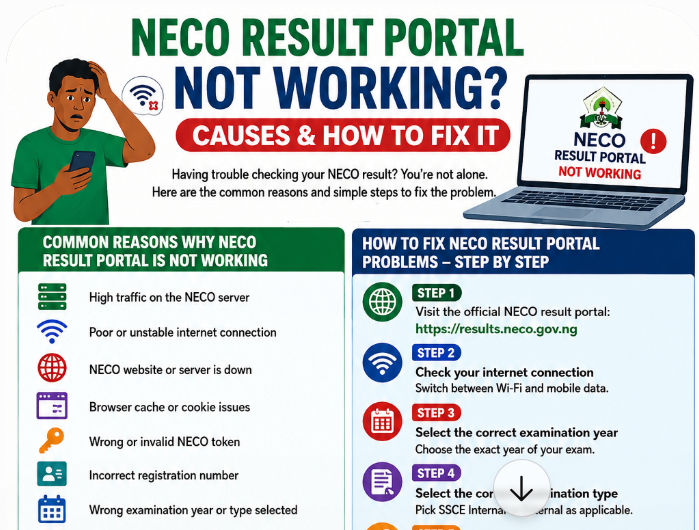
NECO result portal not working? Hey there, welcome to JambSmartPrep.com. Here, we teach you the complete guide on everything NECO, WAEC, JAMB and others. In to day’s guide, we want to show you how to fix NECO result portal not working issues.
Thus, if you are here because you are in a dire need of the processes involved in accessing the NECO result portal that is not working, this article article has gotten you covered.
Yes, you will learn why the NECO result checker may fail and how to fix login, token, server, and result-checking problems.
As we all know, checking your NECO result should normally take only a few minutes. You select the examination year and type, enter your token and registration number, and check your result. However, many candidates run into problems such as the NECO result portal not working, a page that refuses to load, an error after entering their details, or a result that does not appear after several attempts.
If you are experiencing this problem, do not assume immediately that your NECO result is missing or that something is wrong with your examination record.
The problem may be caused by a temporary server issue, heavy traffic, an incorrect examination selection, an invalid or incorrectly entered token, browser problems, internet connectivity, or another technical issue.
The official National Examinations Council result portal currently asks candidates to select their examination year and examination type, enter a result-checking token and registration number, and then select “Check my result.” The portal also provides an option for candidates who do not yet have a token to purchase one.
This guide explains what to do when the NECO result portal is not working, why the problem happens, how to distinguish a technical problem from a genuine result-status issue, and when you should contact NECO.
Why Is the NECO Result Portal Not Working?
There is no single reason why the NECO result checker may fail. The cause can be something as simple as a poor internet connection or an incorrect registration number. At other times, the problem may be related to the website itself.
Some of the most common causes include:
- Temporary NECO server problems
- Heavy traffic on the result portal
- Poor or unstable internet connection
- Incorrect examination year
- Incorrect examination type
- Wrong registration number
- Invalid or incorrectly entered token
- Expired or unusable result-checking token
- Browser cache or cookie problems
- Unsupported or outdated browser
- Temporary portal maintenance
- Repeated failed attempts
- A result that has not yet been made available
- A result status that requires further processing or clarification
The first thing to understand is that “NECO result portal not working” does not necessarily mean “NECO result is not available.”
Those are two different problems.
For example, if the website itself will not open, the issue may be technical. If the website opens normally but displays an error after you enter your details, you need to investigate your examination information and token. If the portal accepts your details but your result is not displayed, the situation may require a different solution.
What Is the Official NECO Result Portal?
Before troubleshooting anything, make sure you are using the genuine NECO result portal.
The official result-checking website is the NECO Results Portal. It currently provides fields for the examination year, examination type, token and registration number.
Official NECO Result Portal: https://results.neco.gov.ng
The distinction between the result-checking portal and other NECO services is important.
NECO operates several online services for different purposes. Its main website provides information about examinations and other services, while the result portal is specifically designed for checking examination results. NECO also operates a separate e-Verify platform for result confirmation and verification.
Therefore, if your goal is simply to check your NECO result, do not confuse the result checker with the NECO e-Verify system.
NECO Result Portal Not Opening
One of the most common complaints is that the NECO result portal is not opening at all.
You may enter the website address and experience a blank page, a connection error, a page that keeps loading, or a browser message indicating that the website cannot be reached.
When this happens, try the following steps.
1. Check Your Internet Connection
Start with the simplest possibility.
Open another reliable website on your phone or computer. If other websites are also slow or unavailable, your internet connection may be the problem.
Try:
- Switching from mobile data to Wi-Fi
- Switching from Wi-Fi to mobile data
- Moving to an area with stronger network coverage
- Restarting your router
- Turning airplane mode on and off
- Trying the portal again after a few minutes
Do not repeatedly submit your NECO details while your connection is unstable.
2. Reload the Official Portal
If your internet connection is working, refresh the official result page.
A temporary connection failure can sometimes prevent a page from loading correctly.
If you are using a computer, you can also close the browser tab and open the official portal again.
Avoid clicking multiple times on the Check Result button if the page appears frozen. Give the page time to respond before trying again.
3. Try Another Browser
A browser problem can also make a website appear unavailable.
If you are using Chrome, try another current browser such as Edge or Firefox. If you are using a phone, you can also try opening the official portal from another browser installed on the device.
This can help determine whether the problem is with the portal or with your browser.
4. Clear Browser Cache
Old cached information can sometimes interfere with how a website loads.
If the portal worked previously but has suddenly stopped loading correctly, clearing the browser cache may help.
After clearing the cache, close the browser and open the official NECO result portal again.
5. Try a Different Device
If possible, test the portal on another phone or computer.
For example, if the NECO result checker does not work on your smartphone, try a computer. If it works on the second device, the problem may be related to the original device, browser or network.
This simple test can save you from assuming that your NECO result itself has a problem.
NECO Result Checker Not Working After Entering Your Details
Another common situation is that the portal opens normally, but something goes wrong after the candidate enters their information.
The official portal requires four important selections or entries:
- Examination year
- Examination type
- Result-checking token
- Registration number
The portal then provides the Check Result button.
This means you should check each item carefully before assuming the NECO result portal is faulty.
Check the Examination Year
Make sure you selected the correct examination year.
For example, if you are checking a result from one examination year but accidentally select another year, the information you enter may not match the records expected by the portal.
This can lead to an error or prevent the result from being displayed.
Check the Examination Type
The examination type also matters.
Do not select an examination category simply because it looks familiar. Select the type that corresponds to the examination you actually took.
NECO conducts different examinations, including SSCE Internal and SSCE External. Its official website identifies both as Senior School Certificate Examination categories, with SSCE Internal conducted for candidates at the end of secondary school and SSCE External available for candidates with deficiencies to make up.
Selecting the wrong examination type can therefore create confusion when checking a result.
Check Your Registration Number
Enter your NECO registration number exactly as it appears on your examination documents.
Pay attention to:
- Missing digits
- Extra spaces
- Incorrect numbers
- Letters entered incorrectly
- Characters that look similar
Do not rely entirely on memory if you have your examination slip available.
Take the registration number from the original document and enter it carefully.
Check Your Result Token
The official portal also requires a token before the result can be checked.
If you have entered the wrong token, the result may not load.
Check the token carefully before submitting it. Avoid purchasing another token immediately simply because your first attempt failed. First confirm that you entered the existing token correctly and that you are using it with the correct examination information.
NECO Result Portal Says Invalid Token
An invalid token message is different from the NECO website being completely unavailable.
If the portal opens but rejects your token, check the following:
- Did you copy the token correctly?
- Did you accidentally add spaces?
- Are you using the correct token?
- Are you checking the correct examination year?
- Did you enter the correct examination type?
- Are you using the official NECO result portal?
The official result portal provides an option to purchase a token for candidates who do not have one.
However, do not rush to buy another token until you have established that the existing one is genuinely unusable.
If you bought a token from an unofficial vendor, be especially careful. A person selling a supposed NECO token does not necessarily mean the token is genuine.
NECO Portal Is Working but Result Is Not Showing
This is where many candidates make a mistake.
A portal can be working properly even when a particular candidate’s result is not displayed.
For example, you may be able to open the NECO website, enter your details and interact with the page, but the expected result may still fail to appear.
That situation should not automatically be described as a NECO result portal problem.
It may instead involve:
- Incorrect candidate details
- Wrong examination year
- Wrong examination type
- Result processing
- Result status
- A withheld result
- A pending result
- Another examination record issue
NECO’s official website separately provides result verification services through its e-Verify platform, showing that result checking and result verification are distinct services.
Before taking further action, identify exactly what message the result portal displays.
That message is often more useful than simply saying, “My NECO result is not showing.”
Do Not Assume a Portal Error Means Your Result Was Cancelled
This is particularly important for candidates who see an unexpected message after checking their results.
A technical error is not the same as a cancelled result.
Likewise:
- A portal that will not load is not automatically a cancelled result.
- A result that does not appear immediately is not automatically a cancelled result.
- A wrong token is not automatically a cancelled result.
- A pending status is not automatically a cancelled result.
- A withheld status is not automatically a cancelled result.
If the issue is specifically related to cancellation, you should first confirm the exact status displayed by the official portal and then follow the appropriate NECO procedure.
What to Do Before Contacting NECO
Before contacting NECO about a NECO result portal not working problem, carry out a few basic checks.
Use this quick checklist:
Check 1: Confirm that you are on the official NECO result portal.
Check 2: Confirm that your internet connection is working.
Check 3: Confirm the examination year.
Check 4: Confirm the examination type.
Check 5: Confirm your registration number.
Check 6: Re-enter your token carefully.
Check 7: Try another browser.
Check 8: Try another device or network.
Check 9: Take a screenshot of any error message.
Check 10: Try again later if the portal appears to be experiencing temporary technical difficulty.
Keeping a screenshot is especially useful if you eventually need to report the problem. Instead of telling NECO only that “the website is not working,” you can show the exact message that appeared on your screen.
When the Problem May Be With NECO’s Website
Sometimes there is nothing wrong with your phone, token or registration number.
The website itself may be temporarily unavailable or experiencing heavy traffic.
This is more likely to become noticeable when many candidates are trying to access their results around the same period.
NECO’s official website is currently active and provides links to its examination services, while the dedicated result portal operates separately for result checking.
If the official portal is temporarily unavailable, repeatedly refreshing the page for several minutes may not solve the underlying problem.
In that situation, wait and try again later while continuing to use only the official NECO portal.
Why Is the NECO Result Portal Not Working?
When the NECO result portal is not working, the problem may not necessarily be with your examination result. In many cases, the difficulty comes from the website, internet connection, browser, token, registration details, or temporary traffic on the result-checking system.
This is why you should identify the exact problem before assuming that NECO has not released your result.
The official NECO result portal requires candidates to select the examination year and examination type, enter a valid result-checking token and provide the registration number before clicking the result-checking button.
If any of these details are wrong, the portal may fail to display your result even though the result itself is available.
Here are some of the most common reasons the NECO result portal may not work.
1. The NECO website is experiencing heavy traffic
This is one of the most common problems around result-release periods.
Thousands of candidates may attempt to check their results at roughly the same time. Parents, schools, cybercafés and admission officers may also be accessing NECO services.
When a large number of people are using the platform simultaneously, pages may load slowly or fail to respond.
You may notice symptoms such as:
- The page keeps loading.
- The website opens very slowly.
- The result-checking form does not respond.
- The “Check my result” button does nothing.
- The page displays an error after you submit your details.
- The website opens on one attempt but stops working on another.
If this happens, do not immediately assume that your NECO result has been cancelled, withheld or deleted.
Try again later using a stable internet connection.
2. Your internet connection is unstable
A weak mobile network can make the NECO result portal appear to be down when the actual problem is your connection.
This is particularly common when checking results with mobile data in an area where network coverage fluctuates.
Try these simple steps:
- Turn mobile data off and back on.
- Move to an area with better network coverage.
- Switch between available networks if you have access to another SIM.
- Restart your phone.
- Connect to a reliable Wi-Fi network if available.
- Try opening another website to confirm whether your internet connection is working.
If other websites are also failing to load, the problem may be your internet connection rather than the NECO portal.
3. You are using the wrong NECO result portal
Candidates sometimes search Google for “NECO result checker” and click on an unofficial website.
This can create unnecessary confusion because several third-party websites publish instructions about checking NECO results.
For result checking, use the official NECO results portal.
The current official result-checking page is results.neco.gov.ng and its provides fields for examination year, examination type, token and registration number.
Be careful with websites that ask you to provide your examination login details, password or other sensitive information when you only want to check your result.
4. Your browser has a technical problem
Sometimes the NECO portal works properly but your browser is unable to load the page correctly.
This may happen because of:
- Old cached files
- Browser extensions
- Corrupted cookies
- An outdated browser
- JavaScript problems
- A temporary browser error
Try opening the portal in another browser.
For example, if you are using Chrome, you can try Edge, Firefox or another current browser.
You can also open a private or incognito window and try again.
If the website works in the private window but not in your normal browser, clearing the browser cache and cookies may solve the problem.
5. Your result-checking token is incorrect
The official NECO result portal requires a token before you can check a result.
If the token was entered incorrectly, the result may not load.
Check the token carefully before trying again.
Pay attention to:
- Digits entered incorrectly
- Missing digits
- Extra spaces
- Confusing similar characters
- Copying only part of the token
- Using a token belonging to another person
Do not keep entering random numbers if the token is rejected.
If you purchased a token, keep your payment evidence and token details until you have successfully checked the result.
6. Your registration number is wrong
Your NECO registration number must also be entered correctly.
A single incorrect digit can prevent the system from locating your examination record.
Before submitting the form, compare the registration number with the details on your examination documents.
Do not rely entirely on memory, particularly if you are checking the result months after the examination.
7. You selected the wrong examination year
The NECO result portal asks candidates to select an examination year before entering their details.
For example, a candidate checking an SSCE Internal result should make sure the selected examination year corresponds with the examination being checked.
Selecting the wrong year can lead to an unsuccessful result search.
This is a simple mistake, but it can cause considerable confusion because the candidate may conclude that NECO has lost the result.
8. You selected the wrong examination type
The portal also requires the examination type.
Make sure you select the examination category that corresponds with your result.
If the wrong examination type is selected, the registration number and token may not produce the expected result.
This is especially important for candidates who have taken more than one NECO examination.
9. The result may not yet be available
Another reason candidates report that the NECO result portal is not working is that they are attempting to check a result that has not yet been released.
A website can be functioning normally while a particular examination result is unavailable.
Before concluding that the portal has failed, confirm whether NECO has officially released the result for the examination you took.
Do not depend solely on messages from WhatsApp groups, classmates or social media pages.
Check official NECO announcements and the result portal.
10. The portal may be undergoing temporary maintenance
Online examination systems sometimes require maintenance or technical updates.
During such periods, a service may temporarily become unavailable.
If the official portal was working earlier and suddenly stops responding, wait and try again later rather than repeatedly refreshing the page for several minutes.
How to Fix the NECO Result Portal When It Is Not Working
If you are searching for “how to fix NECO result portal not working”, start with the simplest solutions before assuming there is a serious problem with your result.
Follow these steps in order.
Step 1: Check whether your internet connection works
Open another trusted website.
If it does not load, fix your internet connection first.
If other websites work normally, continue to the next step.
Step 2: Open the official NECO result portal
Go directly to the official NECO result portal instead of relying on search results from unknown websites.
The official portal currently displays fields for the examination year, examination type, token and registration number.
Step 3: Check the examination year
Make sure the year matches the examination you are trying to check.
This is particularly important if you have previously taken another NECO examination.
Step 4: Check the examination type
Select the correct examination type before proceeding.
Step 5: Enter your token carefully
Enter the token exactly as required.
If you copied it from another source, check that no characters were accidentally omitted.
Step 6: Enter your registration number
Compare your registration number with your examination slip or other official examination document.
Step 7: Try another browser
If the portal does not respond, open it in another current browser.
You can also try an incognito or private browsing window.
Step 8: Try another device
If you are using a phone, try a computer if one is available.
If the portal works on another device, the problem may be related to your original device or browser.
Step 9: Wait and try again
If the portal is experiencing temporary traffic or a technical problem, repeatedly refreshing the page may not help.
Give it some time and try again.
This is particularly sensible during periods when many candidates are checking results.
Step 10: Contact NECO if the problem continues
If you have confirmed your examination details and the problem continues, use NECO’s official support channels.
NECO currently provides a support portal where users can search for help and submit a support ticket if they cannot find an answer.
The official result portal also currently lists su*****@******ov.ng as its support email.
NECO Result Portal Not Opening on My Phone
A common search is “NECO result portal not opening on my phone.”
If you are using a smartphone, the first thing to establish is whether the problem is specific to your phone.
Try opening another website.
If other websites load normally, open the NECO portal in a private browser window.
You can also:
- Close unnecessary browser tabs.
- Restart your browser.
- Update your browser.
- Switch between Wi-Fi and mobile data.
- Try another network.
- Restart your phone.
- Try another browser.
- Try a different device.
Do not install an unknown application simply because a website tells you that it is required to check your NECO result.
The official NECO result portal is web-based and provides the result-checking form directly.
NECO Result Portal Not Loading After I Enter My Details
This problem is slightly different from a portal that does not open at all.
If the website opens but the result does not appear after you enter your details, check the information you submitted.
Confirm all of the following:
Examination year: Is the correct year selected?
Examination type: Did you select the correct examination?
Token: Did you enter the correct result-checking token?
Registration number: Did you enter your registration number correctly?
The official NECO portal specifically requires these details before a result search can be completed.
If all four are correct and the problem continues, take a screenshot of the error message.
That screenshot can be useful if you later need to contact NECO support.
NECO Result Portal Says “Invalid Token”
If you receive an invalid-token message, do not immediately buy another token.
First check whether you entered the token correctly.
A candidate who has already paid for a token should keep the payment information and carefully compare the token with the one supplied.
Also make sure you are using the official NECO result portal.
The current NECO portal provides an option for candidates who do not have a token to purchase one.
If you believe you have a valid token but the system continues to reject it, contact NECO support rather than purchasing several tokens unnecessarily.
NECO Result Portal Says “Invalid Registration Number”
An incorrect registration number can prevent the portal from finding your result.
Check the number against your examination documents.
Common mistakes include:
- Missing a digit
- Adding an extra digit
- Transposing two numbers
- Entering a different examination number
- Using a number from another examination
- Entering spaces or characters incorrectly
If you have confirmed that the registration number is correct and the portal still rejects it, save the error message and contact NECO through its official support route.
NECO Result Portal Shows “Result Not Found”
A “result not found” message should not automatically be interpreted as a cancelled result.
Several things can cause a result not to appear.
For example:
- Incorrect examination year
- Wrong examination type
- Incorrect registration number
- Invalid token
- Result not yet available
- Temporary technical problem
- An issue requiring NECO’s attention
This is why candidates should first verify their details before concluding that something is wrong with their examination record.
If the details are correct and the result still cannot be found, contact NECO or your school for clarification.
NECO Result Portal Shows “Result Not Available”
“Result not available” can also mean different things depending on the circumstances.
Do not immediately conclude that your result has been cancelled.
A cancellation normally has a different meaning from a result that is simply unavailable on the portal.
If you see an unfamiliar message, take a screenshot and seek clarification from NECO or your school.
This is especially important when the result is needed for JAMB or university admission.
NECO Result Portal Is Working for Others but Not for Me
This can be frustrating.
You may hear that your classmates have already checked their results while the portal refuses to display yours.
Before assuming that your result has a problem, check your own examination details carefully.
Ask yourself:
- Am I using the correct registration number?
- Did I select the right examination year?
- Did I select the correct examination type?
- Is my token valid?
- Does the error message mention my result specifically?
- Have I tried another browser?
- Have I tried another device?
- Have I tried again later?
The fact that another candidate can access a result does not automatically mean that every candidate’s result will behave identically on the portal.
If the issue continues after you have checked everything, contact NECO.
Do Not Confuse the NECO Result Portal With NECO e-Verify
This distinction is important for candidates searching for a way to check or verify their results.
The regular NECO result portal is used to check examination results using the required examination details and token.
NECO also operates an e-Verify system for result confirmation and verification.
The e-Verify platform is intended for individuals and institutions that need to verify or confirm NECO results. It provides separate individual and institutional functions.
Therefore, if your immediate goal is simply to check your examination result, do not assume that the e-Verify portal is a replacement for the normal result-checking portal.
If a university, employer or other institution asks you to provide an official verification report, that is a different process.
What If the NECO Result Portal Is Down Completely?
If the official portal itself is temporarily unavailable, there is usually little benefit in changing your registration details repeatedly.
Instead:
- Confirm that you are using the official NECO website.
- Check whether the problem occurs on another device.
- Test another internet connection.
- Wait and try again later.
- Check NECO’s official support resources.
- Contact NECO if the outage persists and you urgently need assistance.
NECO’s official support centre currently provides a help portal where users can search for answers and submit a ticket when they still need assistance.
If you submit a support request, keep any ticket number or confirmation information you receive.
That record can be useful when following up.
When Should You Stop Troubleshooting and Contact NECO?
You do not need to spend the entire day trying different browsers if the problem clearly requires official intervention.
Contact NECO when:
- Your correct registration number is repeatedly rejected.
- Your valid token is repeatedly rejected.
- Your result cannot be found after you have confirmed all details.
- The portal displays an unusual message concerning your result.
- Other candidates can check their results but yours remains unavailable after repeated attempts.
- You suspect that the examination details attached to your record are incorrect.
- You need clarification about a withheld, cancelled or missing result.
- The problem continues across different devices and networks.
The official NECO result portal provides su*****@******ov.ng as its support email, while NECO’s support centre provides an online route for submitting tickets.
Before sending any message, gather your examination details so you can explain the problem clearly.
What Information Should You Give NECO Support?
If you need to contact NECO about a result portal problem, avoid sending a vague message such as:
“My NECO result is not working. Please help.”
A clearer report is more useful.
Provide relevant information such as:
- Full name
- Registration number
- Examination year
- Examination type
- Description of the problem
- Exact error message
- Date and approximate time you attempted to check the result
- Screenshot of the error, where appropriate
- Token information only through an official and secure channel when specifically required
Do not post your registration number, token or other examination credentials publicly on social media.
If someone responds to your public post claiming to be able to fix the result, verify that person’s identity through NECO’s official channels before sharing anything.
NECO Result Portal Not Working?
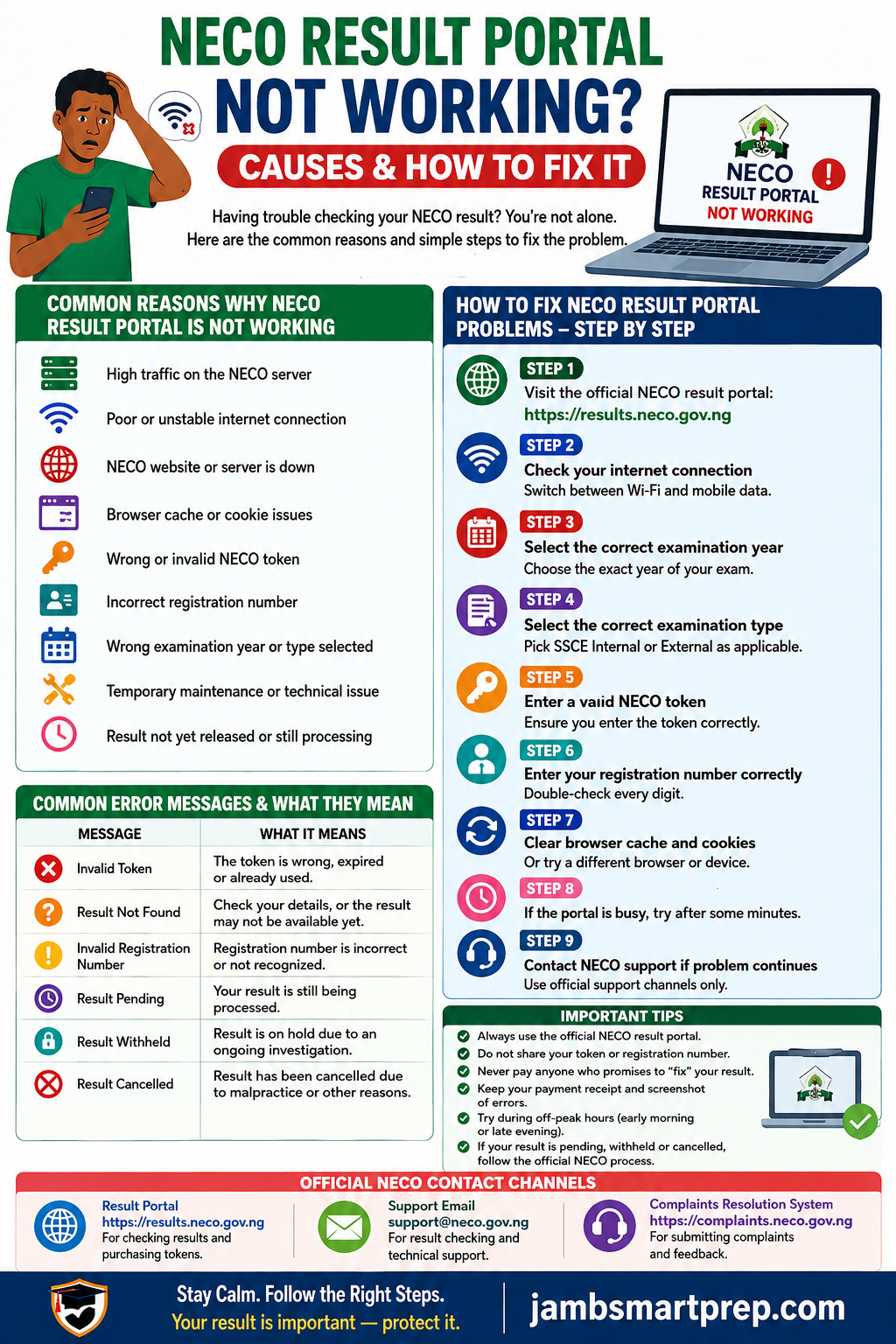
NECO Result Portal Not Working? Try These Steps
CHECK INTERNET
↓
OPEN OFFICIAL NECO PORTAL
↓
SELECT CORRECT EXAMINATION YEAR
↓
SELECT CORRECT EXAMINATION TYPE
↓
CHECK TOKEN
↓
CHECK REGISTRATION NUMBER
↓
TRY ANOTHER BROWSER
↓
TRY ANOTHER DEVICE
↓
WAIT IF THE PORTAL IS BUSY
↓
CONTACT NECO SUPPORT IF THE PROBLEM CONTINUES
Do not:
- Use unofficial result websites
- Buy several tokens because of one error
- Share your token publicly
- Give your login information to strangers
- Pay someone who promises to “fix” the NECO database
A Quick Troubleshooting Checklist
Before contacting anyone, run through this checklist.
Internet: Is your connection working?
Website: Are you using the official NECO result portal?
Year: Did you select the correct examination year?
Exam type: Did you select the correct examination type?
Token: Is the token correct?
Registration number: Is the registration number correct?
Browser: Have you tried another browser?
Device: Have you tried another device?
Status: Has NECO officially released the result?
Support: Have you contacted NECO if the problem continues?
If all of these have been checked and the result still cannot be accessed, the next step is official support rather than continued guessing.
A Portal Problem Does Not Automatically Mean Your Result Is Cancelled
This point deserves emphasis.
A candidate may see an error while checking a result and immediately search Google for “NECO result cancelled”.
That conclusion may be wrong.
A technical problem, invalid token, incorrect registration number, wrong examination year, temporary website outage or unavailable result can all prevent successful result checking.
Cancellation is a separate result status.
The same applies to withheld, pending and missing results.
Do not interpret one error message as proof of another status.
If the portal does not clearly explain the problem, confirm the matter through NECO’s official support channels.
The official NECO result portal itself is designed to accept the examination year, examination type, token and registration number before returning the candidate’s result.
Fixing Specific NECO Result Portal Problems
NECO Result Portal Not Working Because the Website Is Slow
One of the most common complaints from candidates is that the NECO result portal opens, but it takes too long to load.
You may click “Check my result” and see nothing happen. The page may continue loading, time out, or return an error after you have entered your details.
This does not necessarily mean that your NECO result has a problem.
The official NECO result portal is designed to require your examination year, examination type, result-checking token and registration number before displaying your result.
When many candidates are checking their results around the same period, the service may also become difficult to access.
What to do when the NECO result portal is slow
Try these steps one at a time:
- Wait for a few minutes and try again.
- Close unnecessary browser tabs.
- Refresh the page.
- Switch from mobile data to Wi-Fi, or vice versa.
- Try another browser.
- Clear your browser cache.
- Try the portal at a less busy time.
- Check that you are using the official NECO result portal.
Avoid repeatedly clicking the payment or result-checking buttons when a page appears frozen. If a payment has already been made, first confirm whether the transaction was successful before attempting another payment.
The official result portal currently provides a support email, su*****@******ov.ng, for result-related assistance.
NECO result portal not opening at all
A different problem occurs when the result portal does not open in your browser.
You may see messages such as:
- This site can’t be reached
- Connection timed out
- Server error
- Page unavailable
- Unable to connect
- The page keeps loading
- Secure connection failed
Before assuming that NECO has shut down the portal, test your internet connection by opening another reliable website.
If other websites work normally but the NECO portal does not, the problem may be related to the portal, your browser, DNS, or the route between your internet provider and the NECO server.
Try:
- Opening the website in another browser.
- Using an incognito or private window.
- Switching networks.
- Restarting your router.
- Turning mobile data off and on again.
- Trying another device.
If the same problem occurs on different devices and networks, give the portal some time and try again later.
NECO result portal says “result not found”
This message requires more caution.
A result not appearing does not automatically mean that NECO cancelled your result.
There are several possible explanations, including incorrect examination details, an incorrect registration number, selecting the wrong examination type, a result that is not yet available, or a technical problem.
Before contacting NECO, check your details carefully.
Check your registration number
Make sure every digit of your registration number is correct.
One wrong digit can prevent the system from locating your record.
Check the examination year
The NECO result portal asks candidates to select an examination year.
If you select the wrong year, the system may not find the expected result.
Check the examination type
Do not assume that every NECO examination uses exactly the same result-checking selection.
Choose the examination type that corresponds to the examination you actually wrote.
Check your token
The official portal also requires a result-checking token.
If the token is incorrect, invalid or associated with a different transaction, the result-checking process may fail.
If you have checked all four details and the problem continues, contact NECO through an official channel rather than buying several tokens from different vendors.
NECO result portal says “invalid token”
If you see an invalid-token message, first confirm that you entered the token correctly.
Check for:
- Missing digits
- Extra spaces
- Wrong characters
- A token belonging to another examination
- A token that has already been used where applicable
Do not immediately conclude that the token has been stolen or that your result is unavailable.
If you purchased the token through the official result service, retain your transaction information. This can become useful if you need to contact NECO about a payment or token problem.
The official result portal currently provides an option for candidates who do not have a token to purchase one.
NECO result portal accepts my details but does not show my result
This is particularly frustrating because it appears that everything is working until the final stage.
If your registration number and token are accepted but the result does not display, do not immediately buy another token.
First:
- Confirm the examination year.
- Confirm the examination type.
- Check whether the result has officially been released.
- Try again later.
- Use another browser or device.
- Keep a screenshot of any error message.
- Contact NECO if the problem persists.
A screenshot can help explain the exact problem if you later need technical support.
NECO result portal keeps logging me out
If you are repeatedly returned to the login page or your session disappears, the problem may be related to browser cookies or the portal session.
Try:
- Enabling cookies.
- Using a private browser window.
- Clearing old cookies for the site.
- Closing duplicate tabs.
- Using another browser.
- Avoiding repeated back-button clicks while the result is loading.
If you are using a shared computer at a cybercafé, be especially careful with saved passwords and personal information.
Do not allow the browser to save your NECO credentials on a public computer.
NECO result portal not working on phone
Many Nigerian students check their NECO results with smartphones, so a phone-specific problem can easily be mistaken for a NECO server problem.
If the portal works for other people but does not work on your phone, try the following:
1. Change your browser
If you are using Chrome, try another supported browser.
2. Clear cached data
Old cached files can sometimes interfere with websites.
3. Change your network
Try another mobile network or Wi-Fi connection.
4. Restart your phone
This sounds simple, but it can resolve temporary network and browser problems.
5. Use desktop mode
If the page does not display properly on your phone, try the browser’s desktop-site option.
6. Try another device
If possible, test the portal on a laptop or another smartphone.
If the result portal works on another device, the problem is more likely to be related to your phone or browser than your NECO result.
NECO result portal not working at a cybercafé
Cybercafés are still commonly used by Nigerian students for examination-related services.
However, public computers can introduce additional problems.
For example, the browser may have:
- Outdated cached information
- Browser extensions
- Saved credentials
- Restricted settings
- Poor internet connectivity
- Too many active users
If you use a cybercafé, make sure you personally enter sensitive information and log out after checking your result.
Do not leave your NECO registration number, email address, password or payment information saved in the browser.
NECO result portal is down. What should I do?
If the portal appears to be unavailable, the best response is usually patience and verification rather than panic.
First establish whether the problem is limited to your device.
Try the portal on:
- Another phone
- Another browser
- Another network
- A computer
If none of these works, the issue may be on the service side.
You can also check NECO’s official website and support channels for announcements or assistance.
Do not rely on a WhatsApp message or social media post claiming that the NECO portal is down unless the information can be verified.
Do not confuse the result portal with NECO e-Verify
Another common mistake is using the wrong NECO service.
The normal NECO Results Portal is used by candidates to check their examination results. It asks for the examination year, examination type, token and registration number.
NECO also operates e-Verify, which serves a different purpose.
The e-Verify platform is designed for result confirmation and verification by candidates, organisations and educational institutions.
Therefore, if you simply want to check your NECO result, do not assume that the e-Verify portal is a replacement for the normal result-checking portal.
What if the NECO result portal is working but my result is still unavailable?
This is where you need to distinguish a technical problem from a result-status problem.
For example:
| What you see | What it may indicate | What to do |
|---|---|---|
| Website will not open | Technical or network problem | Try another network/device |
| Page loads slowly | Traffic or connectivity issue | Wait and retry |
| Invalid token | Token problem | Recheck token and transaction |
| Result not found | Details or availability issue | Verify year, type and registration number |
| Result pending | Processing/status issue | Monitor official updates |
| Result withheld | Examination issue under review | Seek official clarification |
| Result cancelled | Cancellation decision | Follow the appropriate NECO complaint process |
The important point is that “portal not working” and “result cancelled” are not the same problem.
A candidate should establish the exact message displayed before deciding what to do next.
When should you contact NECO?
You do not necessarily need to contact NECO because the website takes a few seconds longer than usual.
Contact NECO when the problem continues after you have:
- Verified your examination details.
- Confirmed your token.
- Tried another browser.
- Tried another device.
- Tried another internet connection.
- Waited and attempted the process again.
When contacting support, give enough information for the problem to be understood, but do not send unnecessary sensitive information to an unverified person.
The official result portal identifies su*****@******ov.ng as its support email.
For general NECO services, the Council’s official resources also provide other contact information.
NECO school portal problems are different
If you are a school administrator, do not confuse a school portal login problem with a candidate’s result-checking problem.
NECO’s 2026 SSCE Internal guidelines state that existing schools experiencing login difficulties should use the “forget password” or “dispute” option. They also state that centre dispute requests are officially channelled through the relevant State Offices.
This is important because a school trying to resolve its portal access should follow the school-specific procedure rather than using the candidate result portal.
The candidate result portal and school registration portal serve different purposes.
What to do if you paid but the NECO portal is not working
This situation needs extra care.
Suppose you purchased a token, but immediately afterward the website stopped responding.
Do not automatically purchase another token.
Instead:
- Check whether the payment was successful.
- Save your payment reference or receipt.
- Confirm whether the token was generated.
- Wait briefly and retry.
- Check your account if applicable.
- Contact official NECO support if the transaction remains unresolved.
Keep evidence of the payment.
This is particularly important where money has been deducted from your bank account but the expected service has not appeared.
Could the problem be your internet connection?
Yes.
A slow or unstable connection can make a perfectly functioning website appear broken.
This is especially common when:
- Mobile data is weak.
- The network is congested.
- Your data bundle has expired.
- Wi-Fi has poor signal strength.
- Your browser is struggling to establish a secure connection.
A simple test is to open several other websites.
If all of them are slow, investigate your internet connection first.
If other websites work normally while the NECO portal remains inaccessible across different attempts, the problem may be specific to the NECO service.
Should you keep refreshing the NECO result portal?
Refreshing once or twice is reasonable.
Repeatedly refreshing a page that is already struggling is unlikely to solve the underlying problem.
A better approach is:
Check → wait → retry → change network → change browser → verify details → contact official support if necessary.
This is particularly useful when thousands of candidates are attempting to access examination services around the same period.
A simple NECO result portal troubleshooting checklist
Before contacting anyone, run through this checklist:
- Am I using the official NECO result portal?
- Did I select the correct examination year?
- Did I select the correct examination type?
- Did I enter the correct registration number?
- Did I enter the correct token?
- Is my internet connection stable?
- Have I tried another browser?
- Have I tried another device?
- Have I tried another network?
- Have I saved the error message or screenshot?
- Have I waited and tried again?
- If payment was involved, do I have the transaction evidence?
If you can answer these questions, you will have much more useful information if you eventually need to contact NECO.
A useful warning for candidates
Do not pay someone simply because they tell you the NECO portal is “locked” and that they can open it for you.
Likewise, be cautious about anyone who asks for your NECO account password, bank details, token or other private credentials while claiming to be an agent.
Use NECO’s official platforms whenever possible.
The official result portal is publicly accessible at the NECO results service and clearly identifies itself as the NECO Results Portal.
That distinction matters when searching Google because many unofficial websites use phrases such as “NECO result portal” in their page titles.
What if the portal is temporarily unavailable?
You do not lose your NECO result simply because you cannot access the website at a particular moment.
A temporary website problem is a technical access issue. It should not be treated as evidence that your result has disappeared, been withheld or been cancelled.
Wait, verify the official portal, and try again.
If the problem continues, use the official support route and keep a record of your attempts.
For students facing admission deadlines, this is especially important. If your university screening deadline is approaching, do not spend several days assuming that a portal error means your examination result has been cancelled. Establish the actual status as soon as possible.
FAQs and What to Do When the NECO Portal Still Does Not Work
When the NECO result portal is working but your result still does not appear
Sometimes the website itself is functioning normally, but the result you are looking for does not appear.
This is a different situation from the NECO result portal not working.
The first thing to establish is the exact status shown by the system.
For example, a candidate may see a message indicating that the result cannot be found, while another candidate may see a result that is withheld, pending, incomplete or cancelled.
These situations should not be treated as identical.
If your result does not appear, check your examination year, examination type, registration number and token carefully. The official NECO Results Portal specifically requires these details before a result can be checked.
If everything is correct and the problem continues, keep a screenshot of the message and contact NECO through an official channel.
What if my NECO result is pending?
A pending result is not the same as a portal failure.
If the portal opens normally and your examination details are accepted, but your result is still pending, the problem may concern the status of the examination record rather than your internet connection.
Do not repeatedly purchase result tokens simply because the result has not appeared.
Instead:
- Confirm that you selected the correct examination.
- Check the result again later.
- Keep your registration details.
- Monitor official NECO announcements.
- Contact NECO if the status remains unresolved.
You should also avoid relying on unofficial websites claiming that they can “release” a pending result for a fee.
What if my NECO result is withheld?
A withheld result requires a different response from a technical portal problem.
If your result is marked as withheld, do not automatically assume that it has been cancelled.
This distinction is particularly important because candidates sometimes see an unusual result status and immediately begin looking for someone who can “fix” it.
Do not pay such people.
Find out the official reason for the status and follow the appropriate NECO procedure.
If the matter concerns examination malpractice or another examination-related investigation, the candidate may need to wait for the relevant process to be completed.
What if my NECO result is cancelled?
A cancelled result is also different from a website problem.
If the portal is accessible and clearly shows that a subject or result has been cancelled, your next step should be to establish why the cancellation occurred.
Depending on the circumstances, the appropriate route may involve NECO’s complaints system or another official channel.
NECO operates a Complaints Resolution System that allows users to register and submit complaints.
Do not confuse this with ordinary technical troubleshooting.
If your problem is a cancelled result, changing your browser will not reverse the cancellation.
Can NECO result portal problems affect admission?
A portal problem can become serious when it happens close to a university admission or screening deadline.
Suppose a student has received an admission opportunity and is required to provide O’level results. If the student cannot access the NECO result because of a temporary portal problem, the sensible response is to document the problem and communicate with the institution if necessary.
Do not simply miss an admission deadline because you assumed the portal would eventually start working.
At the same time, do not upload an edited or fake result.
If another valid O’level result is available and the institution accepts it, that may provide another route. The specific admission requirements should always be checked with the institution concerned.
What if the university asks for NECO result verification?
This is where the distinction between result checking and result verification becomes important.
NECO operates an e-Verify platform for result confirmation and verification. It is separate from the ordinary result-checking portal. The e-Verify service provides individual and institutional verification functions.
A university may therefore be dealing with your result through a verification process rather than asking you to simply check the result yourself.
If an institution gives you specific instructions, follow those instructions rather than assuming that the normal NECO result portal is the only relevant service.
NECO result portal vs NECO e-Verify
Here is a simple distinction:
| Service | Main purpose |
|---|---|
| NECO Results Portal | Candidate checks an examination result |
| NECO e-Verify | Result confirmation and verification |
| NECO Complaints Resolution System | Submission and management of complaints |
| School NECO portal | School registration and examination administration |
The official NECO Results Portal asks for the examination year, examination type, token and registration number.
The e-Verify platform, on the other hand, provides individual and institutional result verification services.
Knowing which service you need can save considerable time.
How to contact NECO when the result portal is not working
If you have completed the basic troubleshooting steps and the problem continues, use official NECO channels.
The NECO Results Portal currently lists su*****@******ov.ng as its support email.
For complaints, NECO’s Complaints Resolution System provides an official complaint platform and currently displays contact information including in**@******ov.ng.
For e-Verify issues, the official e-Verify platform provides its own support information.
Because official contact details can change, check the relevant NECO website or portal immediately before sending sensitive information.
What information should you include when contacting NECO?
A vague message such as:
“My NECO result is not working. Please help.”
may not give support staff enough information to understand the problem.
Instead, explain the problem clearly.
Include:
- Your name
- Examination year
- Examination type
- Registration number
- The exact problem
- The date and approximate time you attempted to check
- The exact error message
- Whether you tried another browser
- Whether you tried another network
- A screenshot where appropriate
- Payment information if the problem concerns a transaction
Do not send unnecessary passwords or confidential financial information.
Example of a useful support message
If you need to contact NECO about a technical result-checking problem, your message can be straightforward.
Subject: Difficulty Checking NECO Result
Dear NECO Support,
I am having difficulty checking my NECO result through the official result portal. I selected the correct examination year and examination type and entered my registration number and token, but the result is not displaying.
Name: [Your Full Name]
Examination Year: [Year]
Examination Type: [Type]
Registration Number: [Registration Number]The message displayed on the portal is: “[Exact Error Message].”
I have also tried another browser and internet connection, but the problem remains.
Kindly advise me on the appropriate steps to resolve the issue.
Thank you.
The important thing is to provide accurate information.
What if you paid for a NECO token but cannot check your result?
Do not buy another token immediately.
First determine what happened to the original transaction.
Check:
- Whether your bank account was debited.
- Whether the payment was successful.
- Whether a token was generated.
- Whether you received a transaction reference.
- Whether the token was entered correctly.
Save your payment receipt or transaction reference.
If money was deducted without the expected service being provided, include the relevant transaction information when contacting the appropriate official support channel.
The official result portal provides a token purchase option for candidates who do not already have one.
What if the portal works on another phone?
This is actually useful information.
If the NECO result portal works on another device but not yours, the problem is probably connected to your device, browser or network.
Try:
- Updating your browser.
- Clearing browser data.
- Restarting your phone.
- Changing networks.
- Checking your device date and time.
- Opening the website in private browsing mode.
If it works elsewhere, there may be no problem with your NECO result itself.
What if the portal does not work anywhere?
If you have tested the official portal on different devices and different internet connections and it consistently fails, the issue may be outside your control.
In that situation, avoid repeatedly changing your registration information or purchasing new tokens.
Document the problem and contact NECO through the appropriate official channel.
The aim is to establish whether there is a temporary service problem or an issue specifically affecting your examination record.
Can a browser problem cause NECO result checking to fail?
Yes.
Web browsers store temporary files, cookies and other information that can sometimes interfere with how a website loads.
This is why trying another browser is a useful troubleshooting step.
For example, if the portal fails in your normal browser but works in a private window, clearing the browser’s stored site data may solve the problem.
However, if the same error appears across several browsers and networks, the problem is less likely to be a simple browser issue.
Can VPNs affect the NECO result portal?
A VPN can sometimes change how your internet connection reaches a website.
If you are using a VPN and the portal behaves strangely, temporarily disconnect from the VPN and try again using your ordinary connection.
There is no need to use a VPN simply to check a Nigerian examination result.
Can ad blockers or browser extensions cause problems?
Some browser extensions can interfere with website scripts.
If the portal opens but buttons do not work, temporarily testing the website in a private window is useful because many extensions are disabled there.
You can also try another browser without additional extensions.
What should you do if the NECO portal displays an error after you click “Check my result”?
First, do not repeatedly click the button.
Instead:
- Wait for the page to finish loading.
- Record the exact error.
- Take a screenshot.
- Check your registration details.
- Try again after a short interval.
- Test another browser.
- Test another network.
- Contact NECO if the error continues.
This gives you a clear record of what happened.
How to know whether the problem is technical or related to your result
A useful way to approach the problem is to divide it into two questions.
Question 1: Can I access the NECO website?
If no, investigate the website, browser and network.
Question 2: Can the system find and display my result after I enter my details?
If no, investigate your examination details, token and result status.
This simple distinction prevents candidates from treating every NECO result problem as a server problem.
Do not mistake “result not found” for “result cancelled”
This deserves emphasis.
If the portal does not display your result, you need to know what the system actually says.
A missing result display can have several explanations.
A cancelled result, however, is a specific status that carries a different meaning.
If you are unsure, save the exact message displayed and seek clarification through the official channel.
Do not rely on a friend’s interpretation.
What if your school tells you the NECO portal is down?
Ask whether the problem concerns:
- Your individual result-checking portal.
- The school’s NECO registration portal.
- The school’s internet connection.
- A centre-related issue.
- A wider NECO service problem.
These are not necessarily the same thing.
For example, NECO’s 2026 SSCE Internal guidelines provide specific procedures for schools experiencing login challenges, including the use of the “forget password” or “dispute” option.
A school administrator therefore has a different troubleshooting route from a candidate checking an already released result.
What if the NECO portal problem continues for several days?
If the problem lasts longer than a normal temporary outage, stop treating it as an ordinary browser issue.
Create a record containing:
- Date you first noticed the problem
- Examination details
- Screenshots
- Error messages
- Browsers tested
- Devices tested
- Networks tested
- Payment evidence where applicable
- Copies of correspondence with NECO
This information can make follow-up much easier.
Frequently Asked Questions About NECO Result Portal Problems
Why is the NECO result portal not working?
The problem may be caused by a temporary service issue, heavy traffic, an unstable internet connection, browser problems or incorrect examination details. Test another browser, device and network before concluding that the portal itself is down.
What should I do if the NECO result portal is not opening?
Check your internet connection, try another browser and device, switch networks and attempt the official portal again later. If the problem continues across different connections, contact NECO through its official support channel.
Why does the NECO result portal keep loading?
A slow connection, heavy traffic or a temporary server-side problem can cause prolonged loading. Wait, refresh once, switch networks and try another browser.
Why does NECO say “result not found”?
Check that you selected the correct examination year and type and entered the correct registration number and token. If the information is correct and the message remains, contact NECO for clarification.
Why is my NECO token not working?
Check that the token was entered correctly and that it corresponds to the correct result-checking process. Keep your payment information if you need to contact NECO about the transaction.
Can I check my NECO result without a token?
The official NECO Results Portal currently provides a token purchase option for candidates who do not already have one.
Is the NECO result portal the same as NECO e-Verify?
No. The result portal is used to check examination results, while e-Verify is designed for result confirmation and verification.
What if my NECO result is withheld?
Do not treat a withheld result as automatically cancelled. Find out the official status and follow the appropriate NECO process for clarification.
What if my NECO result is cancelled?
A cancelled result is not simply a website problem. Confirm the status and determine the reason for cancellation. If you believe there is a problem with the decision, use NECO’s official complaint or clarification channels.
Can NECO fix a result that is not showing?
The appropriate solution depends on why the result is unavailable. First establish whether the issue is technical, a data problem, a result-status issue or something else.
Should I buy another NECO token if the portal is not working?
Not immediately. First determine whether your previous token or payment was successful and whether the problem is actually related to the token.
Can a cybercafé fix my NECO result portal problem?
A cybercafé can help with basic computer or internet issues, but it cannot legitimately change NECO’s examination database. Be cautious about anyone who claims otherwise.
Can someone “uncancel” my NECO result?
Be very cautious about such claims. Do not pay an unofficial agent who promises guaranteed restoration of a cancelled result.
Can I use NECO e-Verify to check my result?
e-Verify is primarily a result confirmation and verification service. The ordinary candidate result-checking process is handled through the NECO Results Portal.
What email can I use to contact NECO about result-checking problems?
The official NECO Results Portal currently lists su*****@******ov.ng for support. Always verify the current contact information on the official NECO platform before sending sensitive information.
NECO Result Portal Not Working Does Not Always Mean There Is a Problem With Your Result
When the NECO result portal is not working, the first step is to identify the actual problem.
Do not assume that a slow website means your result has been cancelled. Do not assume that “result not found” means you failed. And do not assume that a withheld result is the same as a cancelled result.
Use a simple process:
Check the official portal → verify your details → test your browser and network → try another device → save the error message → contact NECO if necessary.
If the problem concerns a specific result status rather than the website itself, follow the appropriate NECO procedure instead of repeatedly trying to refresh the page.
The official NECO Results Portal provides the candidate result-checking service, while NECO’s Complaints Resolution System and e-Verify platform serve different purposes.
Most importantly, protect your examination information. Do not give your password, payment information or other sensitive details to someone simply because they claim to have a connection at NECO.
If you are using this guide for an admission deadline, act early. A technical problem is easier to manage when you have screenshots, payment evidence and your examination details ready.
Related NECO guides:
- NECO Result Checker Portal Login
- What to Do If Your NECO Result Is Still Pending
- NECO Result Withheld: What It Means and What to Do
- NECO Result Cancellation: What It Means and What to Do
- How to Appeal a Cancelled NECO Result
- How to Correct Errors on Your NECO Result
- NECO Result Verification Guide
- NECO e-Verify Portal Guide
- How to Print Your NECO Result
- How to Buy a Genuine NECO Result Checker Token
- NECO Result Not Showing on Portal
