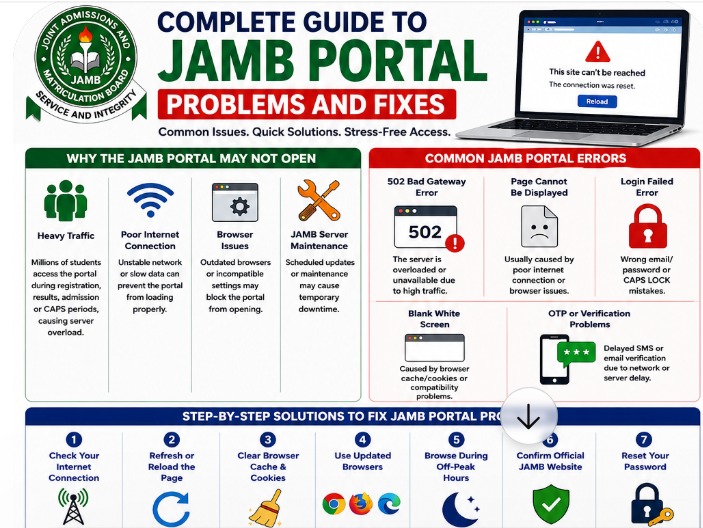
Every year, millions of Nigerian students visit the JAMB portal for registration, result checking, admission processing, CAPS acceptance, and profile updates. Unfortunately, many candidates become frustrated when the portal suddenly refuses to load or displays different types of errors.
For some students, the issue starts during UTME registration. Others experience problems while checking admission status or trying to access JAMB CAPS. Since thousands of candidates often access the website at the same time, temporary technical problems are common.
The good news is that many JAMB portal issues can be solved easily.
Sometimes the problem comes from poor internet connection, browser settings, incorrect login details, or temporary JAMB server maintenance. In other cases, students accidentally use fake links or outdated browsers that prevent the portal from working properly.
This complete guide explains the most common JAMB portal problems Nigerian students face and practical solutions that can help fix them quickly.
Whether your issue involves login errors, OTP verification problems, JAMB CAPS not opening, or result checker failures, this guide will help you troubleshoot the problem step by step.
Why the JAMB Portal May Not Open
There are several reasons why the JAMB portal may stop working temporarily.
Understanding these causes can help students avoid panic and find faster solutions.
Heavy Traffic on the JAMB Website
One major reason the JAMB portal is not opening is heavy traffic.
During important periods such as:
- UTME registration on the JAMB official website https://efacility.jamb.gov.ng/
- Result checking
- Admission processing
- CAPS updates
- Change of institution
millions of candidates attempt to access the portal at the same time.
This creates heavy server load, which may lead to:
- Slow loading pages of efacility.jamb.gov.ng
- Login failures
- Temporary downtime
- Blank screens
This is one of the most common JAMB portal server problems students experience every year.
Poor Internet Connection
Another major cause of JAMB website problems in Nigeria is unstable internet service.
In many parts of the country, weak mobile networks can interrupt browsing sessions or prevent the portal from loading completely.
If:
- Pages load slowly
- Images fail to appear
- Other websites also struggle to open
then your internet connection may be responsible.
Browser Compatibility Problems
Some students still use outdated browsers that do not support newer website updates properly.
This can cause:
- Blank white pages
- Broken buttons
- Login problems
- Incomplete loading
Browsers like:
- Chrome
- Firefox
- Microsoft Edge
should always be updated regularly for better performance.
JAMB Server Maintenance
At times, JAMB temporarily shuts down some services for maintenance or system upgrades.
This can affect:
- CAPS portal. You can check out JAMB CAPS
- Result checker
- Admission processing
- Registration dashboard
During maintenance periods, the website may become unavailable briefly.
Wrong Portal Address
Many fake websites imitate official government portals.
Students who use incorrect links may encounter:
- Fake login pages
- Error messages
- Security risks
- Redirect scams
Always verify that you are using the official JAMB website before entering your details. Interestingly, the official JAMB website is https://efacility.jamb.gov.ng/
Common JAMB Portal Errors Students Face
Students experience different portal problems depending on the situation.
Below are the most common JAMB login errors and their meanings.
“502 Bad Gateway” Error
This error usually means the server is overloaded.
It commonly happens during peak registration periods when too many students are accessing the portal at once.
The best solution is often patience and retrying later.
“Page Cannot Be Displayed”
This error may result from:
- Weak internet connection
- Browser issues
- Temporary network interruptions
Refreshing the page or changing networks often solves the issue.
JAMB Login Failed Error
Many students experience JAMB portal login problems on efacility.jamb.gov.ng because of incorrect credentials.
Common causes include:
- Wrong email address
- Incorrect password
- Typing mistakes
- CAPS LOCK errors
Always check login details carefully before retrying.
Blank White Page Error
A blank screen usually happens because of browser cache problems or compatibility issues.
Clearing cache and cookies often fixes this problem quickly.
OTP Verification Not Sending
Some students complain that verification codes fail to arrive through SMS or email.
This usually happens during heavy traffic periods.
The delay is often temporary.
JAMB CAPS Not Loading
During admission processing periods, the CAPS portal may become slow because many candidates are checking admission status simultaneously.
Step-by-Step Solutions to Fix JAMB Portal Problems
If you are experiencing JAMB portal issues, these troubleshooting steps may help.
Check Your Internet Connection
Before assuming the portal is down, test your network first.
Try:
- Opening other websites
- Switching mobile networks
- Using Wi-Fi
- Moving to a stronger signal area
Many students solve portal issues simply by changing networks.
Refresh or Reload the Portal
Temporary interruptions may disappear after refreshing the page.
Use:
- Refresh button
- F5 key on computer
- Swipe refresh on mobile browser
This simple method sometimes works immediately.
Clear Browser Cache and Cookies
Old browser data can interfere with updated websites.
Clear cache and cookies from:
- Chrome
- Firefox
- Opera Mini
- Safari
Then reopen the portal.
This is one of the best ways to solve JAMB portal blank page problems.
Use Updated Browsers
Outdated browsers often struggle with modern websites.
Updated versions of Chrome or Firefox usually work better for JAMB services.
Browse During Off-Peak Hours
Portal traffic reduces during:
- Late nights
- Early mornings
- Midweek periods
Many experienced cyber café operators recommend browsing during these quieter hours.
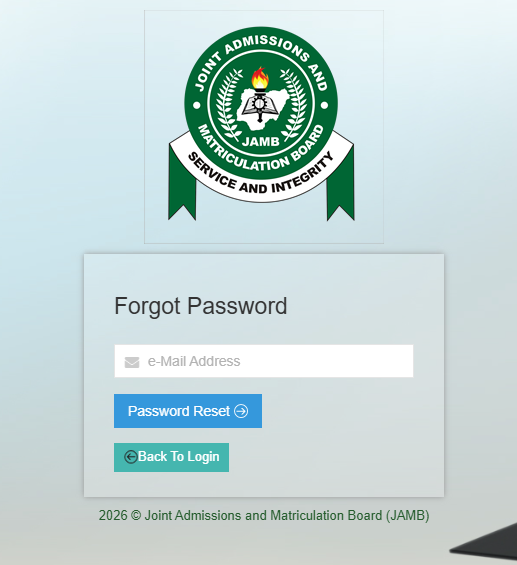
Reset Forgotten Passwords
If your password fails repeatedly:
- Click “Forgot Password” on efacility.jamb.gov.ng or simply click on the link https://efacility.jamb.gov.ng/forgot
- Enter your registered email
- Follow the recovery instructions
- Create a stronger password
Always save new passwords securely.
Confirm You Are Using the Official JAMB Website
Avoid random links from social media groups.
Using fake portals can expose students to scams and login theft.
JAMB Portal Services That Commonly Experience Problems
Some JAMB services experience downtime more frequently than others.
JAMB Registration Portal
Heavy traffic during registration often causes loading delays.
JAMB CAPS Portal
Many students complain about JAMB CAPS not opening during admission periods.
This usually happens when institutions begin uploading admission lists.
JAMB Result Checker
The result checker may slow down immediately after results are released.
JAMB Admission Status Portal
Admission periods often increase traffic significantly.
JAMB Profile Login
Students sometimes struggle with profile login because of forgotten passwords or verification problems.
How to Fix JAMB CAPS Problems
Why JAMB CAPS May Refuse to Load
CAPS may stop loading because of:
- Heavy traffic
- Browser issues
- Server maintenance
- Weak internet connection
How to Access CAPS Successfully
Students using phones should enable desktop mode in their browsers.
Updated Chrome browsers often work best.
Admission Status Not Showing
Sometimes institutions delay uploading admission lists.
In such cases, candidates may need to wait patiently.
Acceptance and Rejection Issues
CAPS processing occasionally experiences delays after admission decisions are uploaded.
Students should refresh periodically instead of panicking immediately.
Common JAMB Registration Problems and Solutions
Email Already Exists Error
This happens when students attempt to create multiple accounts using the same email.
Profile Code Problems
Delayed profile codes may happen because of network congestion.
Retrying later usually works.
Payment Verification Issues
Sometimes payments take time to reflect.
Students should avoid making multiple payments unnecessarily.
Fingerprint Verification Problems
Biometric issues may happen because of poor fingerprint capture.
Accredited CBT centres can help resolve this.
Wrong Biodata Corrections
Students should always review personal information carefully before submission.
How Nigerian Students Can Avoid JAMB Portal Problems
Avoid Last-Minute Registration
Late registration periods usually experience the heaviest traffic.
Register early whenever possible.
Use Reliable Cyber Cafés
Experienced cyber café operators understand portal troubleshooting better.
Save Login Details Properly
Many students forget passwords or registered emails.
Keep login details safe.
Use Strong Internet Networks
Reliable networks such as:
- MTN
- Airtel
- Glo
- 9mobile
may improve browsing performance depending on location.
Keep Browsers Updated
Updated browsers improve speed, compatibility, and security.
Difference Between JAMB Server Problems and User Errors
Signs the Problem Is From JAMB
Indicators include:
- Nationwide complaints online
- Server maintenance messages
- Multiple users reporting downtime
- Social media updates from JAMB
Important Links:
JAMB Portal Not Opening? Common Issues and Solutions
Common JAMB Portal Problems and Solutions | Complete Guide to JAMB Portal Problems and Fixes
WAEC E-Learning – WAEC E-Learning Portal | Step-by-Step Guide to Using the WAEC Portal
How to Fix JAMB Portal Login Problems Easily
What to Carry on JAMB UTME Exam Day: Full Checklist for Candidates
How to Upload O’Level Results on JAMB Portal
JAMB Portal 2026 – How to Use JAMB Portal for First-Time Candidates
JAMB Portal Login Guide for UTME Candidates – Complete JAMB Portal Login and CAPS Guide
Common Mistakes Students Make When Studying for NECO
Signs the Problem Is From Your Device
Indicators include:
- Other websites loading normally
- Login failures affecting only your device
- Wrong password errors
- Browser-only issues
What to Do If JAMB Portal Still Refuses to Work
Wait and Retry Later
Many issues are temporary and disappear after some time.
Visit Accredited CBT Centres
Official CBT centres often have better systems and experienced staff.
Contact JAMB Support
Students facing serious issues should contact official support channels instead of random online agents.
Follow Official JAMB Social Media Pages
JAMB sometimes announces maintenance updates and service interruptions publicly.
Important JAMB Portal Safety Tips
Avoid Fake JAMB Websites
Always verify every portal link carefully.
Never Share Passwords Publicly
Protect your login details at all times.
Avoid Random Online Agents
Many fake agents target students during registration periods.
Verify Every JAMB Link Carefully
Incorrect links may lead to phishing websites.
Use Trusted Devices for Login
Avoid logging in on suspicious public devices.
Best CBT Apps for JAMB Preparation
Why CBT Practice Matters
Modern exams increasingly use computer-based testing.
Students who practice CBT regularly usually gain more confidence during the actual exam.
Benefits include:
- Faster answering speed
- Better time management
- Familiarity with CBT navigation
- Reduced exam fear
Recommended CBT Platform
JambSmartPrep CBT App
JambSmartPrep CBT App is one of the most useful CBT practice tools for Nigerian students.
Features include:
- Real CBT simulation
- Subject-by-subject revision
- Performance tracking
- Mock exams
- Detailed explanations
Students can continue preparing effectively even while waiting for portal problems to be resolved.
Common Mistakes Students Make When Using the JAMB Portal
Entering Wrong Email Addresses
Typing mistakes frequently cause login problems.
Forgetting Passwords
Students often fail to save login credentials properly.
Clicking Fake Links
Random links may expose students to scams.
Waiting Until Deadline Periods
Last-minute registration increases stress and server congestion.
Ignoring Official Instructions
Failure to follow JAMB guidelines can create unnecessary complications.
Frequently Asked Questions About JAMB Portal Problems
Why Is JAMB Portal Not Opening Today?
The portal may be experiencing heavy traffic, maintenance, or temporary server downtime.
How Can I Fix JAMB Login Errors?
Check your internet, confirm credentials, clear browser cache, and retry later.
Why Is My OTP Not Sending?
Verification systems sometimes become delayed during busy periods.
Can I Use My Phone to Access JAMB Portal?
Yes. Smartphones can access the portal successfully with stable internet.
Why Is JAMB CAPS Not Loading?
Heavy admission processing traffic may slow down CAPS temporarily.
Is JAMB Portal Down During Registration?
Yes. Heavy registration traffic can temporarily slow down services.
How Long Does JAMB Server Downtime Last?
Downtime may last from minutes to several hours depending on the issue
Can Browser Cache Affect JAMB Portal?
Yes. Old cache files may interfere with portal loading.
What Is the Official JAMB Website?
Students should always verify official JAMB links carefully before logging in.
Can VPN Affect JAMB Portal Access?
Yes. Some VPN services may interfere with verification systems.
Why Is My Admission Status Not Showing?
Institutions may still be processing or uploading admission lists.
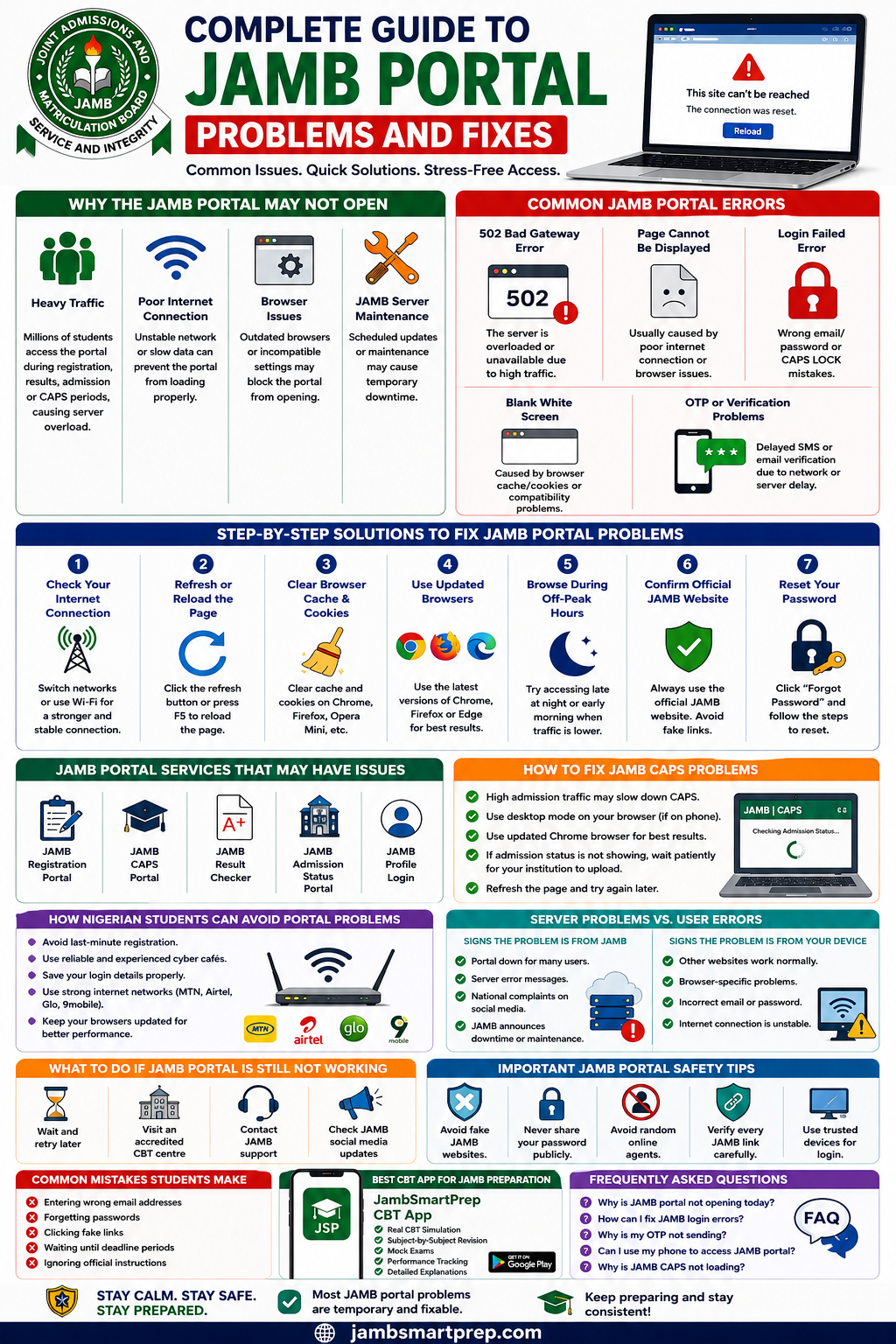
Complete Guide to JAMB Portal Problems and Fixes
Include:
- Common JAMB portal errors
- Quick troubleshooting steps
- Browser fixes
- CAPS solutions
- Internet troubleshooting tips
- Safe login practices
- Best CBT preparation platform:
- JambSmartPrep CBT App
Conclusion
JAMB portal problems can be frustrating, especially during registration and admission periods. However, most issues are temporary and can be solved with simple troubleshooting steps.
Students should remain calm, avoid fake websites, protect their login details, and use only official JAMB platforms.
Patience also matters during high-traffic periods because server congestion is common when millions of candidates access the portal simultaneously.
While waiting for technical issues to be resolved, students can continue preparing for examinations using reliable CBT platforms like the JambSmartPrep CBT App.
If this guide helped you, consider sharing it with other students facing JAMB portal issues. You can also explore related JAMB admission and CBT preparation guides to improve your exam readiness further.
