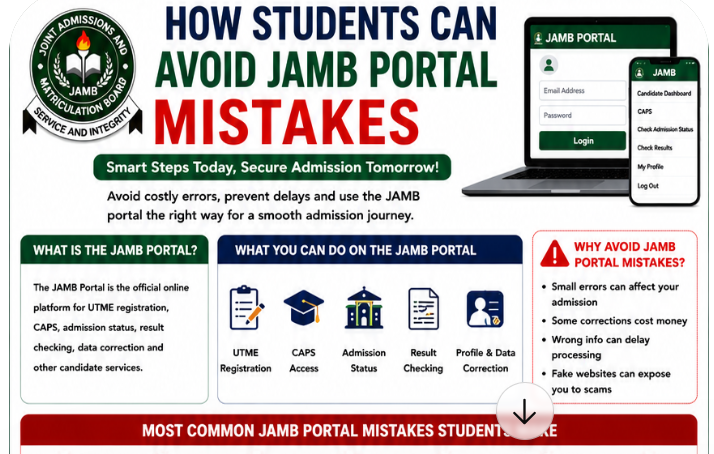
Every year, thousands of Nigerian students experience avoidable problems while trying to use the JAMB portal. Some candidates struggle with failed logins, others enter wrong biodata during registration, while many panic after seeing CAPS errors, payment issues, or admission delays.
For first-time UTME candidates especially, the JAMB portal can feel confusing and stressful.
Unfortunately, small mistakes on the portal can later affect admission status, CAPS processing, result checking, institution screening, or even final admission into a university, polytechnic, or college of education.
Many of these issues happen because students rush registration, ignore important details, or use unofficial websites and cyber cafés without proper guidance.
The good news is that most JAMB portal mistakes are completely avoidable. Also see: UTME Explained for First-Time Candidates
This detailed guide explains how students can avoid JAMB portal mistakes, protect their accounts, prevent common registration errors, fix login issues, and use the JAMB portal safely and correctly.
Whether you are preparing for UTME registration, checking CAPS admission, uploading O’Level results, or correcting data, this guide will help you navigate the JAMB online portal with confidence.
Why Students Must Avoid JAMB Portal Mistakes
Many students underestimate how sensitive the JAMB portal system is until problems begin affecting their admission process.
Even small errors can create unnecessary stress later.
Small Errors Can Affect Admission
Simple mistakes like entering the wrong date of birth, incorrect email address, or wrong subject combination may later affect:
- Admission processing
- CAPS approval
- Institution screening
- Scholarship applications
- NYSC records
- Result verification
For example, a student applying for Medicine who mistakenly chooses the wrong subject combination may become ineligible for admission even with a high UTME score.
This is why students must take every portal activity seriously.
Some Corrections Cost Money
One major reason students should avoid JAMB portal errors is because some corrections require payment.
Examples include:
- Correction of name
- Change of institution
- Change of course
- Date of birth correction
- Profile updates
Beyond the financial cost, correction processes can also consume valuable time during admission season.
Wrong Information Can Delay Processing
Incorrect information often creates admission delays.
Some students discover too late that:
- Their O’Level results were not uploaded properly
- CAPS details contain errors
- Their email address cannot receive notifications
Such mistakes may affect admission acceptance and screening processes.
Fake Websites Can Expose Students to Scams
Another growing problem in Nigeria is fake JAMB websites.
Scammers create fake portals that imitate the official platform to steal:
- Passwords
- Registration details
- Payment information
- Student personal data
Students who use unofficial platforms risk losing access to their accounts completely.
Understanding How the JAMB Portal Works
Before students can avoid mistakes, they must first understand how the portal functions.
What the JAMB Portal Is Used For
The JAMB candidate portal serves several important purposes.
Students use it for:
- UTME registration
- CAPS access
- Admission status checking
- Result checking
- O’Level uploads
- Data correction
- Change of institution
- Change of course
The portal acts as the central system connecting candidates to the Nigerian admission process.
Difference Between JAMB Portal and CAPS
Many students confuse the JAMB portal with CAPS.
The regular JAMB portal handles general registration and account activities.
CAPS, which means Central Admission Processing System, mainly handles:
- Admission monitoring
- Admission acceptance
- Admission transfer
- Institution admission processing
Both systems are connected but serve different functions.
Why Students Often Get Confused
The portal becomes confusing because:
- Different services exist on separate pages
- Updates happen regularly
- Some features work better on desktop mode
- Traffic increases heavily during admission season
Students who do not understand these differences often panic unnecessarily during temporary technical problems.
Most Common JAMB Portal Mistakes Students Make
Certain mistakes happen repeatedly every admission year in Nigeria.
Understanding them early can help students avoid unnecessary complications.
Using the Wrong Email Address
One of the biggest JAMB portal mistakes students make is entering the wrong email address.
This email later becomes linked to:
- Portal login
- CAPS access
- Password recovery
- Admission updates
- Notifications
Some students accidentally:
- Misspell their email
- Use inactive emails
- Use someone else’s email
- Forget the email completely
This later creates serious login problems.
Forgetting Login Passwords
Password-related problems are extremely common.
Students often:
- Use weak passwords
- Forget login credentials
- Save passwords carelessly
- Share passwords publicly
This creates avoidable JAMB portal login problems later.
Entering Wrong Biodata
Wrong biodata may include:
- Incorrect names
- Wrong date of birth
- Incorrect state of origin
- Wrong gender
- Wrong local government area
These errors can affect future admission processing and screening.
Wrong Subject Combination
Every year, many students choose the wrong UTME subject combination.
Examples include:
- Engineering students omitting Physics
- Law candidates missing Literature
- Medical students selecting wrong science subjects
Wrong subject combinations may make candidates ineligible for their desired course. Also see: Correct JAMB Subject Combination for Medicine, Law, Engineering, & Nursing
Uploading Incorrect O’Level Results
Some students mistakenly upload:
This may delay admission processing later.
Using Unofficial JAMB Websites
Students searching for “JAMB portal login” online often encounter fake websites.
Always verify the official JAMB portal carefully before entering login information.
Ignoring Desktop Mode on Mobile Phones
CAPS works better in desktop mode.
Students who ignore this often experience:
- Missing buttons
- Loading problems
- Incomplete dashboard display
How Students Can Avoid JAMB Portal Login Problems
Login issues remain one of the most searched JAMB portal problems online.
Fortunately, most are avoidable.
Save Login Details Properly
Students should safely save:
- Email addresses
- Passwords
- Registration numbers
Avoid relying only on memory.
A simple notebook or secure password app can help.
Use Strong but Easy-to-Remember Passwords
Good passwords should combine:
- Letters
- Numbers
- Simple memorable patterns
Avoid extremely weak passwords like:
- 123456
- password
- yourname123
Avoid Multiple Failed Login Attempts
Repeated failed login attempts may trigger temporary restrictions.
If login fails:
- Check credentials carefully
- Wait briefly before retrying
- Avoid aggressive refreshing
Use Updated Browsers
Old browsers often create portal compatibility issues.
Recommended browsers include:
- Chrome
- Firefox
- Microsoft Edge
Updated browsers improve portal performance significantly.
Enable Desktop Mode for CAPS
Desktop mode helps CAPS function properly on phones.
This improves:
- Admission status visibility
- Acceptance buttons
- CAPS dashboard display
How Students Can Avoid Registration Mistakes on the JAMB Portal
Registration mistakes create some of the most serious admission problems.
Verify Subject Combination Carefully
Before registration, students should confirm official subject requirements for their course.
For example:
| Course | Recommended Subjects |
|---|---|
| Medicine | Biology, Chemistry, Physics |
| Law | Literature, Government |
| Engineering | Mathematics, Physics, Chemistry |
Wrong combinations may affect admission eligibility.
Double-Check Institution Selection
Some students accidentally choose:
- Wrong university
- Wrong polytechnic
- Incorrect institution category
Always verify institution details carefully.
Confirm Course Requirements Before Registration
Students should research admission requirements before selecting courses.
Do not simply follow friends blindly.
Use Correct Phone Numbers and Emails
Phone numbers help with:
- OTP verification
- Profile recovery
- Registration updates
Using inactive numbers may later create access problems.
Review All Details Before Submission
Never rush registration.
Always confirm:
- Name spelling
- Subject combinations
- Institution choice
- Email address
- Phone number
before final submission.
How Students Can Avoid CAPS Mistakes
CAPS mistakes affect many students yearly.
Check CAPS Regularly
Students should monitor CAPS frequently during admission season.
Admission updates may appear unexpectedly.
Accept Admission Early
Delaying admission acceptance unnecessarily may create confusion later.
Do Not Ignore Transfer Notifications
Sometimes JAMB recommends admission transfers.
Ignoring them may reduce admission opportunities.
Understand What “Not Admitted” Means
“Not Admitted” does not always mean permanent rejection.
Many institutions process admissions gradually.
Students should remain patient.
Always Use Desktop Mode
Desktop mode improves CAPS visibility significantly.
How to Avoid JAMB Result Checking Problems
Use Official Result Checking Platforms
Students should avoid fake result-checking websites completely.
Always use official JAMB channels.
Enter Registration Numbers Carefully
Typing errors remain very common during result checking.
Avoid Panic During Delays
Temporary delays often happen during high-traffic periods.
Remain calm before assuming problems exist.
Do Not Refresh Aggressively During Downtime
Repeated refreshing may worsen loading problems.
How Students Can Avoid Payment Errors on the JAMB Portal
Payment-related issues frustrate many candidates yearly.
Verify Remita Details Before Payment
Always confirm Remita payment details carefully before completing transactions.
Avoid Multiple Payments
Some students panic during delays and pay multiple times.
This creates unnecessary financial problems.
Use Accredited CBT Centres
Only use accredited CBT centres for registration and payment assistance. Also read: Top JAMB CBT Tricks to Answer Questions Faster
Keep Payment Receipts Safely
Always save:
- Receipts
- Transaction references
- Screenshots
These records help resolve disputes later.
Technical Tips to Avoid JAMB Portal Problems
Use Reliable Internet Connections
Poor internet causes:
- Failed submissions
- Loading issues
- Interrupted processing
Clear Browser Cache Regularly
Corrupted browser cache may interfere with portal performance.
Avoid Unsupported Browsers
Some lightweight mobile browsers do not support JAMB systems properly.
Do Not Open Multiple Portal Tabs
Too many open tabs may confuse portal sessions.
Access the Portal During Off-Peak Hours
Late-night access sometimes reduces server congestion.
Important JAMB Portal Safety Tips for Students
Avoid Fake JAMB Websites
Always verify official URLs before login. Also read: JAMB Exam Tricks and Shortcuts 2026 (Smart Strategies to Score Higher with Less Stress)
Never Share Passwords Publicly
Protect login details carefully.
Avoid Random Social Media “Helpers”
Many scammers target desperate students online.
Monitor CBT Centre Activities Carefully
Always watch your registration process personally.
Keep Screenshots and Printouts Safe
Important documents include:
- Registration slips
- Payment receipts
- CAPS screenshots
What Students Should Do If They Already Made a Portal Mistake
Recover Forgotten Passwords Properly
Use official password recovery options only.
Correct Wrong Biodata
JAMB allows correction processes during approved periods.
Resolve Payment Problems
Students should contact official support with payment evidence.
Fix Wrong Course or Institution
Change of course and institution processes are available after registration.
Contact Official JAMB Support
Avoid relying solely on social media rumors for solutions. See: JAMB Support Contact – JAMB Help Centre | JAMB Complaint Solution
Difference Between Temporary Portal Problems and Serious Issues
Server Downtime During Peak Periods
Heavy traffic often slows the portal temporarily.
Heavy Admission Traffic Problems
Admission season creates nationwide portal congestion.
Student-Specific Errors
Some problems affect only individual accounts.
Incorrect Registration Information
Certain issues come directly from wrong student details.
Best CBT Apps for JAMB Preparation
Why CBT Practice Is Important
CBT familiarity improves:
- Speed
- Confidence
- Accuracy
- Time management
Students who practice regularly usually feel calmer during UTME examinations.
Recommended CBT Platform
JambSmartPrep CBT App
JambSmartPrep CBT App helps students prepare effectively through:
- CBT practice questions
- Mock examinations
- Subject-by-subject revision
- Performance tracking
- Real JAMB CBT simulation
Regular practice improves examination confidence significantly.
Real-Life Examples of JAMB Portal Mistakes Students Made
Wrong Email Registration Case
A student from Lagos mistakenly registered with an incorrect email spelling and later lost access to CAPS updates.
Wrong Subject Combination Example
A science student applying for Engineering accidentally omitted Physics during registration and later faced admission complications.
CAPS Admission Delay Story
One candidate ignored CAPS notifications for weeks and nearly missed admission acceptance deadlines.
Payment Duplication Experience
Another student made multiple Remita payments during portal delays because of panic.
Frequently Asked Questions About Avoiding JAMB Portal Mistakes
How Can I Avoid JAMB Login Problems?
Save login credentials properly and use updated browsers.
Why Is My JAMB Portal Not Opening?
Possible causes include:
- Server congestion
- Poor internet
- Browser issues
- Maintenance periods
Can I Use My Phone for CAPS?
Yes, but desktop mode improves compatibility significantly.
What Happens If I Enter Wrong Information?
Some errors may require correction procedures later.
How Do I Recover My JAMB Password?
Use official password recovery systems linked to your registered email.
What Is the Official JAMB Portal Website?
Students should verify official URLs carefully before login.
Can Browser Cache Affect Portal Login?
Yes. Corrupted cache files may interfere with portal performance.
Why Does CAPS Work Better in Desktop Mode?
Desktop mode improves feature visibility and compatibility.
Can CBT Centres Help With Portal Problems?
Yes. Accredited CBT centres can assist with technical issues.
How Long Does JAMB Portal Downtime Last?
Downtime duration varies depending on server traffic and maintenance activities.
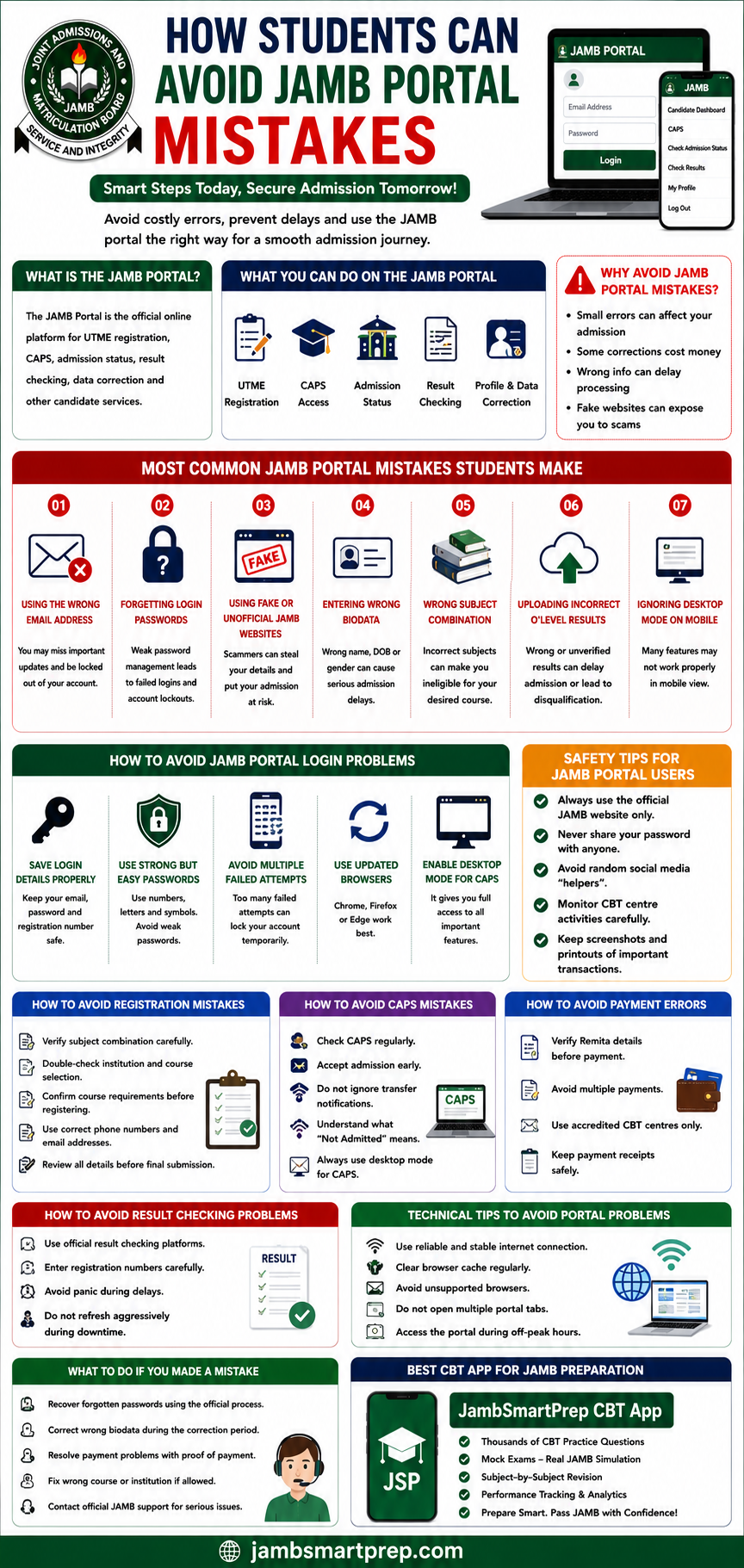
How Students Can Avoid JAMB Portal Mistakes
Include:
- Login safety tips
- CAPS best practices
- Registration verification tips
- Payment protection tips
- Technical troubleshooting advice
- Best CBT preparation platform:
- JambSmartPrep CBT App
Important Links
- CAPS Login Problems and Fixes
- Common JAMB Registration Mistakes
- How to Fix JAMB Portal Login Problems
- JAMB Support Contact Guide
- How to Check JAMB Result Online
- Best CBT Apps for JAMB Preparation
Conclusion
Most JAMB portal mistakes are preventable when students remain careful, patient, and properly informed throughout the admission process.
Candidates should avoid rushing registration, review every submission carefully, and use only official JAMB platforms and accredited CBT centres.
Regular CAPS monitoring, safe login practices, and early preparation can help students avoid many common portal problems in Nigeria.
If you found this guide helpful, consider sharing your own JAMB portal experiences or lessons learned during registration or admission processing.
You can also explore related JAMB admission guides and continue practicing with the JambSmartPrep CBT App to build stronger confidence before examination day.
